
Related Products


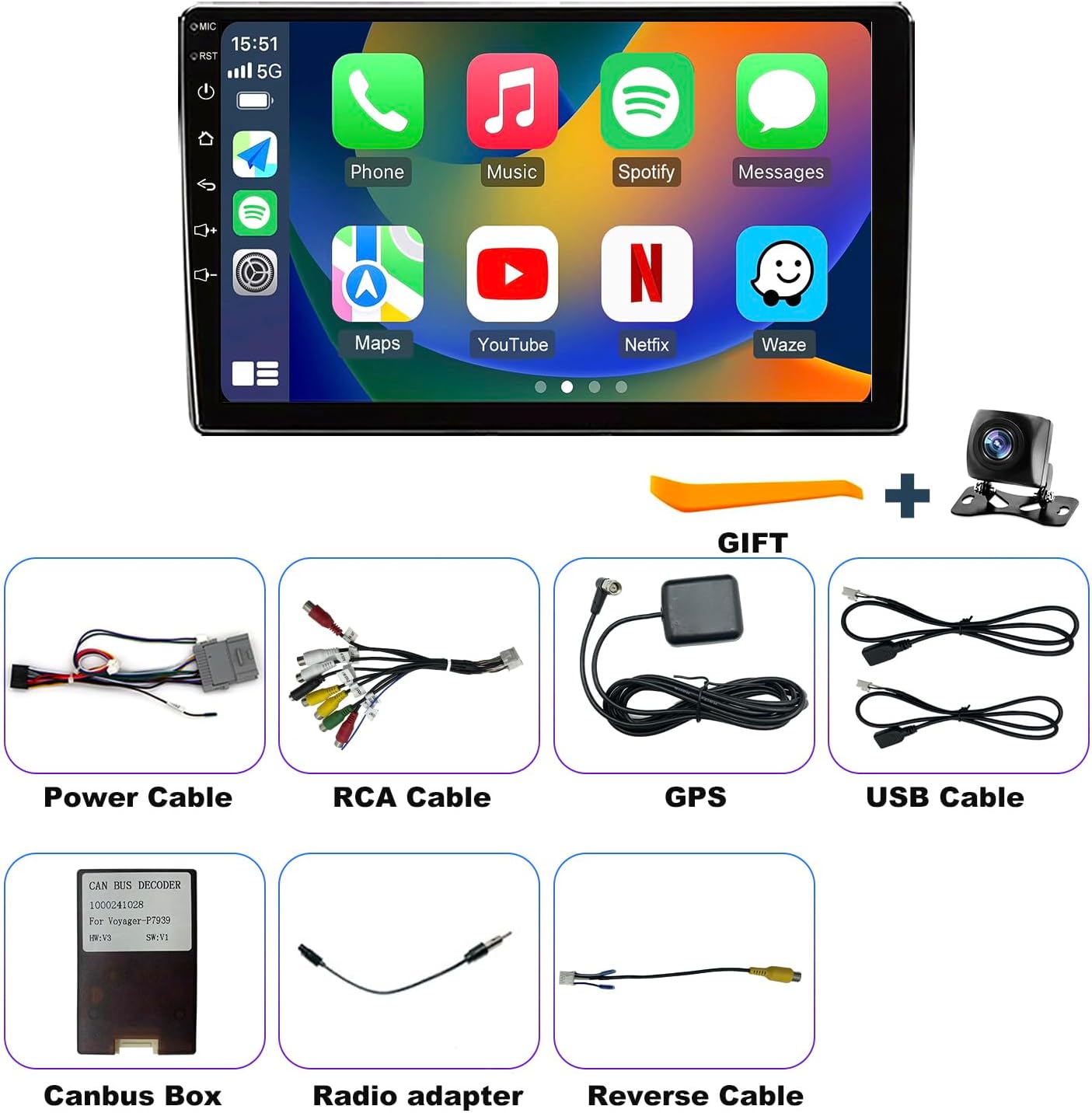
Product description
Upgrade Car Radio for GMC Sierra Chevy Silverado 1500 2500 3500 2003-2006 Stereo 
Note: The car model and year are for reference only. Please confirm your center console’s shape and size before purchasing. If you are unsure about compatibility, please provide your car model and a picture of your center console. We will confirm and offer suggestions to you.
Model/year for reference. Confirm console shape and size before buying. 
For Chevy radio:
Silverado 1500 radio 2003-2006;Silverado 2500 radio 2003-2006;Silverado 3500 radio 2003-2006;Tahoe radio 2003-2006;Avalanche radio 2003-2006;Suburban radio 2003-2006;Impala radio 2000-2005;Malibu 2001-2003;
For GMC radio:
Sierra 1500 2500 3500 radio 2003-2006;Yukon radio 2003-2006

Stay connected wherever you go with Silverado 1500 stereo.

Keep devices connected through GMC Sierra 1500 radio.

Plan every journey using chevy tahoe stereo.

Handle multiple tasks with Chevy Silverado 3500 radio.

Enjoy balanced audio through GMC Yukon stereo.
1 Wireless CarPlay
2 5GWiFi
3 GPS Navigation
4 FM Radio
5 EQ/DSP & HD Screen
System & Storage Runs on Android 15 with an 8-core processor and 4G RAM+64G ROM, ensuring smooth performance and seamless multitasking. Vehicle Fit For Dodge Grand Caravan Radio 2008 2009 2010 2011 2012 2013 2014 2015 2016 2017 2018 2019 2020; For Chrysler Town & Country Radio 2008 2009 2010 2011 2012 2013 2014 2015 2016. CPU 1.8Ghz Cortex-A53 CPU and GE8300 GPU Sound Effect & FM Radio+RDS Features a DSP HiFi 36EQ for immersive audio, plus FM radio with real-time RDS updates. Phone Link Wired/Wireless Carplay, Wired/Wireless Android Auto Camera Input CVBS &AHD 720/1080P Video Playback Supports common formats Audio Format MP3/WMA/WAV/APE/FLAC ect FM & Amplifier 87.5~108MHz; 4*60W Faster 5GWiFi Connectivity Equipped with fast 5GWiFi to keep your navigation and entertainment streaming without interruptions. Bluetooth & Wheel Control Supports wireless music streaming, hands-free calling, and convenient steering wheel controls. Built-in GPS Includes free maps for both online and offline navigation, so you can plan your routes with confidence. HD Rearview Camera Delivers a crisp, high-definition rear view to make reversing and parking safe and effortless. Dual Rear USB Ports Lets you charge your devices and play media simultaneously. Split screen & 10″ HD display The 10-inch IPS screen offers vibrant, crystal-clear visuals, even when multitasking. Plug & play installation Designed for a hassle-free setup that integrates perfectly with your factory wiring—no extra modifications needed.

Keep controls familiar with Silverado 1500 radio.

Connect your phone using Chevy silverado accessories.

Enjoy safer reversing with Chevy Impala radio.

Keep information visible with GMC Sierra Stereo 1500.

Upgrade your vehicle using Chevrolet Suburban radio.
1 Steering Wheel Learning
2 Bluetooth
3 Reverse Camera
4 Split Screen
5 Plug & Play Installation
Why does my Bluetooth connection drop even though my phone shows it is connected?
1.Ensure reverse cable is firmly connected to Bluetooth/Wi‑Fi booster.
2.Rescan for your phone in the car stereo’s Bluetooth menu.
3.Select “Car‑BT”, enter “0000”, and delete any old pairings if the issue persists.
How can I stop CarPlay from automatically connecting every time I start the vehicle?
1.Bluetooth pairing will allow Zlink to automatically start CarPlay;
2.Turn off Background Connection to prevent automatic reconnection;
3.Go to iPhone Settings > General > CarPlay > Zlink to manage or disable the CarPlay connection.
Why can’t I get my phone screen mirrored wirelessly on the radio?
iOS: Open Zlink5 Wireless Mirroring, enable iPhone hotspot, connect the radio to Wi-Fi, then select zj-airplay;
Android: Open Zlink5 Wireless Mirroring, install the Zlink app, connect Bluetooth, and enable Personal Hotspot.
Why does Wi-Fi stop working when CarPlay is turned on?
Wi-Fi disconnects while CarPlay is active because it uses the connection, so disable Background Connection to prevent the system from reconnecting automatically.
Why is my rear camera not showing a picture after shifting into reverse?
1.Check that the reverse trigger wire and camera cables are connected correctly;
2.Enter Factory Settings (8888) > Camera & Protocol Parameter Settings and set the correct camera format.
How do I remove the reverse parking lines from the camera view?
Go to Factory Settings (8888), access Protocol Parameter Settings, and disable Reverse Track and Reverse Auxiliary Line.
What can I do if the radio screen stays black after startup?
1.Verify that the CANBUS box is connected correctly;
2.Press the RST reset hole with a toothpick and check the rear fuse.
Why is my touch screen not responding when I try to use it?
Recalibrate the touchscreen by following the five-finger touch method shown in the instructional video.
Why do my speakers have no sound after installing the unit?
1.Check that the speaker wires are not reversed or connected incorrectly;
2.Make sure the CANBUS box is installed correctly.
Why are my steering wheel buttons not working with the new radio?
1.Check whether the SWC cable and protocol wire are connected properly and confirm they are not loose, missing, or reversed;
2.Select the correct vehicle protocol in system settings.
✅ 【Applicable Car Models】 Car radio configured for Silverado 1500 2003- 2006,Silverado 2500 2003-2006,Silverado 3500 2003-2006,Tahoe 2003 2004 2005 2006,Sierra 1500 2003-2006,Sierra 2500 2003-2006,Sierra 3500 2003-2006,Avalanche 2003-2006,Suburban 2003-2006,Impala 2000-2005,Yukon 2003-2006,Malibu 2001- 2003.
✅ 【Updated Android 15 Radio & 4-Core CPU, 32G Storage】 Switching between features should not feel like a waiting game, especially for Basic Radio Users moving away from simple factory units that lack modern performance, the upgraded Chevrolet Silverado 1500 radio handles everyday tasks more smoothly, while Chevrolet silverado accessories help bring a more advanced feel to older vehicle interiors.
✅ 【Built-in Bluetooth & FM Radio】 Staying entertained and connected matters during daily routes, particularly for Ride-share Drivers who spend hours managing passengers, calls, and music between locations, the Silverado radio 2500 3500 keeps Bluetooth and FM functions easy to access, while practical Chevy Silverado 1500 accessories help support a more enjoyable cabin atmosphere.
✅ 【GPS Navigation & Faster 5GWiFi Connect】 Long-distance driving becomes less stressful when Long-Hour Drivers have easier access to updated routes, online information, and navigation tools throughout extended trips, the connected GMC Sierra radio 1500 2500 3500 keeps essential directions within reach, and GMC Sierra accessories help improve the overall experience behind the wheel.
✅ 【Rearview Camera & Steering Wheel Control】 Busy parking lots, narrow driveways, and daily errands can become easier when Parents with Kids have better visibility and simpler controls while managing family schedules, the Chevrolet tahoe radios adds useful driving support, while Chevy Suburban radio help create a more convenient setup for everyday use.
✅ 【Wireless CarPlay & Android Auto & HD Touch Screen】 Keeping your phone connected should feel effortless during commutes, which matters for Practical Buyers looking for useful upgrades instead of unnecessary complexity, the GMC Yukon radio combines wireless access with a clearer touchscreen experience, and Chevy Tahoe radio help complete a cleaner technology upgrade.
✅ 【Lifetime Tech Support】 Taking care of installation questions after a purchase is important for DIY Car Upgraders who prefer handling upgrades themselves instead of visiting a shop, lifetime support helps provide guidance when needed, and compatible Avalanche plug and play radio make the Chevy Impala radio upgrade easier to enjoy over time.