
Related Products

GUOC LED Wireless Controller for...


RaceGT USB C Wireless Mouse, Type...

GravaStar Mercury K1 75% Wireless...


Product description
arVin Gaming Controller for iOS/Android/PC 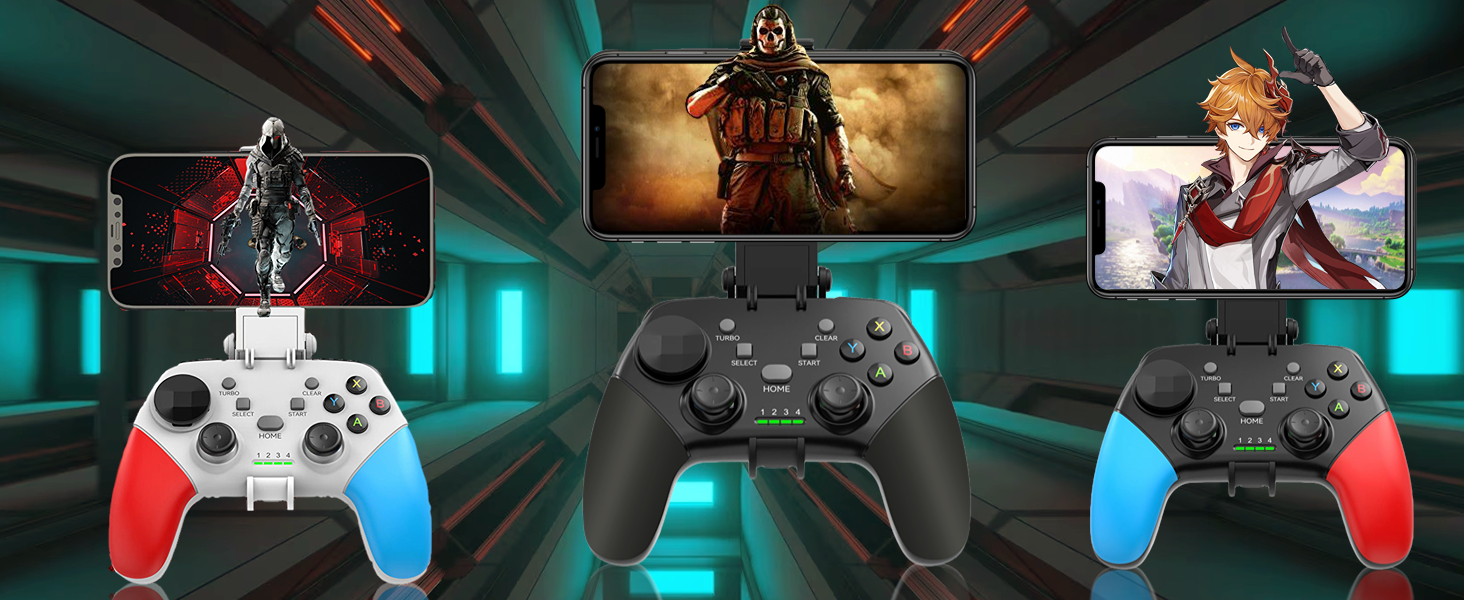
What will you get?1x Mobile Game Controller;1x Phone Clip;1x Charging Cable; 1x Instruction Manual
COMPATIBLE WITH MULTIPLE PLATFORMS
Compatible with iOS 13.4+ systemMobile phone conreoller for iPhone 17/iPhone 17 Pro/iPhone 17 Pro Max/iPhone 17 Air/iPhone 16/iPhone 16 Plus/iPhone 16 Pro/iPhone 16 Pro Max/iPhone 15/iPhone 15 Plus/iPhone 15 Pro/iPhone 15 Pro Max/iPhone 14/14 Plus/14Pro/14 Pro Max/ iPhone 13/13 mini/13 Pro/13 Pro Max/iPhone 12/12 mini/12 Pro/12 Pro Max/iPhone 11/11 Pro/11 Pro Max/iPhone X/XR/XS/XS Max/8/8 Plus/7/7 Plus/6S/6S Plus; Compatible with iPad/iPad Mini/iPad Pro/iPad AirCompatible with Android 6.0+ systemAndroid controller for Samsung Galaxy S25 Ultra/S25+/S25/S24 Ultra/S24 +/S24 /S23 Ultra/S23 +/S23 /S22 Ultra/ S22+ /S22/ Galaxy S21 Ultra / S21+/ S21/ Galaxy S20 Ultra/ S20+/ S20/ Galaxy S10e/ S10+/ S10/ Galaxy S9+/ S9/ Galaxy S8+/ S8, Galaxy Note, One Plus, TCL, Motorola, Huawei, oppo, vivo and more android phone. Compatible with Samsung Galaxy Tab S8 Ultra, Tab S7+, Tab Active 3, Tab S7 FE, Lenovo Yoga Tab 13, Tab 11, Tab P10.Compatible with Win 7-11 versionWired/ Wireless PC controller for MacBook, Notebook, LaptopNOT for Apple TV, iPod, Fire TV
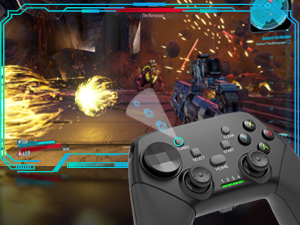 Turbo Function
arVin phone controller with Turbo function, press Turbo and A/B/X/Y/L/R/ZL/ZR to increase winning rates in battles 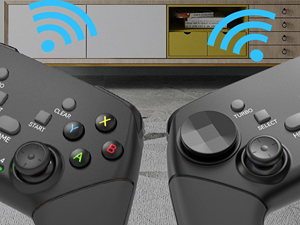 Bluetooth 5.0 Connection
The wireless controller adopts Bluetooth 5.0 connection, ultra-low latency, direct connection and playback, no key mapping, no emulator. 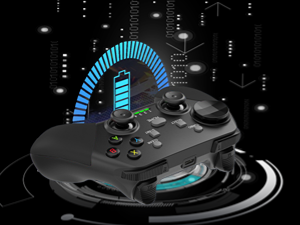 Long Play Time
Wireless gamepad built-in 400mAh rechargeable battery, you can enjoy up to 15+ hours of game time, and it only takes about 2-3 hours to fully charge. 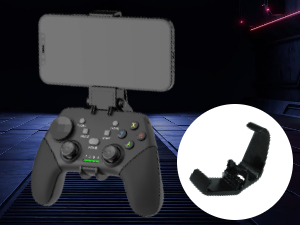 Adjustable Phone Holder
Android/iOS controller with Phone holder support 4-6inch phone (The bracket does not support ipad/Tablet)
SIX-FINGER OPERATION 
Giving you precise control over your game character’s movement speed, attack speed and attack strength as you play.
 Play Cloud Gaming
Support cloud gaming on iOS/Android mobile or tablet: Nvidia GeForce Now, X-box game pass, Amazon Luna, Google Stadia, Rainway, Arcade
 Supports Remote Play
Support streaming on PS4/PS5/Xbox one/Xbox Series S/Xbox Series X/PC Console. Mobile APP Download: PS remote play/Xbox/Steam Link
 Play Controller Supported Games
Supports most controller games: Call of duty mobile(CODM), Call of Duty: Warzone Mobile, Genshin Impact, Sky: Children of Light, M-inecraft, Diablo Immortal, Asphalt 9/8 and mostNot for PUBG Mobile
Wireless Connection
The video showcases the product in use.The video guides you through product setup.The video compares multiple products.The video shows the product being unpacked. Bluetooth Controller for iPhone Merchant Video
Wireless Controller for iOS 13.0+ system Play Directly on your iPhone/iPad
Make sure controller is off, hold down ‘R1’ key then press ‘HOME’ key to boot controller until the LED123 flashes quicklySearch and select bluetooth name: ‘Xbox Wireless Controller’, once the connection has done, the LED123 light will keep on.After connection, you also can play cloud games via Cloud Gaming AppsIf you experience any issues with the Bluetooth connection or buttons not working, try resetting the controller. The ‘Reset’ button is on the back of the controller.
The video showcases the product in use.The video guides you through product setup.The video compares multiple products.The video shows the product being unpacked. Bluetooth Controller for android Merchant Video
Mobile Game Controller for Android 6.0+ system Play Directly on your Android Phone/Tablet
Android has 2 boot modes for different games, if you find supported games can’t work on this controller, please switch the boot mode.Model 1: Make sure controller is off, hold down ‘R1’ key then press ‘HOME’ key to boot controller, and connect Bluetooth: ‘Xbox Wireless Controller’ (Android play COD, please choose this connection mode.)Model 2:Make sure controller is off, hold down ‘X’ key then press ‘HOME’ key to boot controller and connect Bluetooth: ‘G9’
The video showcases the product in use.The video guides you through product setup.The video compares multiple products.The video shows the product being unpacked. Nintendo Switch Wireless Controller Merchant Video
Switch Pro Controller NOT compatible with Nintendo Switch 2
Turn on Nintendo Switch -> System Settings -> Controllers and Sensors -> Change Grip/OrderMake sure controller is off, hold down ‘R2’ key, then press ‘HOME’ key to boot controller until the LED23 quickly, once the connection has done, the LED1 will keep on.
The video showcases the product in use.The video guides you through product setup.The video compares multiple products.The video shows the product being unpacked. controller for ps5 ps4 Remote Play Merchant Video
PS remote play APP only for PS4 or PS5 console How to use PS4/PS5 Remote Play from ANYWHERE in the World!
PS remote play APP only compatible with PS4/PS5 console.Make sure your Sony login account on the PS remote play APP is the same as on your PS4/PS5 console.Make sure controller is off, hold down ‘B’ key then press ‘HOME’ keyto boot controller the LED4 will flashes quickly.  For Xbox Streaming Connection Remote Play only for Xbox One/Series console
Make sure your Microsoft login account on the Xbox APP is the same as on your Xbox console.Make sure controller is off, hold down ‘R1′ key, then press HOME’ keyto boot controller the LED123 will flashes quickly.Search and select bluetooth name: ‘Xbox Wireless Controller’, once the connection has done, the LED123 light will keep on.  PC Gaming Controller for Windows 7.0+system PC Bluetooth Connection and PC Streaming
Download ‘Steam Link’ from APP Store/Google Play, ‘Steam’ from PCMake sure controller is off, hold down ‘R1’ key then press ‘HOME’ key to boot controller until the LED123 flashes quicklySearch and select bluetooth name: ‘Xbox Wireless Controller’, once the connection has done, the LED123 light will keep on.
arVin Wireless Game Controller for Android/IOS/PC
Add to Cart
Add to Cart
Add to Cart
Add to Cart
Add to Cart
Add to Cart
Customer Reviews
3.4 out of 5 stars 245
3.6 out of 5 stars 163
4.0 out of 5 stars 299
4.1 out of 5 stars 107
4.1 out of 5 stars 107
4.1 out of 5 stars 26
3.8 out of 5 stars 159
Price
$19.99$19.99
—
$29.99$29.99
$35.59$35.59
$39.59$39.59
$65.59$65.59
$35.59$35.59
Compatible Devices
iOS/Android/PC/Switch 1
IOS/Android/PC
IOS/Android/PC/Switch
USB-C iPhone & Android Phone
USB-C iPhone & Android Phone
USB-C iPad & Tablet
IOS/Android/PC/Switch
Connection Method
Bluetooth
Bluetooth
Bluetooth
USB-C Port
USB-C Port
USB-C Port
Bluetooth
With Phone Holder
✔
✘
✘
✘
✘
✘
✘
Support Streaming
✔
✔
✔
✔
✔
✔
✔
Support Cloud Gaming
✔
✔
✔
✔
✔
✔
✔
🎮🎮【WORKS WITH IOS 13.4+ SYSTEM】arVin phone game controller for iPhone 15/15 Plus/15 Pro/15 Pro Max/iPhone 14/14 Plus/14 Pro/14 Pro Max/iPhone 13/13 mini/13 Pro/13 Pro Max/iPhone 12/12 mini/12 Pro/12 Pro Max/iPhone 11/11 Pro/11 Pro Max/iPhone X/XR/XS/XS Max; For iPad/iPad Pro/iPad Air/iPad Mini. (Not for Apple TV & iPod, Fire TV/ TV Box)
🎮🎮【WORKS WITH ANDROID 6.0+ SYSTEM】This wireless android gamepad for Samsung Galaxy S23 Ultra/S23+/S23/S22 Ultra/S22+/S22/S21Ultra/S21+/S21/S20Ultra/S20+/S20/S10+S10/S9+/S9; Motorla, Huawei, OPPO, VIVO, One Plus and most android phones; Tablet controller. Android has 2 boot modes (“X+ Home” or “R1+ Home”) for different games, if you find supported games can’t work on this controller, please switch the boot mode.
🎮🎮【WORKS WITH WIN7.0+ SYSTEM】This PC controller supports both wireless and wired connections. Wireless PC gamepad for MacBook, Notebook, Laptop, Tablet PC, press [R1 + Home] to connect Bluetooth; Wired controller for Desktop, Old Laptop, connect with included USB C cable and play.
🎮🎮【WITH TURBO FUNCTION & CLEAR FUNCTION】 This wireless gaming controller for Android/iOS can be set to Turbo by pressing any A/B/X/R/L/ZR and Turbo button, making it easier to win arcade or action games. The Turbo function can be easily deactivated by pressing CLEAR button and the button with the Turbo function already set.
🎮🎮【DETACHABLE PHONE CLIP & D-PAD】This mobile game controller for iPhone/Android phone includes a detachable phone clip, you have the freedom to attach and detach the phone with ease. Unique D-pad design gives you two different gaming experiences, you can choose to use keycap or not freely.
🎮🎮【SUPPORT MOST MFI, STEAM AND CLOUD GAMING】arVin gaming gamepad for iPhone/Android supports most Action/Racing/Fighting/Shooting/Athletics games. You can download your favorite games in App Store/Arcade/Google Play/Steam. such as Call of Duty mobile(COD) Apex Legends Mobile, Genshin Impact, Combat Modern 5, Asphalt 8: Airborne, Asphalt 9: Legends, NAB 2k and more. (iOS not for PUBG; Android not for PUBG & Genshin Impact)
🎮🎮【400MAH BATTERY & LOW LATENCY CONNECTIONS】The game joystick for iPhone/Android built-in 400mAh battery gives you up to 10-15 hours of play time, only requires 2-3 hours of charging. Wireless Bluetooth 5.0 connectivity provides a stable and reliable signal within 32 feet.
🎁🎁【WHAT YOU GET?】1x phone controller for iPhone/Android/PC , 1x phone holder, 1x charging cable, 1x detachable cross key cap, 1x user manual, and friendly customer service. If you have any problem during use, please contact us and we will solve it for you within 24 hours, thank you!
Original price was: $24.99.$19.99Current price is: $19.99.