
Related Products

Silkland 80Gbps DisplayPort Cable...

cocopar Portable Monitor 15.6 Inch...

LG 34G630A-B 34-Inch Ultragear...

Portable Monitor 18.5 inch FHD...





Product description


How to install the driver on Windows? Just follow the video instruction and set up your monitor in minutes
You only need to download the driver the first time you use it
The video showcases the product in use.The video guides you through product setup.The video compares multiple products.The video shows the product being unpacked. cocopar dual screen portable monitor
How to install the driver on MacOS? Just follow the video instruction and set up your monitor in minutes
You only need to download the driver the first time you use it
The video showcases the product in use.The video guides you through product setup.The video compares multiple products.The video shows the product being unpacked. cocopar dual screen portable monitor
Set Up Triple Screens on MacOS
The video showcases the product in use.The video guides you through product setup.The video compares multiple products.The video shows the product being unpacked. cocopar dual screen portable monitor
Set Up Triple Screens on Windows
The video showcases the product in use.The video guides you through product setup.The video compares multiple products.The video shows the product being unpacked. cocopar dual screen portable monitor
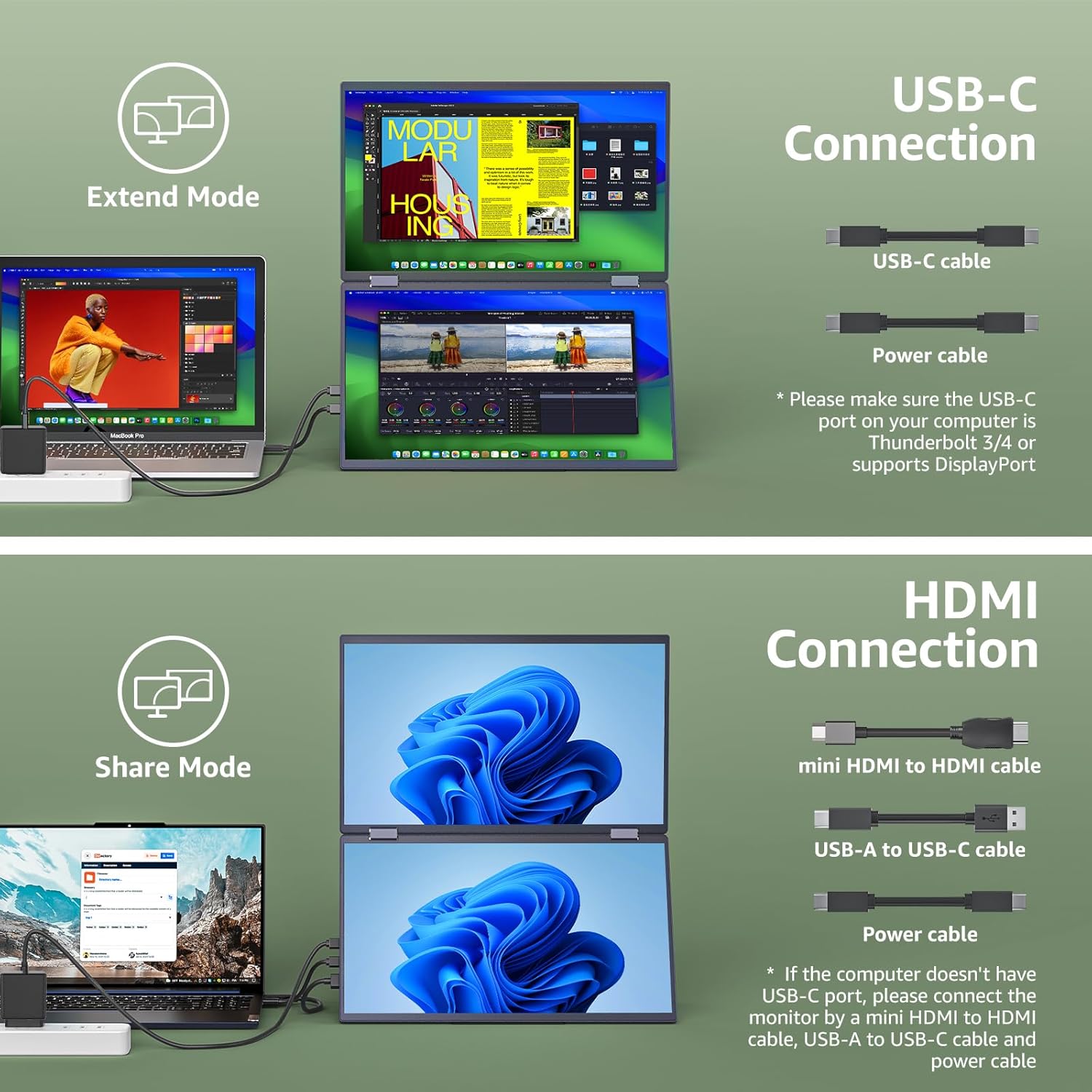
Why it doesn’t work when I connect the monitor to my computers by the USB-C cable?
1. Please make sure the USB-C port on your laptop is a Thunderbolt 3/4 port or supports display.
2. There are two kinds of USB-C cables, USB-C charging cable and USB-C video cable (the original one). Your own cable may be only a charging cable.
When I connect my monitor to my computer, why does only the lower screen work?
Please make sure you’re installing the monitor driver and then restart your computer.
What if my laptop doesn’t have a USB-C or HDMI port?(e.g Surface Pro/ HP Elitebook/old MacBook )
You may need a (mini)DP to HDMI adapter for connection.
Why can’t I move the mouse to my portable monitor?
This is most likely because the monitor alignment is incorrect, please open the display setting on your computer and arrange the screens as your physical position.
Quick Driver-Guided Installation: A display driver must be installed before using both screens for the first time. Connect the monitor to your computer, confirm that the lower panel is displaying correctly, and then complete the guided setup. The process normally takes only a few minutes. Always download the driver from the official source and follow the included instructions.
A Foldable Workspace for Travel: Designed to move easily between the office, home and hotel, this portable display weighs approximately 3.26 lb and measures as little as 0.66 inch at its thinnest point. Fold it for storage in your bag, then open it to create an expanded dual-display setup for multitasking, comparing files or presenting content.
Two 15.6-Inch Full HD Displays: Expand your workspace with dual 1080P IPS panels featuring a 16:9 aspect ratio, HDR support, low-blue-light technology, a 120% color gamut and wide 178° viewing angles. Whether you are editing documents, streaming video or gaming, the screens deliver detailed images and vibrant color. Integrated speakers provide convenient audio without extra equipment.
Made for Work, Entertainment and More: Equipped with two USB-C ports and one mini HDMI port, this portable monitor adapts easily to different work and entertainment setups. The expanded screen space makes it convenient to manage documents, review creative content or share presentations at home or on the go.
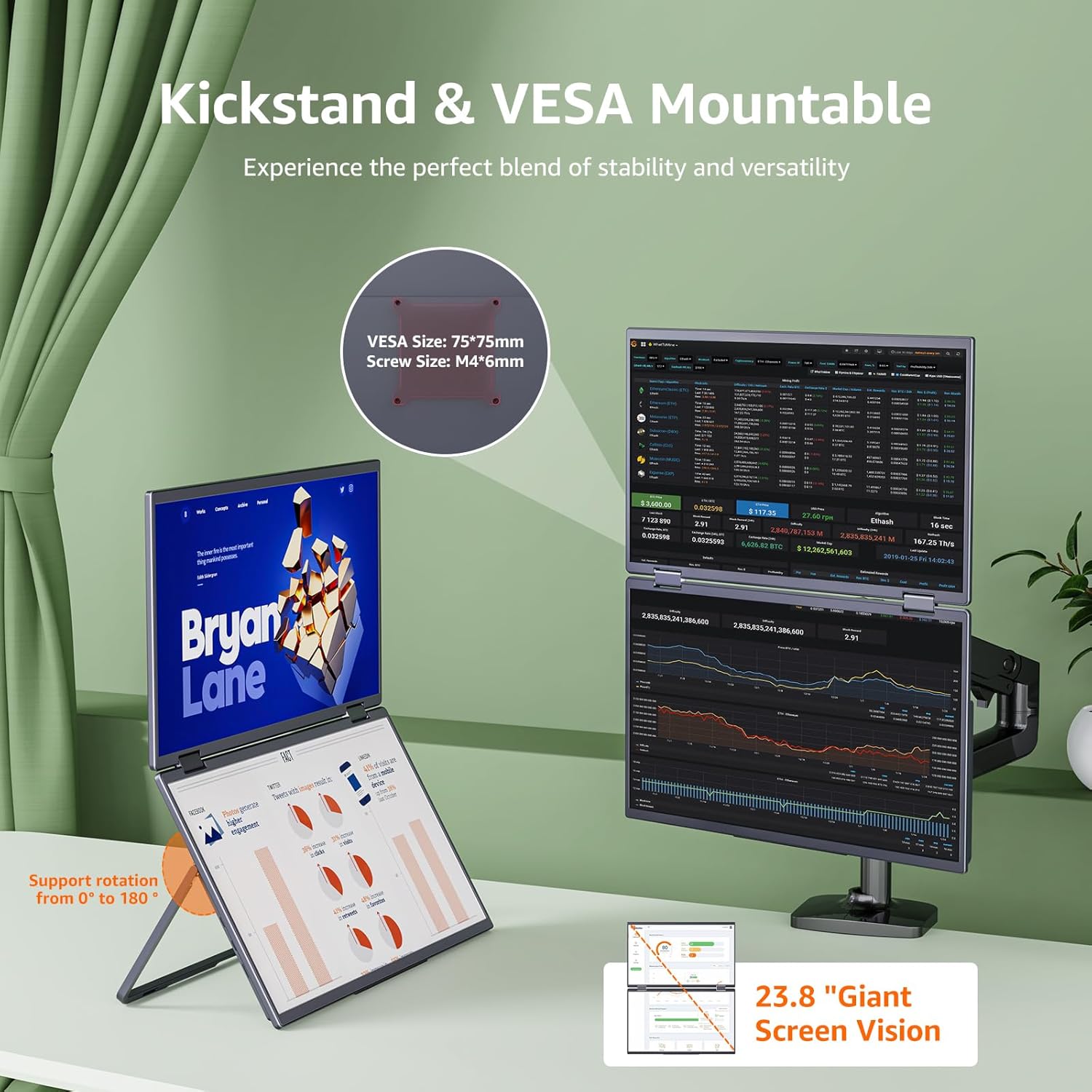
Flexible Viewing and Mounting Options: Position the screens comfortably with the built-in stand, which supports adjustment through 180°. The folding structure offers up to 315° of movement for working independently or sharing your display with someone across the table. Four VESA mounting holes also allow installation on a compatible monitor arm or stand.
$499.99