
Related Products


Epson Lifestudio Flex Plus 4K PRO-UHD...

Native 1080P Projector with WiFi...

Laminator Machine 11X17 with 70Letter...



Product description


1 Infrared Light Scan 2 Face & Body Scanning 3 24-bit Full-Color 4 Scan Black Objects 5 Anti-shaking Design


1 Scan for All Sizes 2 High Precision Scan 3 Lightweight&Portable 4 Scan Everywhere 5 Accurate & Stable
Creality 3D Scanners for Every Need
Add to Cart
Add to Cart
Add to Cart
Add to Cart
Customer Reviews
3.8 out of 5 stars 8
3.7 out of 5 stars 24
—
4.3 out of 5 stars 26
2.9 out of 5 stars 2
Price
$835.05$835.05
$1,274.00$1,274.00
$2,629.00$2,629.00
$674.00$674.00
—
Category
Portable Metrology-grade
Industrial-grade
Industrial-grade
Portable
Portable
Scanning Mode
7 Blue Parallel + NIR
7+22 Blue Laser + NIR
7+34 Blue Laser + NIR
NIR
NIR
Scannable Object Size
Small to Large
Small to Large
Small to Large
Small to Medium
Small to Medium
Minimum Scan Volume
5mm x 5mm x 5mm
5mm x 5mm x 5mm
5mm x 5mm x 5mm
10x10x10mm
20x20x20mm
Scan Speed
up to 60 fps
up to 60 fps
up to 60 fps
up to 30 fps
Up to 30fps
Accuracy
up to 0.02mm
up to 0.02mm
up to 0.02mm
Up to 0.02mm
Up to 0.05mm
System Support
Windows/macOS
Windows/macOS
Windows/macOS
Windows/macOS
iOS, Mac, Window, Android
Wireless Scanning
Accessory Required
Accessory Required
Support
Accessory Required
Support
Black objects scanning
✔
✔
✔
✔
✔
Android
No(Accessory Required)
No(Accessory Required)
Yes
No(Accessory Required)
Yes
iPhone
No(Accessory Required)
No(Accessory Required)
Yes
No(Accessory Required)
Yes
Wireless Bridge
✘
✘
✔
✘
✔
Why does Creality Scan show “Device Disconnected” or disconnect during scanning?
Please check:
Use the original 12V power adapter and make sure the scanner light is green.
If using a laptop, keep it plugged into power.
Make sure your PC meets the recommended system requirements.
What are the recommended system requirements for Windows?
Windows 10/11 (64-bit). Recommended: Intel i7 Gen8+ CPU, Nvidia GPU, 16GB RAM+, and Creality Scan v3.1.22+. Minimum: Intel i5 Gen8+ CPU and 8GB RAM+.
What are the recommended system requirements for macOS?
Recommended: Apple M1/M2/M3/M4 chip, 16GB RAM+, macOS 11.7.7+, and Creality Scan v3.1.22+. Minimum: Intel i5 Gen8+ CPU, 8GB RAM+, and macOS 10.15.7+.
Why is my Raptor/RaptorX scanner not connecting via USB?
A recent Windows update may cause USB connection issues on Raptor and RaptorX scanners. If Device Manager shows errors for “CR-Scan Raptor Depth Camera” or “CR-Scan Raptor IR Camera,” please update the scanner firmware to resolve the issue.
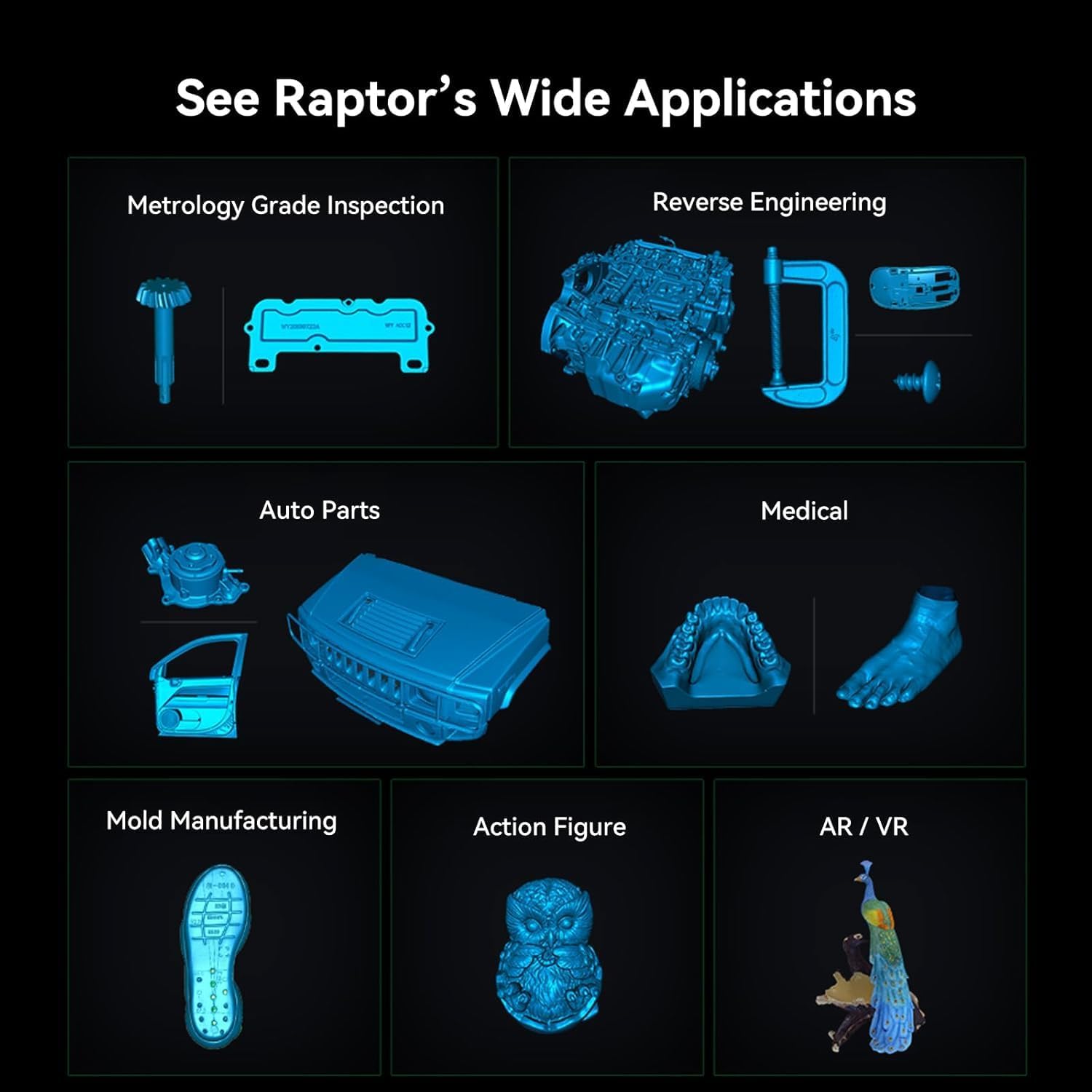
Dual Blue Light & NIR Scanning for All Object Sizes – The CR-Scan Raptor combines advanced blue laser and NIR infrared technology to capture small, medium, and large objects with exceptional versatility. Featuring 7 parallel blue laser lines with up to 0.02mm accuracy and 0.1mm fine-detail resolution, it delivers sharp edges, precise geometry, and professional-grade scan quality for industrial design, reverse engineering, miniatures, automotive parts, and more.
High-Speed Scanning up to 60fps – Blue laser scanning reaches up to 60fps, while NIR scanning operates at up to 20fps for fast and efficient workflows. The scanner supports objects from as small as 5×5×5mm to as large as 2000×2000×2000mm, making it ideal for scanning figurines, mechanical parts, faces, full bodies, and large industrial components. Marker-free scanning is supported for feature-rich objects, reducing setup time and improving efficiency.
Anti-Shake Tracking with Autofocus Stability – Equipped with One-Shot 3D imaging technology, the Raptor delivers stable handheld scanning with reduced tracking loss and smoother backtracking. The built-in autofocus system helps maintain sharp scans and minimizes frame drops or defocus issues during movement, ensuring a smoother and more reliable scanning experience.
24-Bit Full-Color Scanning with Enhanced Lighting – Built with 12 circular LED texture lights, the CR-Scan Raptor captures vibrant 24-bit full-color textures even in low-light environments. Dual lighting modes improve scan realism: blue light enhances laser-line scanning, while white light boosts texture brightness and color accuracy for more detailed and lifelike 3D models.
Wide Compatibility & Easy-to-Use Software – Compatible with Windows and macOS, the scanner works seamlessly with CrealityScan, a professional yet beginner-friendly 3D scanning software. Features such as step-by-step tutorials, one-click model processing, and powerful point-cloud editing tools help users quickly create high-quality 3D models with minimal learning curve.
Recommended System Requirements – Windows 10/11 (64-bit): Recommended i7 Gen7+ CPU, NVIDIA GPU with 6GB VRAM, 16GB+ RAM; Minimum i5 Gen8+ CPU, 8GB+ RAM. macOS: Recommended Apple M1/M2/M3/M4 chips with 16GB+ RAM. Android: Android 10.0+, Snapdragon 888+ processor, 8GB+ RAM, Wi-Fi 6 support, CrealityScan App V2.0.2 or above.
Original price was: $1,099.00.$835.05Current price is: $835.05.