
Related Products


Kinhank Super Console X Pro with...




Product description

Direct Play on USB C Phones
Work with USB C iPhone:
Phone game controller for iPhone 17, iPhone 17 Plus, iPhone 17 Pro, iPhone 17 Pro Max, iPhone 16, iPhone 16 Plus, iPhone 16 Pro, iPhone 16 Pro Max,iPhone 15, iPhone 15 Pro, iPhone 15 Pro Max, iPhone 15 Plus (No support for lightning iPhone, Not for iPad, Apple TV&iPod,Fire TV/TV Box.)
Work with USB C Android Phone:
Android controller for Samsung Galaxy S25 Ultra, S25+, S25, S24 Ultra, S24+, S24, S23 Ultra, S23+, S23, S23 FE, S22 Ultra, S22+, S22, S21 Ultra, S21+, S21, S21 FE, S20 Ultra, S20+, S20, S10, S10+, S10e, Galaxy Z Flip6, Galaxy A55, Samsung W23 Flip, W24 Flip, Note 20, Note 20 Ultra, Note 10, Note 10+; Huawei Meta 60 Pro+, 60 Pro, 60, 60 RS, Meta 50 pro, 50 SE, 50 RS, 50, P60, Pura 70 Ultra, 70S; One Plus, TCL, oppo, M-otorola, Vivo and most type-c Android.(Not for Android phone with Micro USB interface/Tablet/Switch)
* For some Android phones, please enable phone OTG function in order to link with our controller successfully. You can search ‘OTG’ in your phone ‘Setting’ to see if you need to switch it on before using our controller

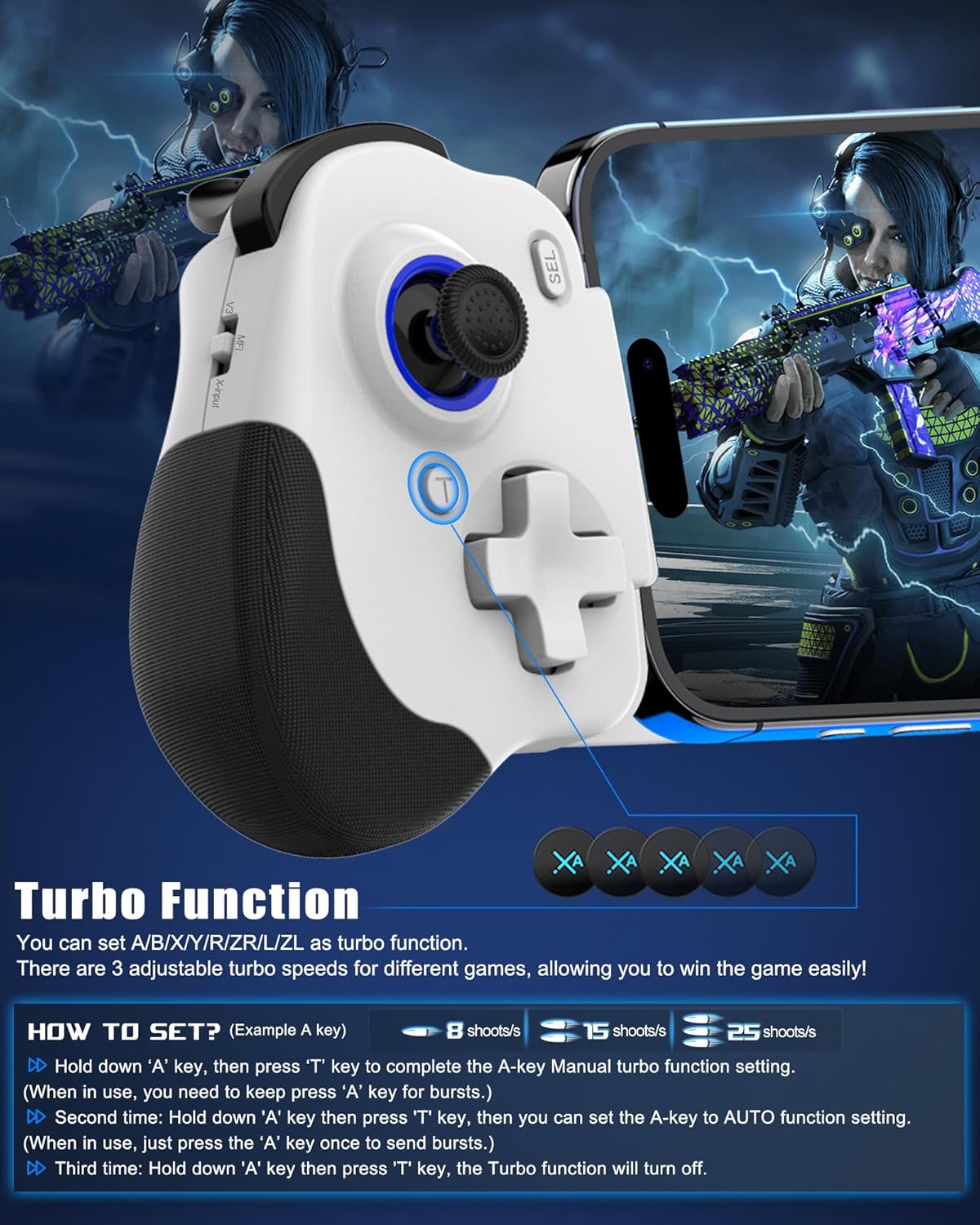
Turbo Function
Hold down ‘A’ key, then press ‘T’ key to complete the A-key Manual turbo function setting. (When in use, you need to keep press ‘A’ key for bursts.)Second time: Hold down ‘A’ key then press ‘T’ key, then you can set the A-key to AUTO function setting. (When in use, just press the ‘A’ key once to send bursts.)When the ‘A’ key is in AUTO mode, press ‘A+Left joystick up/down’ to set the speed of the automatic burst, which is 15 times/s, 25 times/s and 8 times/s.
Notice: The Turbo function only support single key (e.g. A/B/X/Y/LT/LB/RT/RB), not support for combination key, such as ‘A+B’.

Macro Programming Function
Hold down ‘SELECT’ key, then long press ‘M1’ key until the LED indicator light flahes quickly.Press the key you want to set for macro programming function (such as ‘A+B+X+Y key), then press ‘M1’ key again, the LED light keeps on, setting is done now.After setting, press ‘M1’ key, the function of A+B+X+Y will be automatically used once. (This setting also applies to ‘M2’)

Play your Xbox, PlayStation or PC from anywhere
Support streaming PS5/PS4 console, download ‘PS Remote Play’ APP from mobile phone
Please Note: Make sure your Sony login account on the PS remote play APP is the same as on your PS4/PS5 console.
Support streaming Xbox One/Xbox Series console, download ‘Xbox’ APP from mobile phone
Please Note: Make sure your Xbox login account on the Xbox APPis the same as on your Xbox One or Series console.
Support streaming PC, download ‘Steam Link’ APP for mobile phone, Download ‘Steam’ from PC
Please Note: Connect your PC and iOS/Android device with same network.
Controller Connetion: Turn ‘Mode Switch Key’ to ‘MFi’ first, then insert phone into the controller, controller will power up and the Blue light will on.

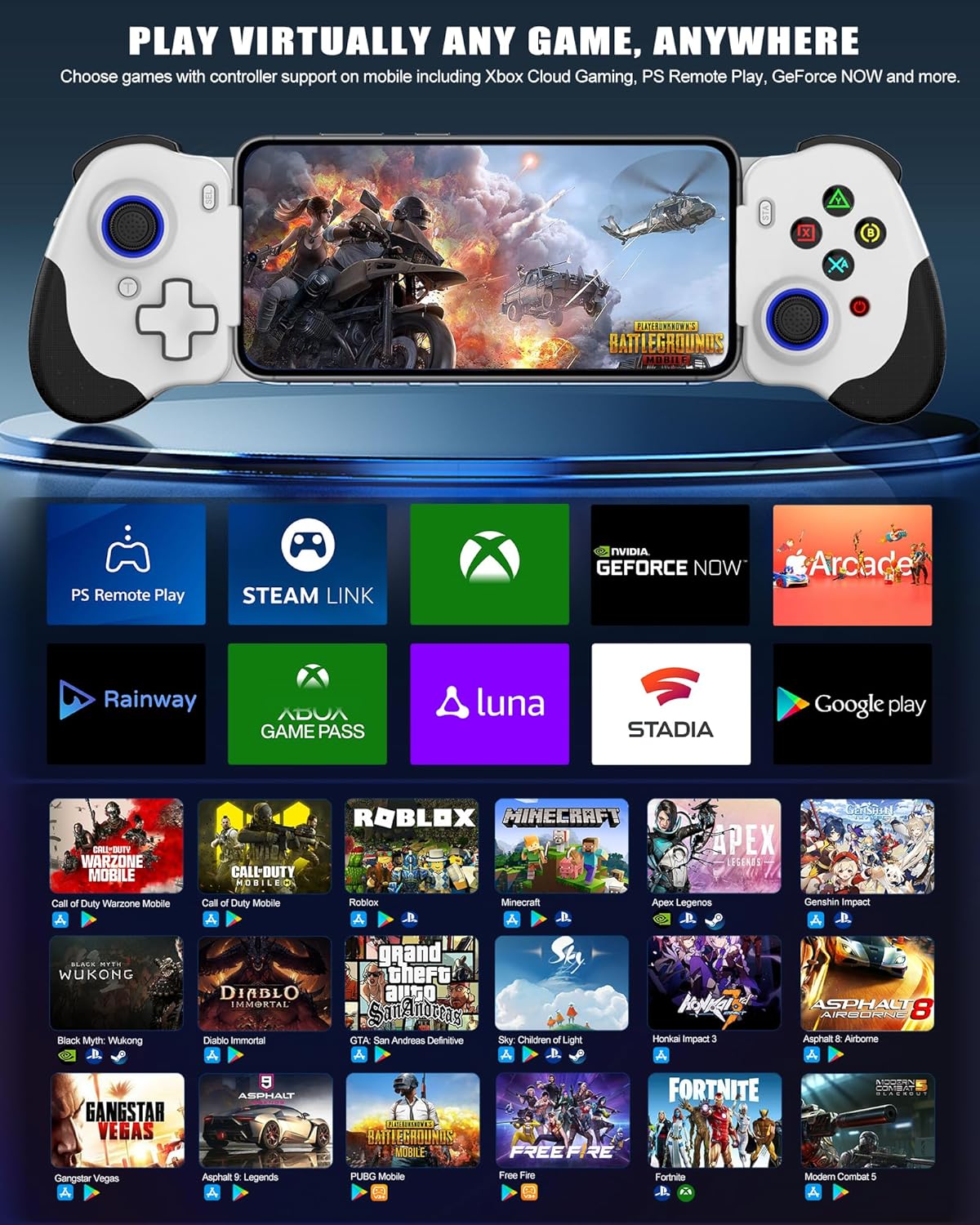
Play Anytime, Anywhere
Supports Most Cloud Games:
Play amazing games on the phone you have through Xbox Game Pass, Nvidia GeForce Now, Luna, Google Stadia or Rainway
Supports Most Controller Games:
You can download the games that support controller play in App Store/Google Play. For example: Call of Duty mobile(COD), Call of Duty: Warzone Mobile, Sky: Children of Light, Genshin Impact, Combat Modern 5, Asphalt 8: Airborne, Asphalt 9: Legends, Roblox, Minecraft, NBA 2K,Zenless Zone Zero, GTA: San Andreas Definitive, Honkai Impact 3 and more.
iOS Not for ‘PUBG mobile’Android not for ‘Genshin Impact’In COD gaming interface, if you’ve received a notice to choose a controller model within “PS4,PS5 and XBOX”. Please select “XBOX”Some controller supported games need to enter the game interface and select “controller mode” in the setting, such as “Genshin Impact” “COD”

Hall Effect Trigger Hall Effect sensing sticks deliver 360° seamless pinpoint control, provide the precision and durability that mobile gamers demand

Hall Effect Joystick Hall Effect analog triggers offer unparalleled smoothness and responsiveness, giving you a competitive advantage in any game.

Pass-Through Charging Support playing while charging your mobile devices.(Charger charging cable not included)*Tested incompatible with pass-through charging: Realme X2 Pro/Redmi k30 Pro/Sony Xperia 1/Xiaomi Mix 3/Xiaomi MlX 4

iOS/Android MFi Mode
Turn ‘Mode Switch Key’ to ‘MFi’ Plug the usb-c phone into the controller Controller will power up and the Blue light will on
Play app controller games, cloud games, remote play,
emulators

Android X-input Mode
Turn ‘Mode Switch Key’ to ‘X-input’ Plug the usb-c phone into the controllerController will power up and the Green light will on
Android play other supported games

Android V3 Mode
Turn ‘Mode Switch Key’ to ‘MFi’ Plug the usb-c phone into the controllerLong press ‘Home’ key until the Purple light on
Android play Call of Duty mobile without app
Android V3 Mapping Mode
Turn ‘Mode Switch Key’ to ‘MFi’ Plug the usb-c phone into the controllerController will power up and the Red light will on
Android play PUBG mobile, Call of Duty mobile, Free Fire etc.. via the ‘ShootingPlus V3+’ app
Compatibility: Compatible with most type c android devices and iPhone 16/15 series, and we recommended to use our usb-c controller without a case or use the case within 1mm. *Attention: The ‘ShootingPlus V3+ APP’ is only for Android system, not for iOS
Hall Effect Joysticks/Hall Trigger: This phone controller hall effect sensing sticks deliver 360° seamless pinpoint control, provide the precision and durability that mobile gamers demand. And the hall effect analog triggers offer unparalleled smoothness and responsiveness, giving you a competitive advantage in any game
Turbo and Macro Programming Function: This android gaming controller with turbo function and 2 programming buttons (M1&M2). You can set A/B/X/Y/R/ZR/L/ZL/L3/R3/D-pad keys to manual turbo function or set single or multiple programming modes, which helps to prolong the service life of the controller keys, improve the gaming experience and give you a competitive edge in the game
Pass-Through Charging: This gamepad for iPhone 16 only needs to connect the type c port to your cell phone to play directly. The Type-C port ensures a reliable connection to your phone, providing unrivaled smoothness and stability. Supports charging while playing
Play Virtually any Game, Anywhere: This ps portal remote player controller supports streaming from PS5/PS4, Xbox one/Xbox Series S/X and PC consoles via PS Remote Play APP, Xbox APP and Steam Link App. Supports Xbox Game Pass, Nvidia GeForce Now, Luna, Google Stadia, Rainway, A pple Arcade, MFi games and emulators gaming & hundreds of popular mobile games including Call of Duty Mobile(CODM), Call of Duty: Warzone Mobile, Genshin Impact, Minecraft, Roblox, Diablo Immortal, Asphalt 9/8 etc
Original price was: $35.59.$32.59Current price is: $32.59.