
Related Products


Logitech G213 Prodigy Gaming Keyboard...






Interface/Connector type: USB(A)male (Wired/Wireless 2. 4GHz mode) Supported devices: Windows PC, Macintosh equipped with USB Interface Supported OS:Windows10, Windows RT8. 1, Windows 8. 1, Windows 7, Macintosh OS X 10. 13(High Sierra) Update to latest version of each OS and installation of service pack may be necessary. Horizontal scroll is unavailable at Windows RT8. 1. Resolution:500/1000/1500 counts(Switchable) Radio wave method: GFSK(Wireless 2. 4GHz Mode)/FHSS(Bluetooth mode) Radio frequency: 2. 4GHz(Wireless 2. 4GHz/Bluetooth mode) Operation distance: On Magnetic surface (e. g. steel desk): 3M, On Nonmagnetic surface(e. g. wood desk):10M Reading method: Optical sensor method Output optical beam kind: Invisible wavelength area The number of the buttons:8 We include wheel button The number of the wheels:1 Horizontal scroll: Supported Receiver storing:◯ Continuous operating (Wireless 2. 4GHz mode):Low Energy Mode: Approximately 134 hours High Speed Mode: Approximately 91 hours Continuous operating (Bluetooth mode):Low Energy Mode: Approximately 167 hours High Speed Mode: Approximately 104 hours Continuous standby time:(Wireless 2. 4GHz/Bluetooth mode):Approximately 925 days Estimated battery terms (Wireless 2. 4GHz mode):Low Energy Mode: Approximately 301 days High Speed Mode: Approximately 211 days Estimated battery terms (Bluetooth mode):Low Energy Mode: Approximately 366 days High Speed Mode: Approximately 240 days We calculate that use a mouse 5% in using PC for 8 hours on each days. Power supply (the body):either one of the AA alkaline dry cell, AA manganese dry cell, AA nickel-metal hydride rechargeable. Power supply voltage:1. 5V Dimensions classification: Extra Large size Weight (Mouse):Approximately 162g We do not include battery Weight (receiver):Approximately 2g Accessories AA alkaline dry cell 1 for operation check, User manual 1, wire connection cable 1+V7.
English Manual & Mouse Assistant Software can be download for FREE.
Please check the manual in the box or can be found on Amazon Product Page. Listed as Technical Specification:User Manual [PDF ]】
SUPERIOR ACCURACY AND PRECISION: The ELECOM DEFT PRO trackball provides precise cursor movement for superior accuracy so you can get where you want on the screen quickly with less hand movement, improving productivity and efficiency
CUSTOMIZABLE 8 BUTTONS: Comes with 8 physical buttons and a tilting scrollwheel for an additional 2 buttons. In total, 10 buttons can be customized using the Mouse Assistant software for quick and convenient navigation
ADJUSTABLE DPI RESOLUTION: Designed with a high-performance optics system sensor and lens. The DPI button can be changed or set based on personal preference. Default settings are changeable between 500 (LOW), 1000 (MID) and 1500 (HIGH) DPI, making the movements of your cursor faster or slower
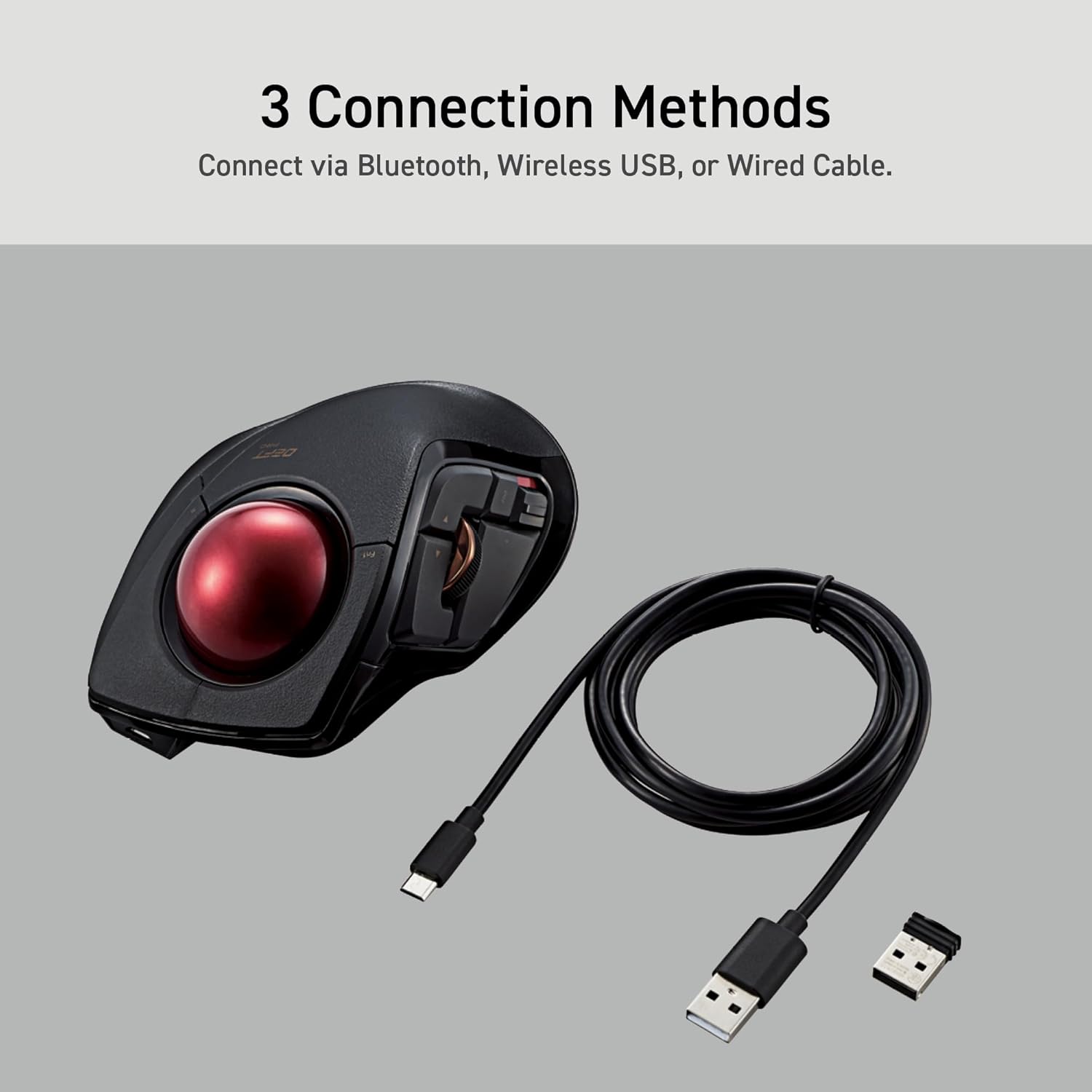
3 DEVICE CONNECTION OPTIONS: Mouse can be connected 3 different ways (Bluetooth, wireless USB, or wired USB) to accommodate a wide variety of devices from PC, laptop, mobile phone, tablets, and more. Easily switch between the connection types with a single button. In wired connection, there is no need to worry about battery life as power is being drawn from the connected device
ERGONOMIC DESIGN: Features an ergonomic design with a red ball that provides comfortable hand positioning and reduces strain during extended use sessions
EASY MAINTENANCE AND CLEANING: The large ball rolls on three small ruby ball bearings, allowing the rolling action to be smooth during use. The large ball prevents dust and dirt from getting trapped in small bearings, so less frequent cleaning is needed. To remove the ball for cleaning, push the ball out from the ball-remover-hole
PRODUCT SPECIFICATIONS: Size: 3.6 inches W X 5.3 inches L X 2.3 inches H, Weight: 5.7 oz (without battery), DPI: 500/1000/1500 count (switchable), Connectivity: wired / wireless / bluetooth
WIDE COMPATIBILITY: System requirements: Windows 7, 8.1, RT 8.1, 10, 11 or later (Horizontal scrolling function is not compatible with Windows RT8.1), macOS High Sierra (10.13) or later