
Related Products

XPPen Upgraded Artist13.3 Pro V2...

NexiGo N930E Pro, 4K Webcam with...

OBSBOT Tiny 2 Lite 4K Webcam for...
MCY USB C Hub,Laptop Docking Station...
HUION KAMVAS Pro 19 4K UHD Drawing...
HUION KAMVAS Pro 16 Drawing Tablet...




Product description


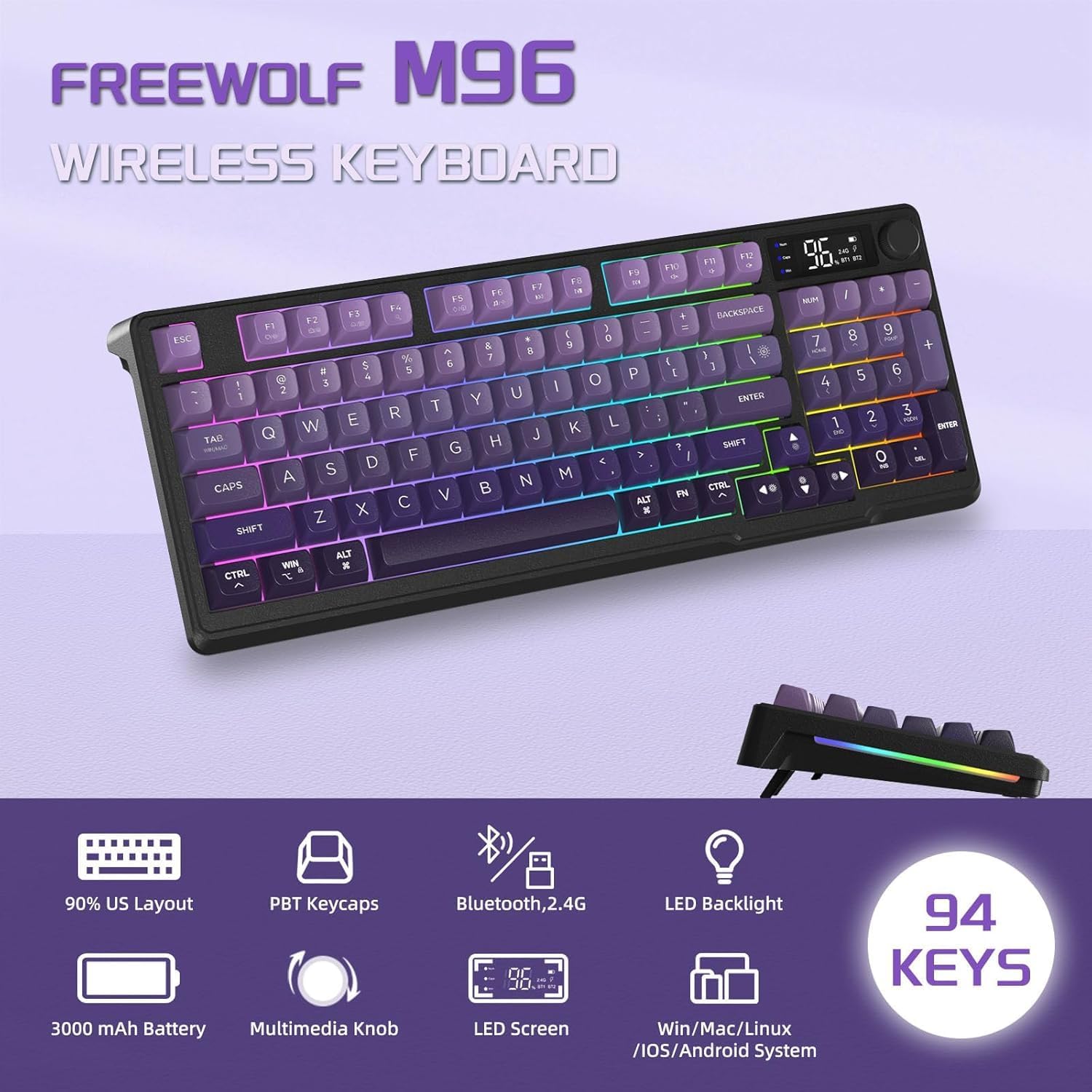
1 94 Key Layout with Knob
2 Adjustable Foot Stand
3 Dual Mode Connection
4 Non-Shine Through Letters

Note:
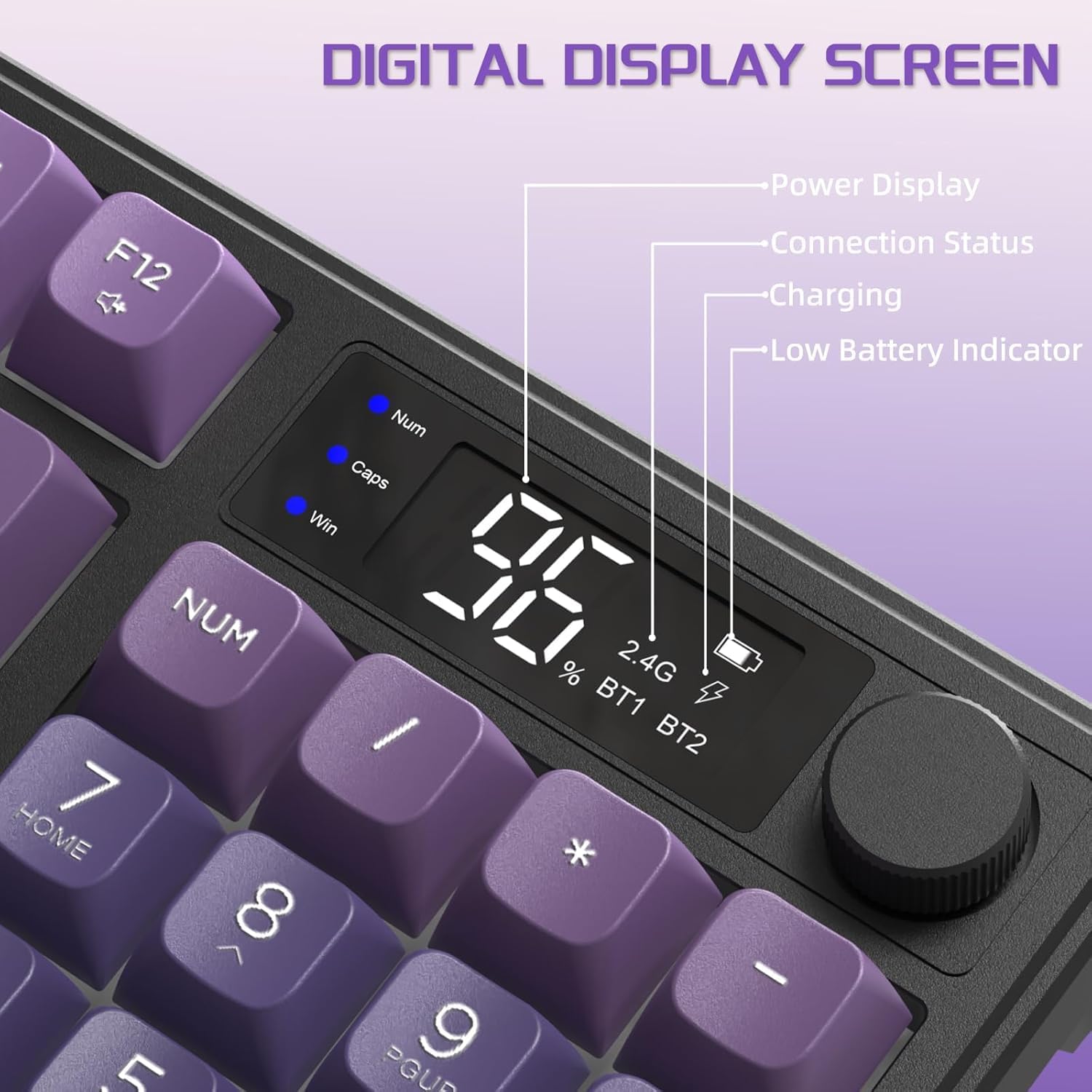
1 The keyboard has power switch and mode switch, you need to turn on the keyboard and toggle the switch to the corresponding mode to use it, if you want to use it in 2.4Ghz wirelss mode, you need to toggle the mode switch to the 2.4G sign, and then insert the USB receiver into the corresponding computer USB port to connec it, and if you want to use it in Bluetooth mode,you need to toggle the mode switch to BT sign, and then press ESC+Q key to pair it with your Bluetooth device to connect it, note: the Bluetooth mode support connect 2 Bluetooth device, so it mode sign have BT1 and BT2 for your choice.2 Both the wireless mode and Bluetooth mode have connection range, and the effective connection range is 10 meters, pls ensure your keyboard is not away from the USB receiver or your Bluetooth device over 10 meters when using, otherwise the product will not work.3 For better using, please make sure the keyboard is fully charged in their first use, pls don’t use charger over 5V and quick/fast charger, or the built-in battery will be damaged, we recommend plugging the charging cable into your computer USB port to charge them(It wiil need 6-8 hours to fully charge it), when plugging charging cable, pls use gentle strength and ensure the cable was plugged into the charging port from the correct direction, otherwise the charging port might be damaged4 The keyboard will auto enter sleep mode if no operation in about 3 minutes, and press any key can wake it up, and this setting cannot be adjusted.5 Backlight will accelerate battery consumption, if you wanna a long using time for one charge, you can turn off the backlight or decrease the brightness6 There will be a little delay or the lights will not turn on when the keyboard battery is too low, please charge it in time, you can check the charging status in the LCD screen of the keyboard7 If the keyboard lose connection with the USB receiver or Bluetooth device, it will not work, rebuilding connection can solve this problem, if the button cannot work, you can check whether there is something stuck inside, and detach the cover to clean it to make it work8 If you have any problems, we will try our best to solve it
Product Specification
NUMBER OF KEYS 94 Keys, 1 Media Knob and 1 LCD Screen SUPPORTED CONNECTIONS 2.4 Ghz Wireless Connection and Bluetooth Connection BACKLIGHT Rainbow Backlight BATTERY 3000mAh FOOT STAND Double Layer Foot Stand KEYCAP MATERIAL PBT Keycap COMPATIBILITY Supports MAC, Windows, Linux and other systems KEYBOARD TYPE Membrane Keyboard
How to switch the connection mode?
In the top front of the keyboard, it has power switch and mode switch, after turning on the keyboard, you can toggle the mode switch to choose the mode you want to use
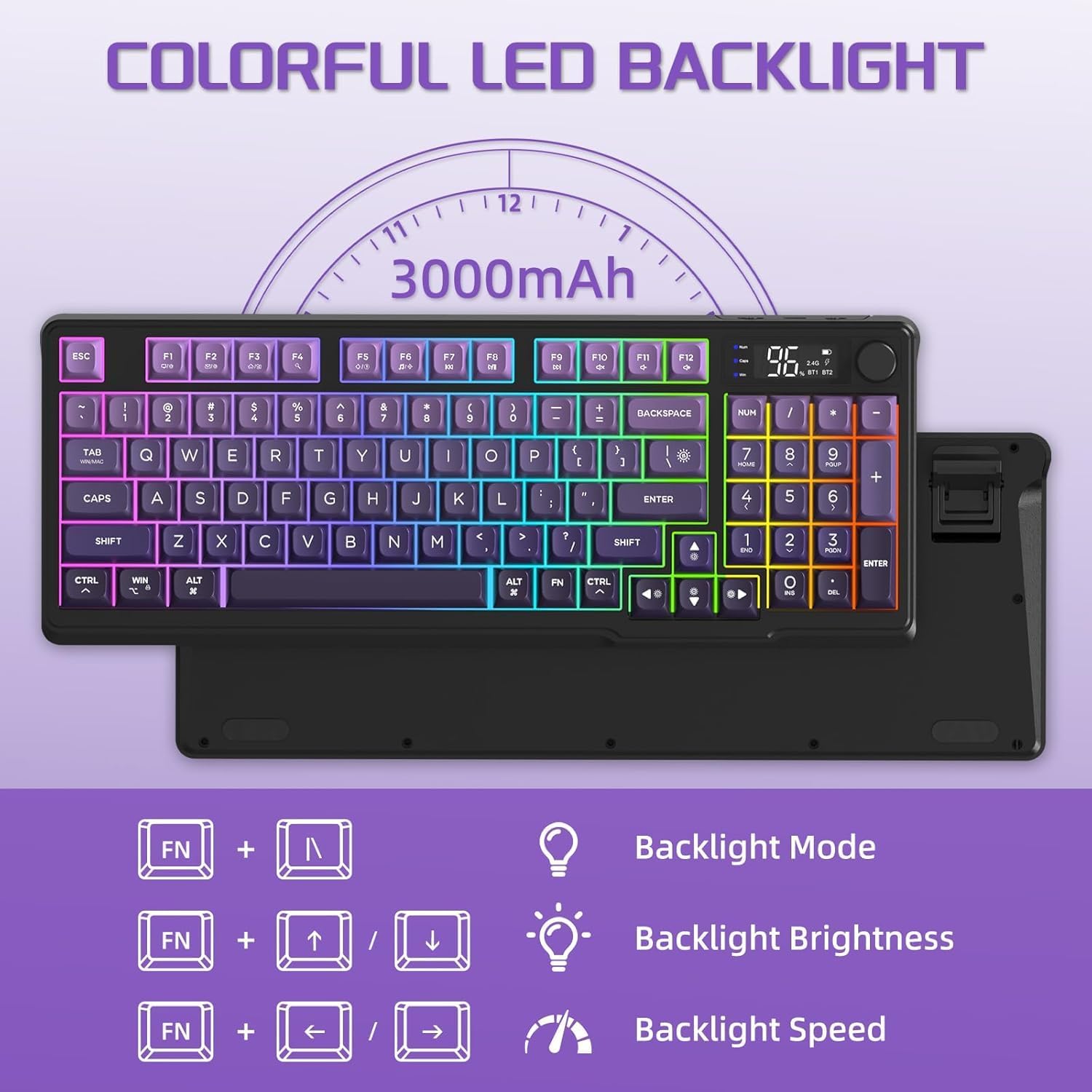
How to adjust the backlight?
Press FN+| key to adjust backlight mode
Press FN+↑/↓ key to adjust backlight brightness
Press FN+←/→ key to adjust backlight flowing speed
Is this a mechanical keyboard?
No, it is membrane keyboard
Does this support RGB backlight?
No, it only has 1 light color-Rainbow backlight
【94 Key Membrane Keyboard with Smart Display and Volume Knob】Redefine full size keyboard!FREEWOLF M96 keyboard adopt a compact 94 key ANSI layout,retaining right side number pad and offset arrow key,maximally keep all the key function you need for productivity and a tactile typing experience while saving space,in addition,providing functional LCD smart screen to show the keyboard status and media roller to adjust volume,crater structure offer soft and quiet clicking,easy to operate
【Dual Connection Mode】This M96 gaming keyboard support 2 connection mode:2.4Ghz wireless by plugging the USB receiver,Bluetooth by pairing,one toggle to switch,can connect up to 3 device simultaneously,get rid of messy cables,provide a clean and orderly desktop,more efficient for multi task workflow or gaming.No limits about your keyboard connection to meet the needs of work, gaming, and study.Note:This is membrane keyboard,not mechanical keyboard,no mechanical switch
【Rainbow Light Up Keyboard with Colored PBT Keycap】Designed with cool rainbow LED backlit, colored ball shape PBT keycaps and non shine through characters,this wireless gaming keyboard can always catch your eye with light or no light,fit your fingertip curve better,provide a comfortable typing feeling and clear letters,perfectly match your different room theme styles.Note:The backlight color is fixed,cannot be changed,brightness can be adjusted
【Rechargeable Quiet Keyboard】Equipped with large capacity built in 3000mAh battery,will auto enter sleep mode to save power if no using in 3 minutes,offers long-lasting power for extended play sessions without worrying about frequent charging,support FN key combination function and 26 anti-ghosting key,adjustable keyboard foot stand can offer alternative ergonomic using angle to meet your needs(the USB receiver is stored in the left foot stand)
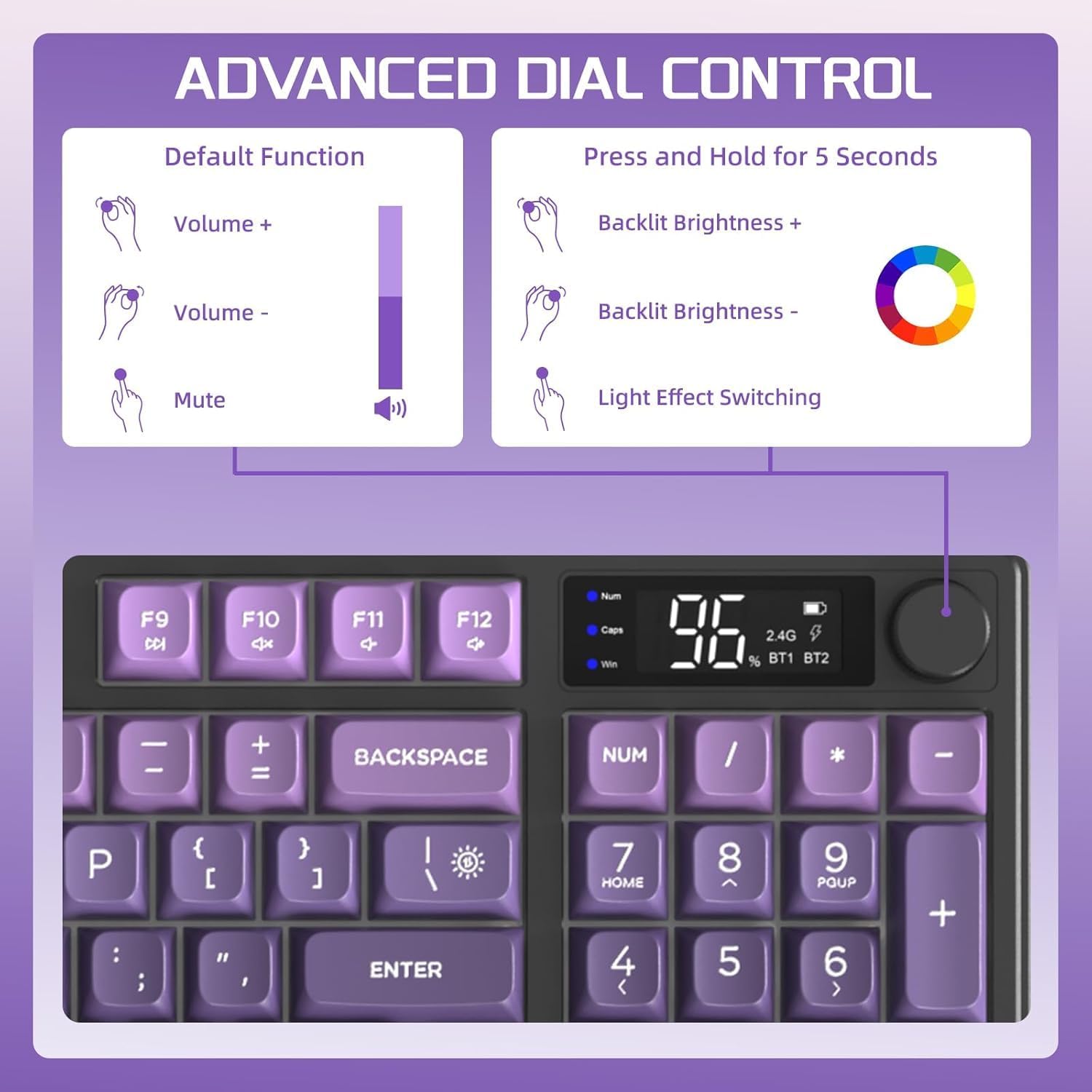
【Wide Compatibility with WIN/Mac】Build with scientifically structure,low profile,this Bluetooth gaming keyboard can compatible with PC,laptop,tablet,smartphone which support Windows,Mac OS,IOS,Android,Linux and Bluetooth,and you can long pressing knob about 5 seconds to switch knob function from volume to light control.If you want to use it with your game console like PS4/PS5/Switch/Xbox,we recommend you can buy a corresponding adapter to connect it with your game console
$31.99