
Related Products


MENEEA Upgraded Cooling Fan Charging...
Xbox Rechargeable Battery + USB-C®...





Product description

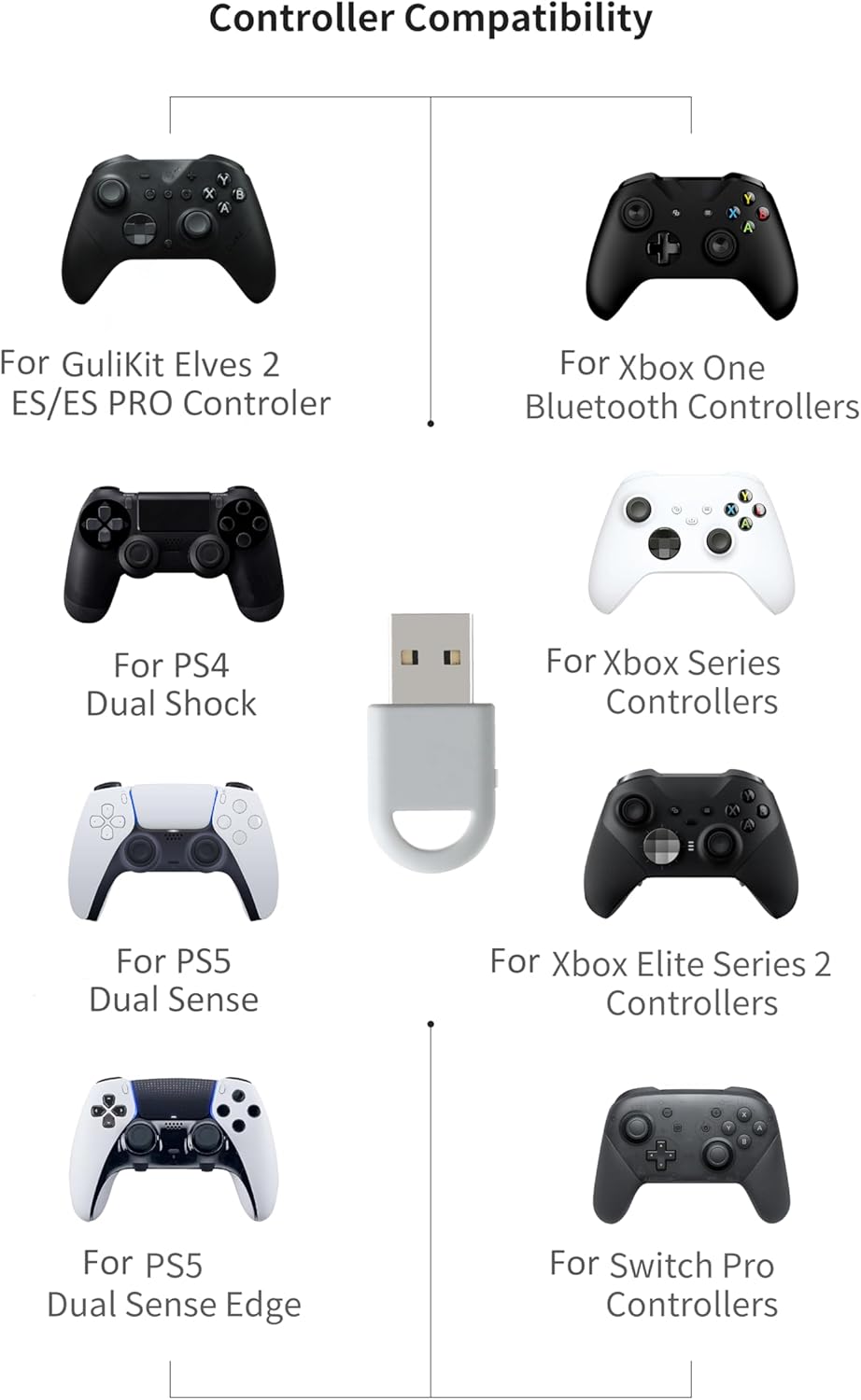
CONTROLLERS COMPATIBILITY:The controller connector is compatible with a rang of controllers, including for Xbox One Bluetooth,Xbox Series,Xbox Elite Series 2(Not for The Xbox One released betweern 2013 and 2015 & the Xbox Elite wireless controllers which without Bluetooth function),for PS5 Dual Sense Edge,PS5 Dual Sense,PS4 Dual Shock, Switch Pro, GuliKit elves 2/ES/ES PRO.
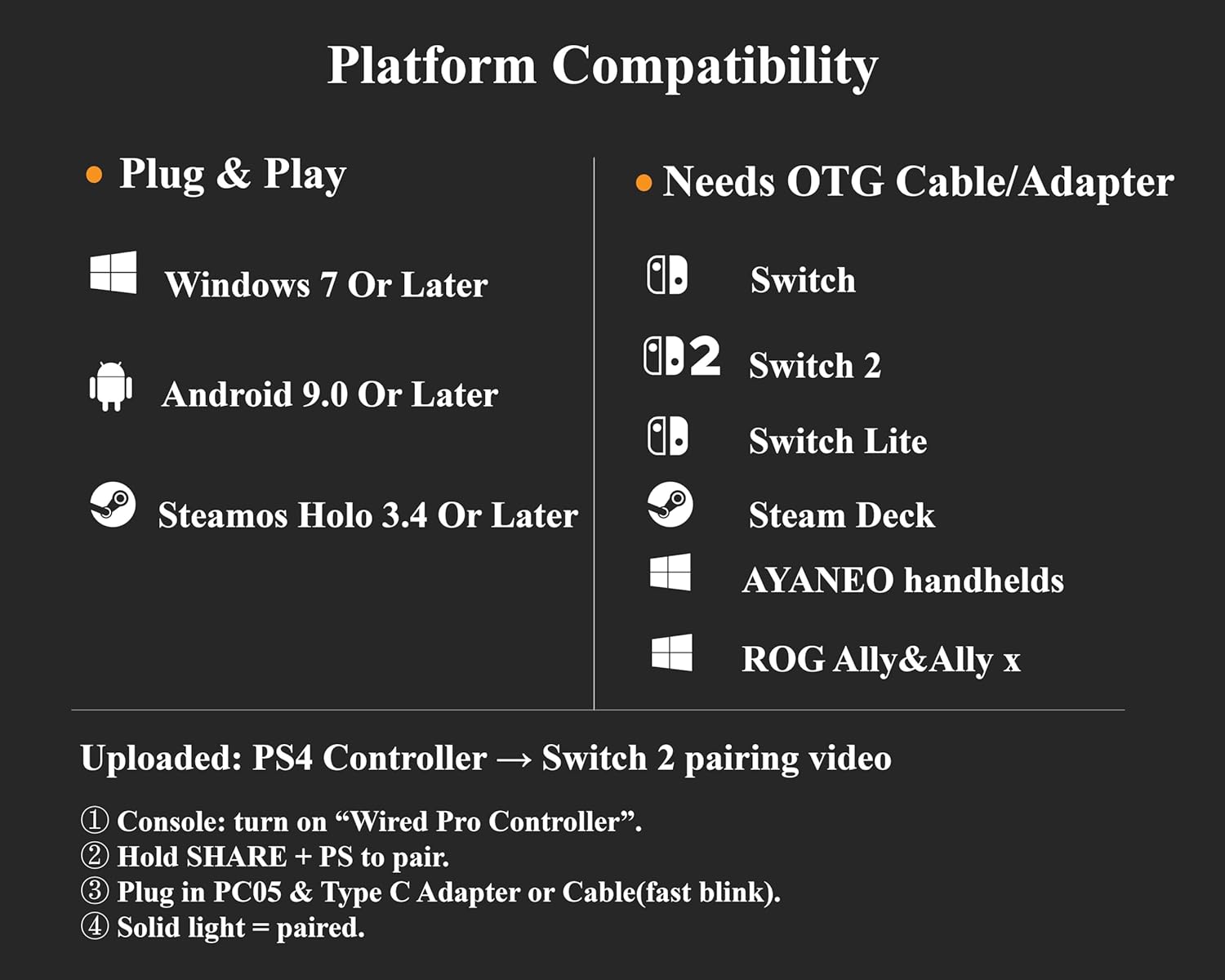
PLATFORMS COMPATIBILITY : Windows 7+, Android 9.0+, Switch, Switch 2, and SteamOS 3.4+. For Switch 1/2,enable “Wired Pro Controller Connection” in the System Settings.(For use with Switch Lite/Switch 1/2,Steam Deck / AYANEO handhelds/ROG Ally&Ally X, you need an additional OTG cable or adapter.)


HOW TO USE
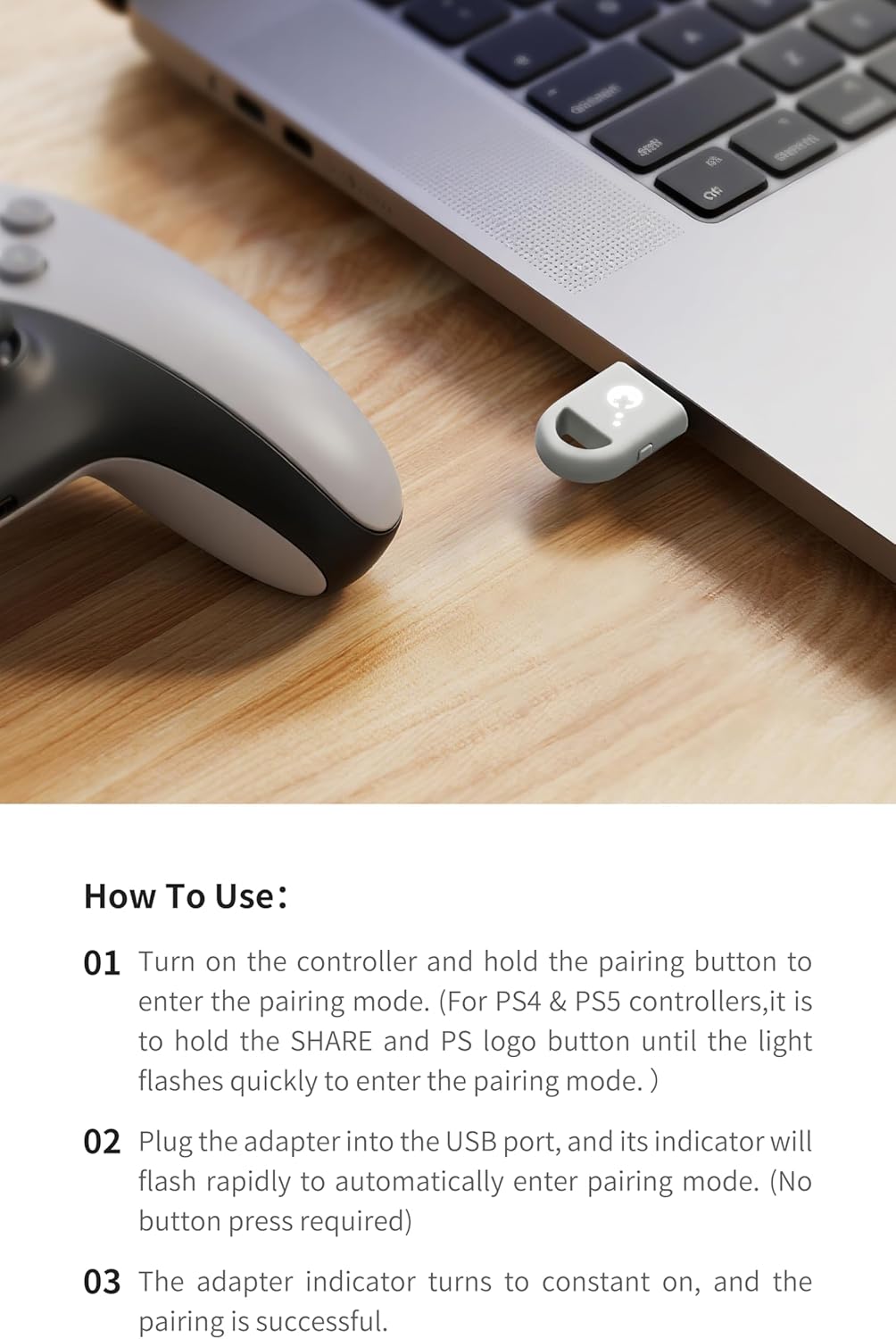
01 Turn on the controller and hold the pairing button to enter the pairing mode. (For PS4 & PS5 controllers,it is
to hold the SHARE and PS logo button until the light flashes quickly to enter the pairing mode.)
02 Plug the adapter into the USB port, and its indicator will flash rapidly to automatically enter pairing mode. (No button press required)
03 The adapter indicator turns to constant on, and the pairing is successful.
NOTE:
01 Please connect in the correct order: first press the power and pairing buttons on the controller, and then insert the adapter into the USB port of the host.
02 If the adapter is flashing slowly during connection,press the button on the side of the adapter once.
Note: The adapter doesn’t support XBOX Headphone. The adapter only support one controller at once.

NOTE: NOT COMPATIBLE WITH XBOX ONE/XBOX ELITE CONTROLLER WITHOUT BLUETOOTH FUNCTION
The Xbox One wireless controllers released between 2013 and 2015, as well as the Xbox Elite wireless controllers, do not support Bluetooth functionality and therefore cannot be used with the GuliKit Hyperlink 2 wireless controller adapter.(Identify from their differences on the shape around the LOGO with the non-integrated face shell.)
The adapter doesn’t support Xbox Headphone.
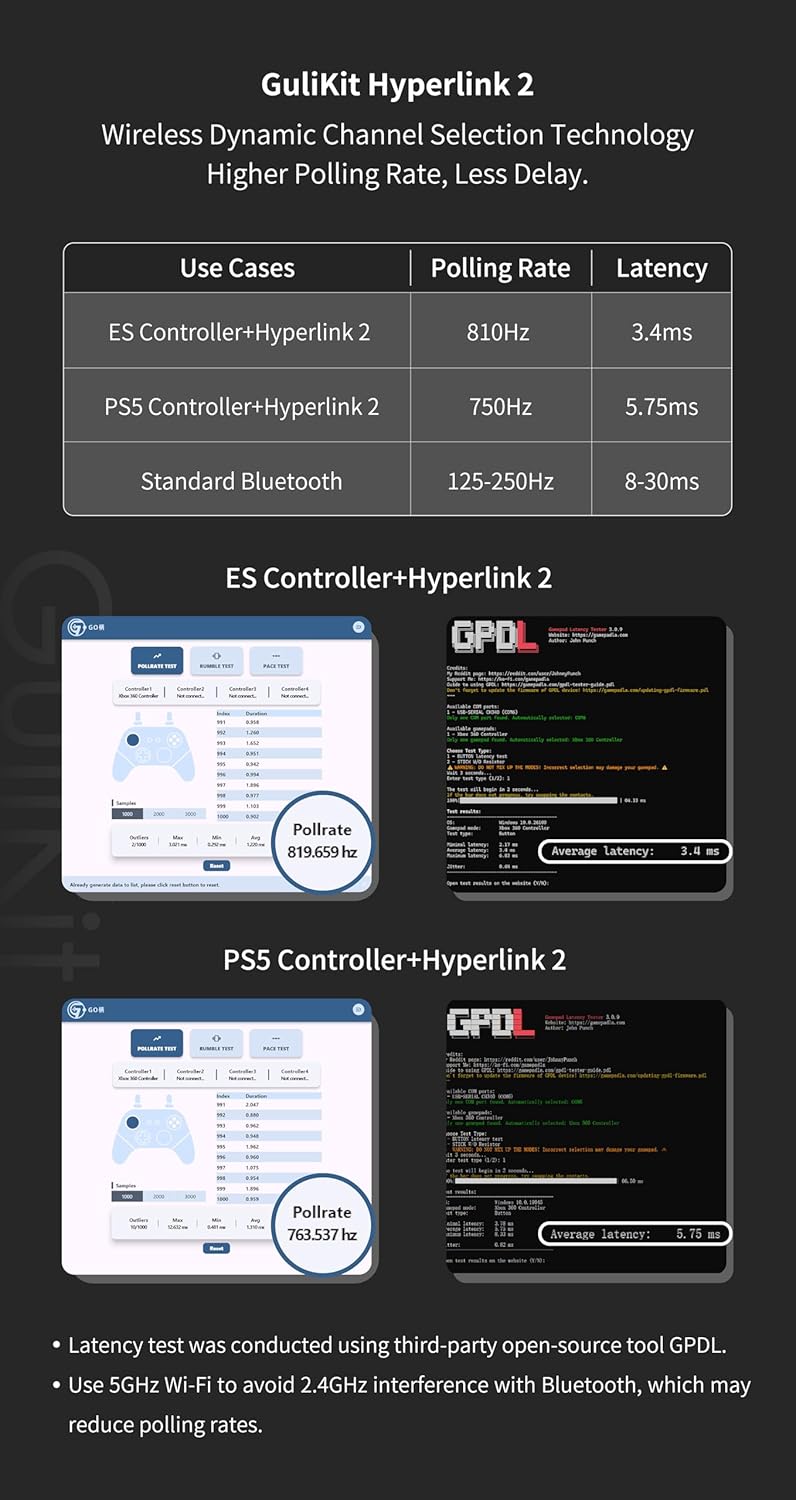
ULTRA FAST ADAPTER WITH LOWER DELAY:Featuring HyperLink 2 technology, this adapter achieves 2.95ms ultra-low latency, reduces input delay by up to 50%, delivering faster response and smoother gameplay for supported controllers in fast-paced game.
CONTROLLER COMPATIBILITY: Compatible with Xbox Series controllers, Xbox Elite Series 2 controllers, Xbox One Bluetooth controllers, PS5 Dual Sense & Dual Sense Edge controllers, PS4 Dual Shock controllers, Switch Pro Controller, and GuliKit Elves 2 / ES / ES Pro. Compatibility Note: 1.Not compatible with Xbox One controllers released between 2013–2015 or non-Bluetooth Xbox Elite controllers & Xbox 360. 2.Only one controller can be connected at a time. 3.Xbox headphones are not supported. 4.When using GuliKit controllers, switch to PC Xinput mode or Switch mode before connecting.
MULTI-PLATFORM SUPPORT: Works with Windows 7+, Switch / Switch 2, Android 9.0+, and SteamOS 3.4+ devices such as Steam Deck, AYANEO handhelds, ROG Ally and Ally X. Compatibility Note: 1.Enable “Wired Pro Controller Connection” in Switch 1/2 settings. 2.An OTG cable or adapter is required when connecting to Switch Lite/Switch 1/2,Steam Deck/AYANEO handhelds/ROG Ally&Ally X. 3.Not compatible with PS/Xbox consoles.
INSTANT PLUG & PLAY – Works instantly with supported controllers and platforms. Just plug in and start gaming—no drivers, software, or complicated setup required. Enjoy faster response and smoother gameplay.
MOTION CONTROL & VIBRATION ON SWITCH – Use PS4 or PS5 controllers on Switch 1 and Switch 2 with motion control and vibration support, delivering a more immersive and responsive gameplay experience. Note: Not supported on PC or Switch Lite.
HOW TO USE:1. Turn on the controller and hold the pairing button to enter pairing mode. (For PS4 & PS5 controllers, it is to hold the SHARE and PS logo button until the light flashes quickly to enter the pairing mode. ) 2. Plug the adapter into the USB port, and its indicator will flash rapidly to automatically enter pairing mode. (No button press required) 3. The adapter indicator turns constantly on, and the pairing is successful. Note: Please connect in the correct order: first press the power and pairing buttons on the controller, and then insert the adapter into the USB port of PC or consoles.
$16.99