
Related Products

MP3 Player with Bluetooth and WiFi,...



MIATONE Boombox Outdoor Portable...



Product description


Instructions for Use
·This music player requires a TF card for normal operation.
·Insert the TF card first, then connect the player to a computer. The computer will recognize the USB storage, allowing you to transfer music files or format the TF card. The TF card cannot be formatted independently without a computer connection.
·If your computer fails to recognize the USB drive after inserting the TF card and connecting, please go to System Settings – USB Working Mode and confirm it is switched to Device Mode.
·To protect your hearing, the factory default maximum volume is limited to 50. You can manually turn off the volume lock to unlock the full volume up to 100.
Go to the About page → continuously tap the version number below the logo 5 times to enable Developer Mode → return to System Settings → enter Developer Options → disable Volume Lock.Operation steps:
·This device only supports Bluetooth transmit mode. It can only actively connect to Bluetooth receiving devices such as Bluetooth headphones and Bluetooth speakers. Please search for and pair Bluetooth devices directly on the player.
Ensure your Bluetooth headset or speaker is powered on and in pairing mode (indicator light flashing). Restart Bluetooth and search for the device again to reconnect.
Check the Bluetooth icon on the status bar. If no icon is shown, the connection is abnormal; disconnect and re-pair the Bluetooth device.If Bluetooth is connected properly but there is no audio, increase the volume on both the player and your Bluetooth external device separately.
·Pre-installed with TIDAL and Qobuz streaming apps. Internet connection via Wi-Fi is required for online playback. Offline downloading and caching are not supported.
·Open the music interface → click the star folder icon in the upper right corner → Playlist → custom radio to start listening.Create a new TXT file, enter valid network radio URLs, name the file radio, and save it to the root directory of the TF card.
·We offer 1-year free repair service for quality failures caused by non-human factors.
【Hi-Fi Sound Quality with Dual Hi-Res Certification】Entry-level Hi-Fi Bluetooth music player with both Hi-Res Audio and Hi-Res Wireless certifications. Supports native decoding up to DSD256 and PCM 384kHz/32bit, compatible with virtually all formats including DSF, DFF, WAV, FLAC, APE, AIFF, MP3, AAC, WMA, OGG, OPUS, ISO, and CUE.
【MP3 Player with Bluetooth】Supports AAC, SBC, aptX, and LDAC for high-quality wireless output to headphones and speakers. Built-in WiFi enables wireless music transfer, HiBy Link remote control, DLNA, and AirPlay for seamless multi-device integration.
【Built-in Tidal & Qobuz Streaming (Offline Download Not Supported)】Stream lossless music directly via WiFi with pre-installed Tidal and Qobuz. Please note: offline downloading is not supported on this model.
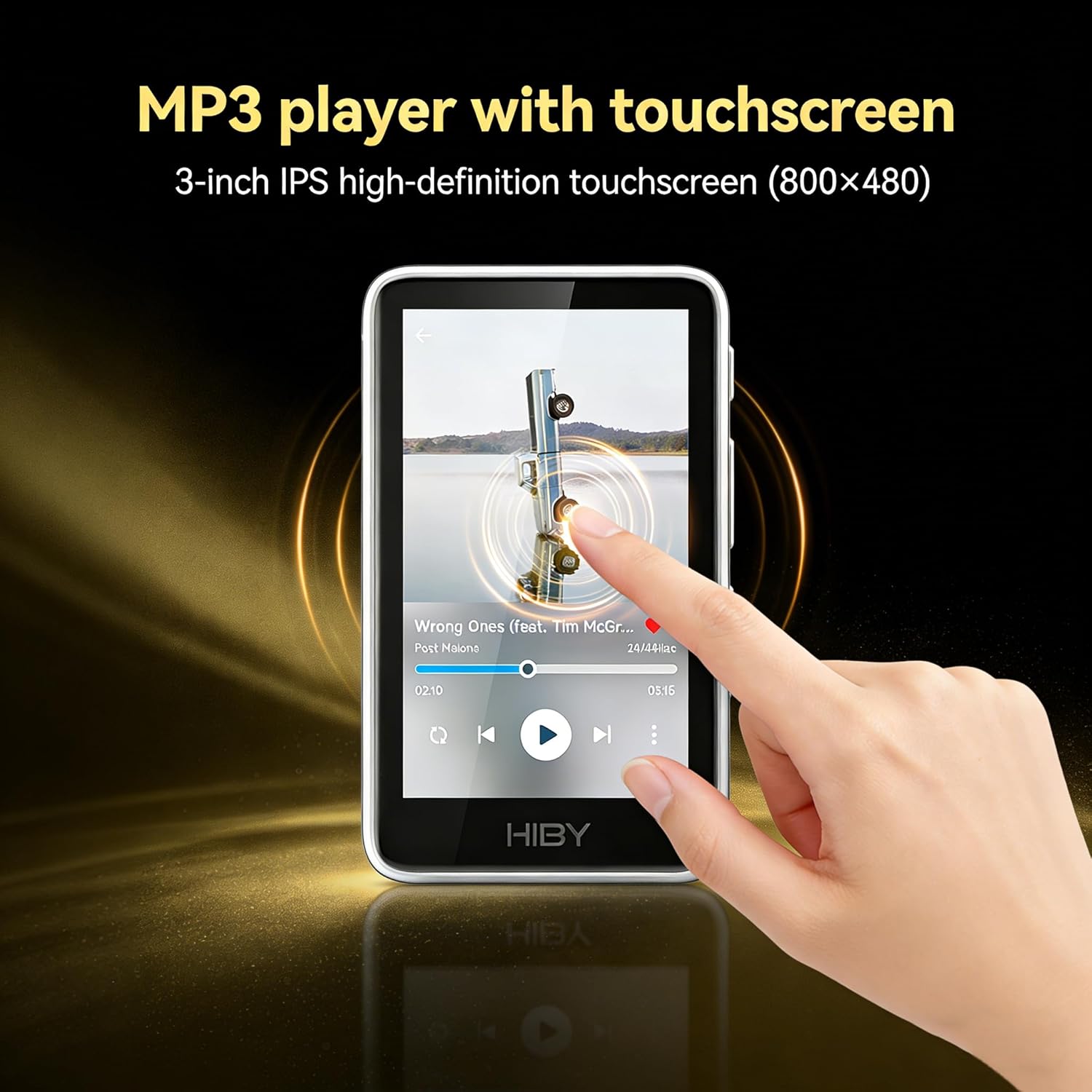
【Smooth Touchscreen Experience with HiBy OS】3-inch IPS high-definition touchscreen (800×480) powered by the X1600E chip and HiBy OS professional player system, delivering a responsive and lag-free user experience.
【2TB Expandable Storage】Supports microSD cards up to 2TB (sold separately), capable of managing up to 50,000 songs. Enjoy up to 15.5 hours of continuous playback via 3.5mm PO output and over 400 hours of standby time. A built-in volume limiter helps protect hearing and can be manually turned off for higher output when needed.
$69.00