
Related Products


Logitech G305 Lightspeed Wireless...




Product description
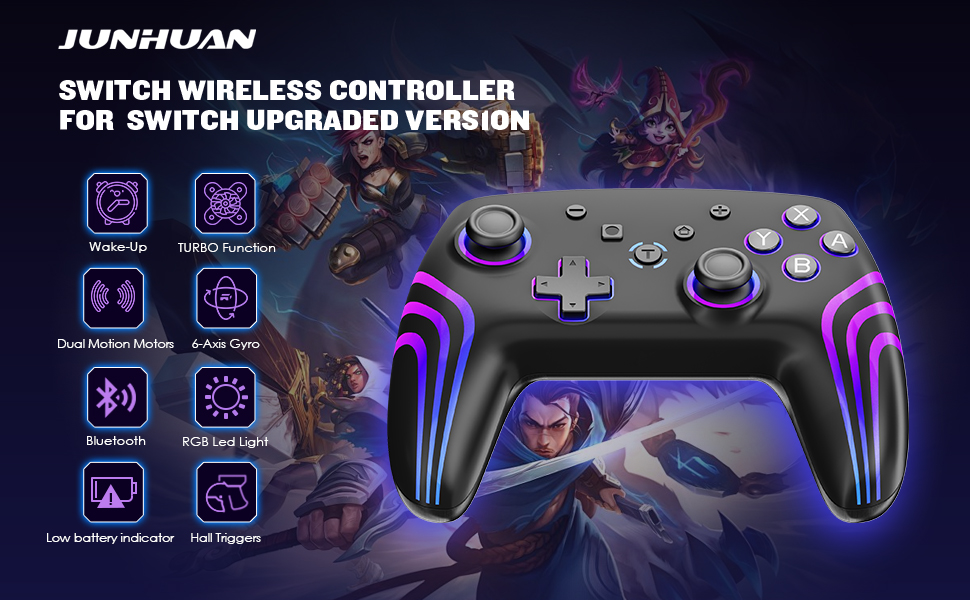
JUNHUAN Switch Controller Has Powerful Features
Hall Triggers
Precise linear control, like in racing and shooting games, provides smooth operation and vibration feedback to enhance game immersion.
Wake-up
Press the HOME key for 1 second to wake up the controller, reconnect and wake up a hibernating Switch console.
Dual Motor Vibration
Press and hold TURBO+Left 3D rocker up: strengthen the motor vibration; TURBO+Left 3D rocker down: slow down the motor vibration; 100% -75% 50%- 0%, 4 gears of intensity adjustable, handle motor adjustment with memory function.
TURBO
Press and hold the TURBO key and then press the corresponding key to set TURBO; repeat the setting again to set it to automatic TURBO mode, the keys that can be set are A,B,X,Y,L,ZL,R,ZR; if you want to cancel the TURBO function, repeat the setting again; there are three speeds to adjust the speed of the TURBO (5-10-15HZ); TURBO+Right 3D Rocker Push up: increase the speed of one gear; TURBO+Right 3D Rocker push down: decrease the speed of one gear, the default middle gear; When the TURBO function is enabled, the current channel indicator blinks with the frequency of the TURBO setting.


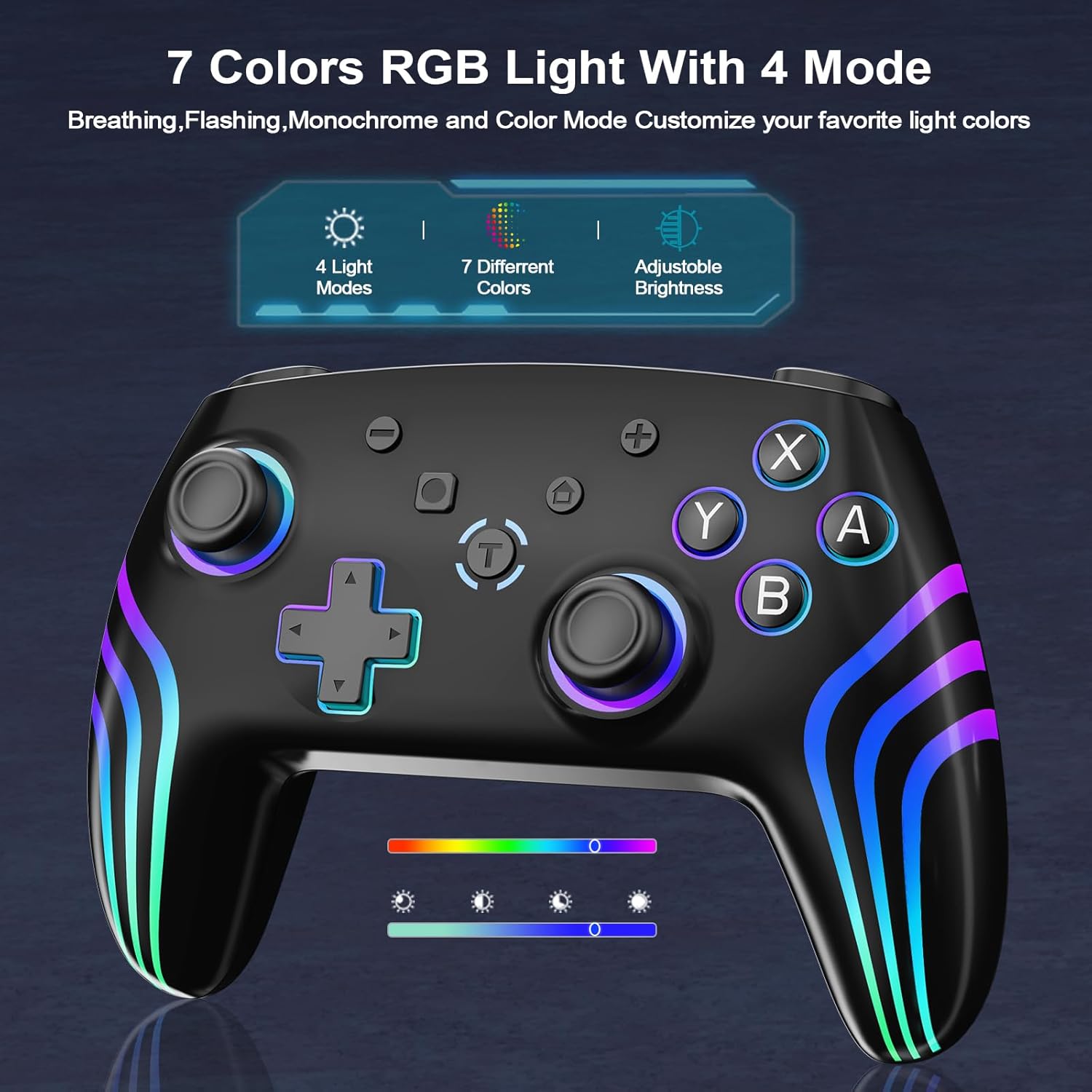
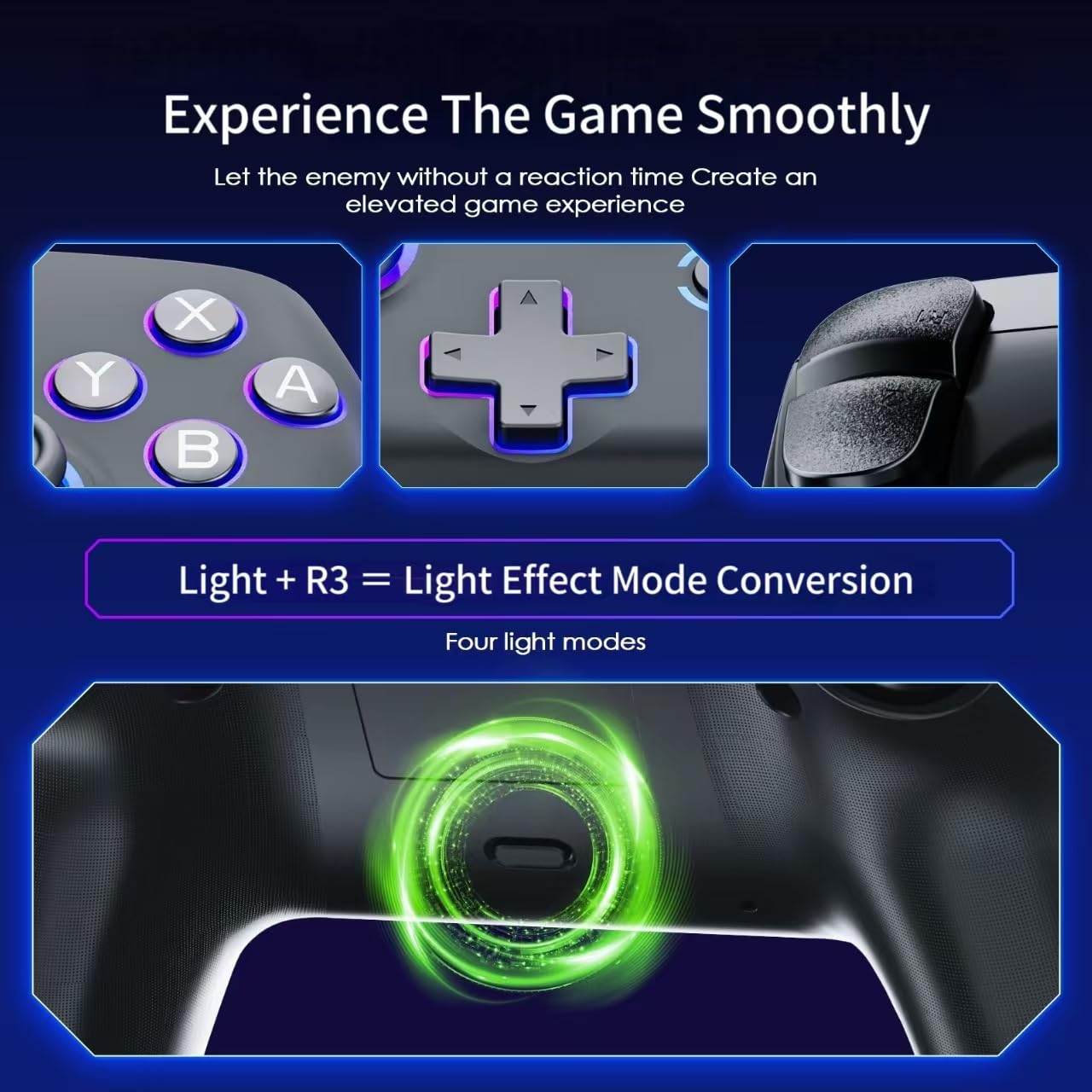
7 Colors RGB Light and 4 Mode
*Simultaneously short press LIGHT+R3 key (right rocker down) can switch the light effect mode, each press can switch the light effect mode, (Dazzle Color – Monochrome – Monochrome Breathing – Monochrome Breathing Cycle).
*In Dazzle mode, press LIGHT+L3 (left stick down) at the same time to pause and save the current Dazzle mode.
*In monochrome mode, press LIGHT+L3 (left joystick down) at the same time to switch the color of the light.
*Under monochrome breathing mode, short press LIGHT+L3 at the same time (left joystick down) can switch the color of the light.
*Under single-color breathing cycle mode, press LIGHT+L3 (left joystick down) at the same time to pause and save the current mode, and then press it again to start the breathing mode again.
*The brightness of RGB light effects can be adjusted by pressing LIGHT+(UP/DOWN arrow keys) at the same time in each mode, each press of the key combination can adjust the brightness by one step; LIGHT+UP key combination increases the brightness, LIGHT+DOWN key combination dims the brightness.
*Long press the LIGHT key for 5 seconds to turn off or turn on the RGB lights, the light effect setting has a memory function that will automatically save the current setting of the light effect mode.
How to connect to a switch console

(1) Turn on the Switch host, click the System settings menu button in the main page interface, enter the next menu option and click the Airplane Mode option, and then click the Controller Connection (bluetooth) option to turn its bluetooth function ON, and then turn the Airplane Mode option OFF. Mode option to turn on the Bluetooth function, and then turn off the Airplane Mode option.
(2) To enter the Bluetooth pairing mode of the Switch console grips, click the Controllers menu button in the console home screen, and then click the Change Grip/Orde option in the next level of menu options, the console will automatically search for the paired grips.
(3) Under power off state, long press pairing key for 3 seconds or press Y+HOME combination key to enter Bluetooth pairing mode, LED1-LED4 water light is flashing, successful connection Switch host automatically assigns the corresponding channel indicator of the joystick is always on; Synchronization state or being connected and paired with the host: LED1-LED4 water light is flashing.
(4) In the shutdown state, directly with the USB cable into the USB port of the Switch host, if the host and the original charging seat integrated into the charging seat USB port (Note: to open the wired handle connection option in the host settings), through the USB wired connection and the host pairing, unplugging the USB cable handle will be automatically Bluetooth wireless way back to the host connection.
Multi-platform Switch Controller

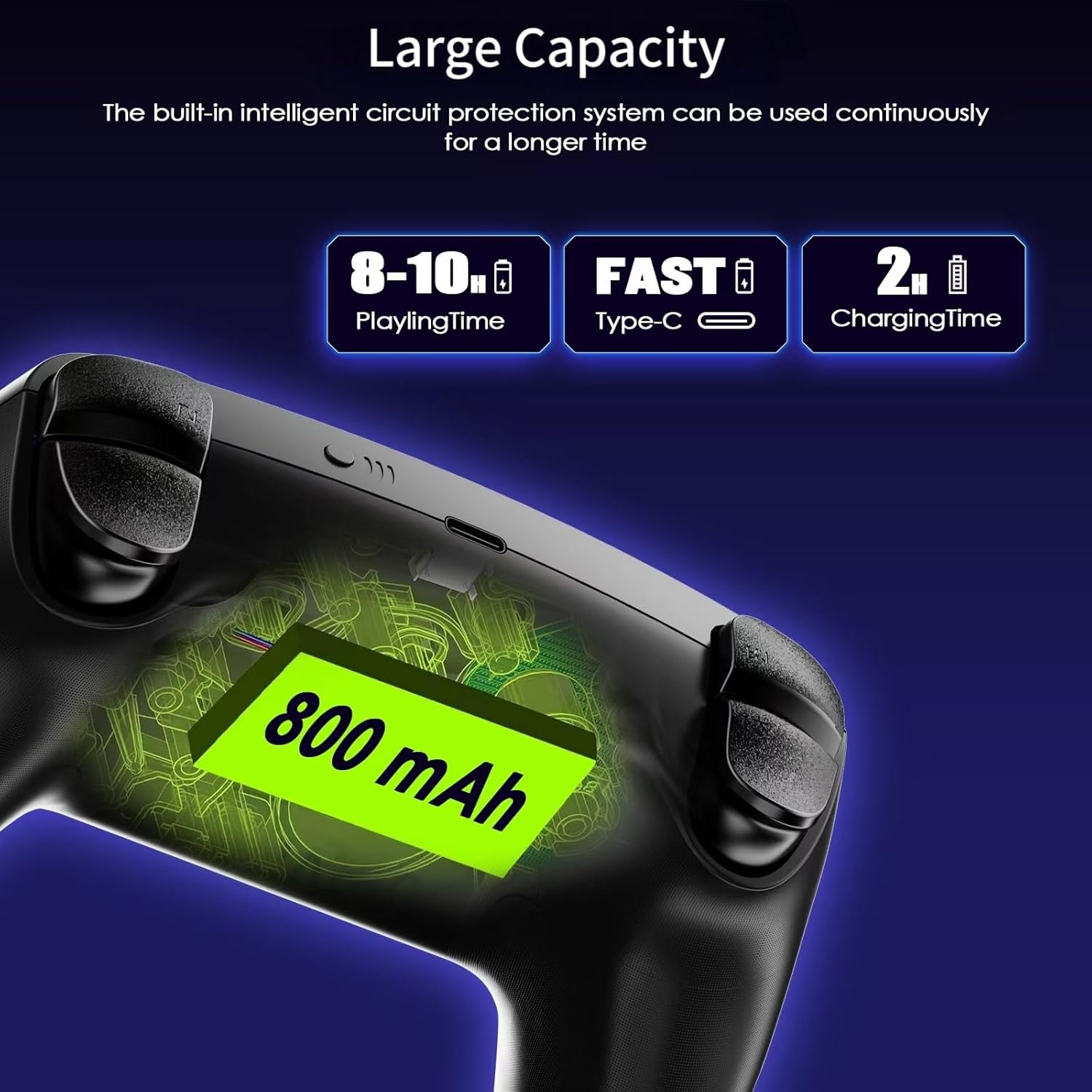
【Universal Compatibility & Battery Life】: Effortlessly connects to Nintendo Switch/Lite/OLED, PC, Android, and iOS. Enjoy easy Bluetooth pairing and one-touch wake-up for Switch 1/2 console, Equipped with 800mAh battery to extend the game time (about 8-10 hours)
【TURBO】: Customize turbo functions to suit your preferences for optimal control
【Responsive Controls】: Dual vibration feedback and 6-axis gyroscope sensors provide precise gaming control
【Ergonomic and non-slip design】: Based on ergonomic design, easier to grip than other controllers. Anti-slip design, so you don’t have to worry about sweaty hands affecting your gaming experience.
【Cool 8-color LED light with 3 modes】: With 7 different colors of cool LED light and a colorful LED light, there are also 3 light effect modes, and you can also turn off RGB
【Connection Instructions】: First, access the Switch console’s connection page. Simultaneously press the Home button and Y button, or hold the Home button for 3 seconds to initiate Bluetooth pairing. When the controller’s RGB lights illuminate, pairing is successful.
Original price was: $20.99.$13.27Current price is: $13.27.