
Related Products

Kinhank Super Console X Pro with...


Mini Arcade Machine, 240 Built-in...

Nex Playground Active Play System...




Product description
The following content can help users quickly use the product. If you have any other questions, please send an email.

How to set the game console language?
Select “Setting”—“Language” on the screen,press B key to enter, you will see multiple languages, select the language you want and press A key to confirm.

How to quickly find the game you want to play?
Connect the game console to the computer, find the “GAME” folder of the game console on the computer, users can create another folder in the “GAME” folder, such as “My Favorite”, and then copy the game files you like to in this folder. Next time you can find the game you want to play directly in this folder(“Folder—game—My favorite” in the game console).

How to save the game progress?
When players are unable to continue the game, pressing the “ESC” button will bring up the game menu, allowing them to save, load, and exit. Each game can have multiple progress saved, making it easier to continue playing next time without having to restart the game.

How to add/delete games/videos/music/e-books?
Connect the game console to the computer, find the “game”/”Video”/”Music”/”Ebook” folder of the game console on the computer, copy the game/video/music/ebook files to the corresponding folder, and also Game/video/music/ebook files can be deleted from these folders.

How to enter/pause/exit the game game?
After selecting the game, press the B button, then press the START or SELECT button. Different games need to press the button several times.
If you want to pause the game, press the ESC key; if you want to exit the game, select “Exit” in the menu to exit the game.

How to connect the TV?
The game console can be connected to the TV through the AV cable, and select the corresponding signal source on the TV, then select and press the B key on the game console screen to enter “Setting”—“TV-OUT”, select “PAL” or “NTSC” (selected according to the TV system in the country).
Can the desktop games on the screen be deleted or replaced?
The desktop games on the screen are solidified in the program and cannot be deleted or replaced.
How to backup game files?
Connect the game console to the computer, and find the “GAME” folder of the game console on the computer. We strongly recommend that users copy the “GAME” folder to the computer to prevent game files from being lost. Users can also delete unwanted games so that the console will run faster.
How to download more games? What formats of games can be added?
This game console cannot be connected to the Internet. Users can surf the Internet on the computer, search and download games on Google or other websites. Currently, only add the suffix name is .gba/.gbc/.gb/.nes/.sfc/.bin/ .smd game files, the game files must be copied to the ”GAME’ folder in the console. If some games cannot be opened, the file information may be missing, you can delete it and download it again.
Charging Instructions:
It is recommended to use a charger that does not exceed 5V2A for charging. The indicator light will flash while charging, and blue when fully charged. If you find that it cannot be charged, please replace the charger or charging cable.
The function of ABXY?
A key: return or attack; B key: confirm or attack; X key: jump or attack; Y key: jump or attack;
※5.1 inch high-definition screen multifunctional game console※. Not only can you play games, but you can also watch videos, listen to music, read e-books, and have recording functions. It is one of the best entertainment electronic products, very home/outdoors/traveling/killing boring time. It is also one of the most suitable gifts for giving people.
※The game can save progress※. When players are unable to continue the game, pressing the “ESC” button will bring up the game menu, allowing them to save, load, and exit. Each game can have multiple progress saved, making it easier to continue playing next time without having to restart the game.
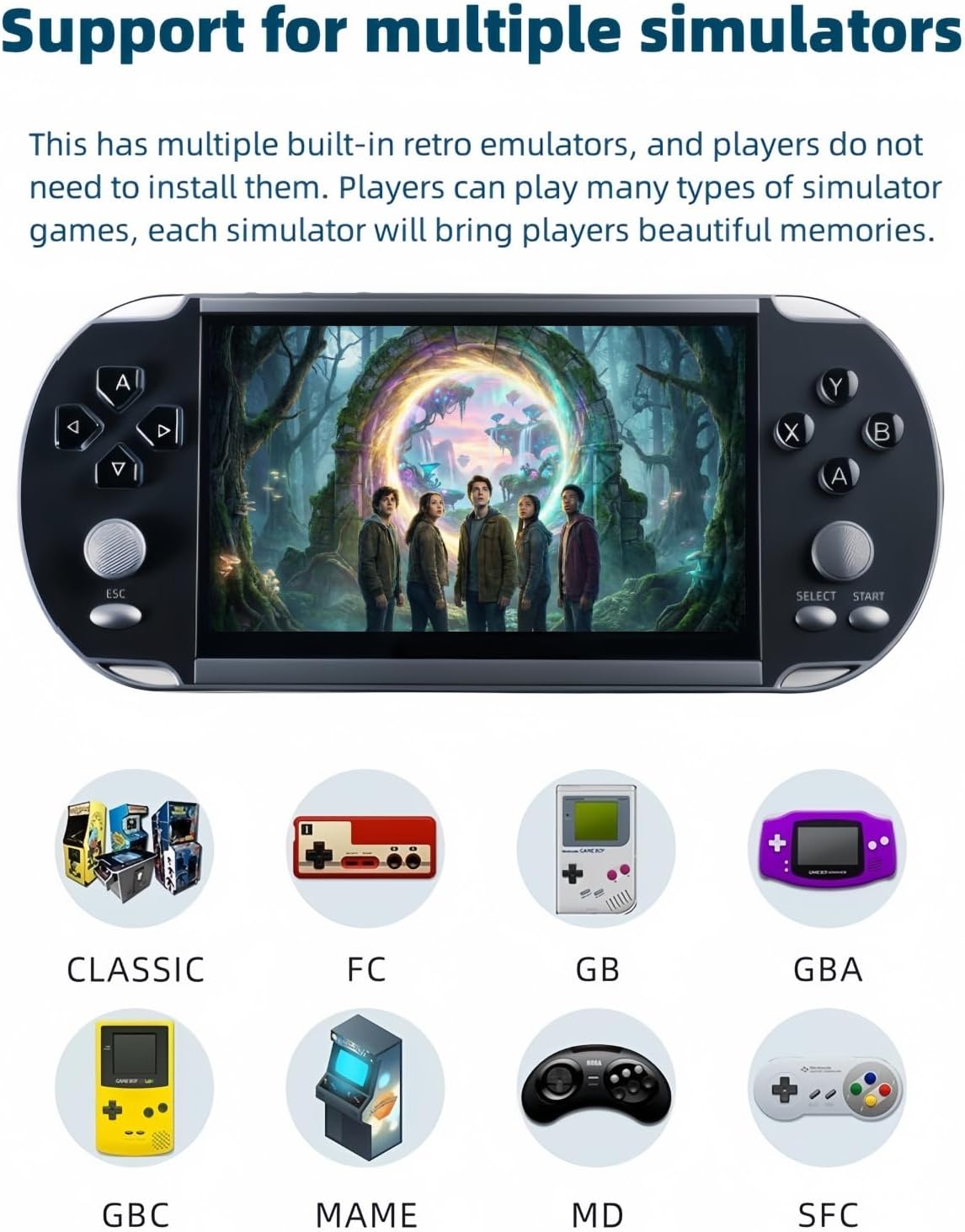
※Support for multiple simulators※. This has multiple built-in retro emulators, and players do not need to install them. Players can play many types of simulator games, and each simulator will bring players beautiful memories.
※Built-in 4000 free classic games※. Users can play games as soon as they receive the game console, without having to download it themselves, which is very convenient. The game can also be added/removed (requires connecting to a computer for operation).
※Support TV AV-OUT output※. You can connect to the TV through an AV cable, play games, watch videos, listen to music, and share happiness with your family or friends on the TV.
※Built in lithium battery※. Built in rechargeable lithium battery, long battery life, USB charging, environmentally friendly and convenient.
$59.80