
Related Products

Smart Projector【1000 ANSI/Compatible...
Epson Expression Photo XP-8800...


Laminator Machine 11X17 with 70Letter...
Epson EpiqVision Flex CO-FH02 Full...


Product description

 48MP
1/2 Type CMOS Sensor
 4K 30fps
Supports 4K at 30fps Video Streaming

Exceptional Scanning Quality
Equipped with a 48-Megapixel CMOS sensor, the K48 delivers exceptional clarity and precision. Ideal for scanning full A3-size book pages, documents, and large-format materials, it ensures clear, reliable scan results.
 Laser Positioning Guide
The built-in laser guide marks the center of the capture area, helping users align documents and books quickly and accurately before scanning.
Note: The laser guide is for visual alignment only and does not participate in the curve-flattening process.
 Multi-level LED light control
The smart multi-level lighting control allows you to aujust the brightness according to the environment.

 Page Turning Detection
Streamline your scanning workflow with page-turning detection, which automatically scans each page as you turn it. Perfect for scanning multiple pages without dismantling the book.
 Flattening Curve Technology
The K48 automatically flattens curved book pages, removes finger images, purifies backgrounds, and splits them into two pages for seamless digital preservation.
 Powerful OCR Text Recognition
Built-in OCR supports 130+ languages, converting scans into searchable PDFs and editable Word, Excel, or Text files for easy organization and search.
 AI Text-to-Speech Functionality
AI text-to-speech converts scans into MP3/WAV audio and searchable PDFs—ideal for language learning and accessibility. Windows only.
 4K Video Recording
Capture sharp 4K video at 30 fps for clear presentations of documents, books, and objects. With OfficeCam software, picture-in-picture recording enables professional demos and interactive teaching.

Multiple Operating Modes, Easy to Use!
Trigger scans with the external hand button, foot pedal, or software interface.
For continuous scanning, set an interval timer to automatically capture pages.
Fit books and documents up to A3: The 426 × 320 mm capture area fits A3 sheets. Measure bound books across both pages when open, and use the laser guide to position the spread.
Flatten curved book pages: OfficeCam corrects page curvature and splits a captured spread into separate left and right images, so you can digitize a bound book without removing the binding.
Create searchable PDFs: Use OfficeCam OCR to turn paper reports and book pages into searchable PDFs, so you can find a passage and share the file. You can also export editable Word or Excel files.
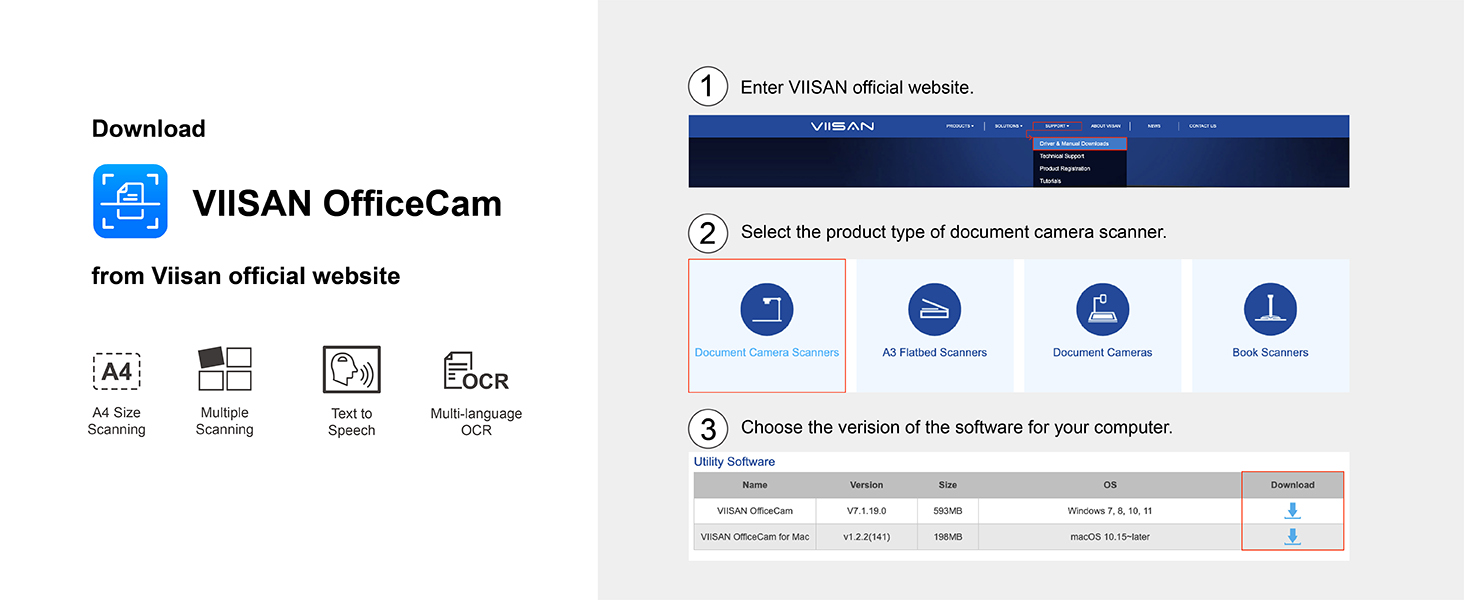
Connect to a Windows PC or Mac: Connect the scanner via USB 3.0 Type-C for data and use its DC input for power. OfficeCam is available for Windows 10 or 11 (64-bit) and macOS 11 or later. Choose the software version for your operating system.
Show documents live or record video: Use the K48 as a document camera to show a worksheet, book page, or object during a lesson or presentation. Record video at up to 4K at 30 fps.