
Related Products

Laminator Machine 11X17 with 70Letter...

13″ 4-Roller Commercial Laminator...


2000 ANSI 4K Decoding Projector...



Product description


 OCR Technology
Convert scanned paper document into search PDF or editable files.
 Automated image crop and deskew
Automated image crop and deskew

 TWAIN Compliant
The included TWAIN driver ensures compatibility with thousands of software application and systems
1 OCR Technology
2 Auto Crop&Deskew
3 Enhance image process
4 TWAIN Compliant
Ket Feature 
1
2
3
4
5
6
My Laptop/PC don’t have CD-ROM How can I install driver & software?
For user who’s Laptop/PC don’t have CD-ROM, can follow quick installation guide driver download link, or visit Plustek website download driver to install.
How can I launch DocAction software with Windows system to change scan setting
After install the driver and software, you can open DocAction by double click the icon in the taskbar, which is located on the bottom right corner.
Is scanner can auto crop image size? if I scan receipt or letter size document
The S410 Plus default enable auto deskew and crop function.You will get the complete scanned image without any black edge.
How to deal with the strips or bands on the scanned images?
If the colors of scanned images are not correct or there are strips on the images. Use bundle calibration target to calibration the scanner, you can visit Plustek website, select S410 plus to see tutorial video
Where I can find help for Plustek MobileOffice S410 plus?
If you need help with any issue or question, Visit Plustek website, click the chat windows at the bottom right corner to contact our engineer.
Digitize on the Go – Connect to your computer via BUS powered, eliminating the need for batteries or external power sources
Button Free Scanning Experience – The S410 Plus is an automatic scanning device, no need to push any buttons or click any screens, and automatically processes images and saves them to the designated folders
Versatile Paper Handling – Easily scan documents ranging from Letter and Legal sizes to business cards, plastic ID cards, invoices and receipts
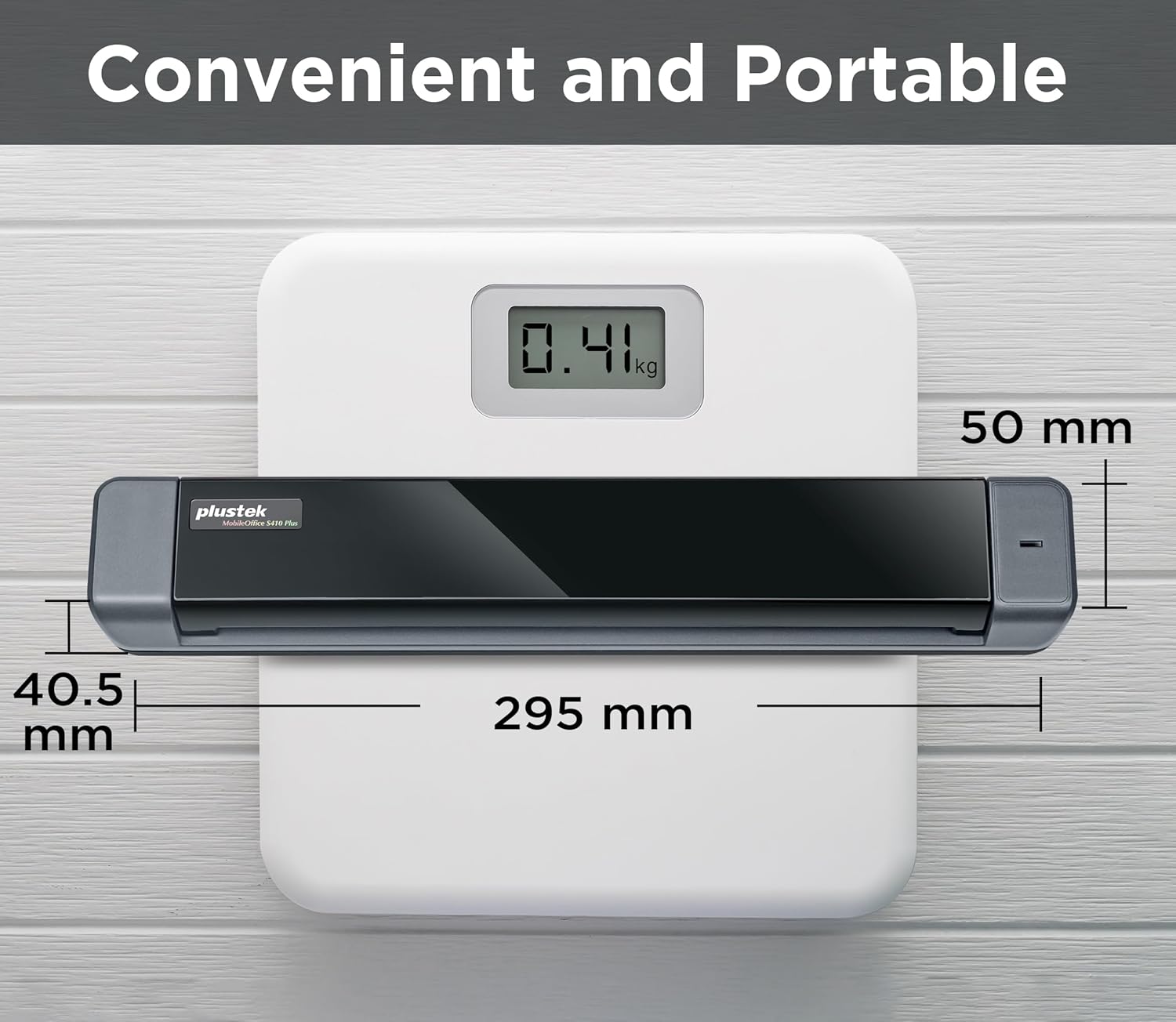
Ultra compact & Lightweight – Weighing less than 1 lb, lighter than a bottle of mineral water, and its slim design is perfect for portability
Work smarter with Plustek Docaction – Built-in OCR allows you convert the files into editable, such as searchable PDF, excel or word. Seamless save to your local computer, FTP and even shared folder
Original price was: $109.00.$99.00Current price is: $99.00.