
Related Products

Gawfolk 28 inch UHD 4K Computer...

cocopar Portable Monitor 15.6 Inch...

MOUNTUP Single Monitor Desk Mount...

Silkland 80Gbps DisplayPort Cable...




Product description


 10-Point Touchscreen Portable Monitor
 Easy to Control


1 DisplayLink Chip 2 Wild Compatibility


1 Easy to Carry
2 3 Display Modes
3 Fold. Flip. Share.
Do both screens support touch control?
Yes, dual screens support industrial‑grade 10‑point multi‑touch. Connect via USB‑C / USB‑C‑to‑A3.0 cable. Complete touch setup following manual or video. HDMI cable does not support touch.
Why don’t the screens display immediately?
The U16 PRO adopts DisplayLink technology, so please download drivers from the official DisplayLink website for Windows and macOS systems.
Can U16 PRO be folded or used vertically?
Yes. It folds 360° and has a built-in stand. Set portrait mode on your computer. The upper-screen Flip button supports easy sharing.
What devices can I connect to U16 PRO?
Connect via USB-C, Mini HDMI, or USB-A to USB-C. It supports compatible computers, phones, tablets, and game consoles with video output.
Can the screens be adjusted separately? Does it have speakers?
Yes. Each screen has separate brightness, volume, and menu controls, plus built-in dual speakers. The upper screen has no audio via HDMI alone.
Touch‑control functions require setup by referring to the user manual or tutorial videos. For Windows and MacOS, please download drivers from the official DisplayLink website.
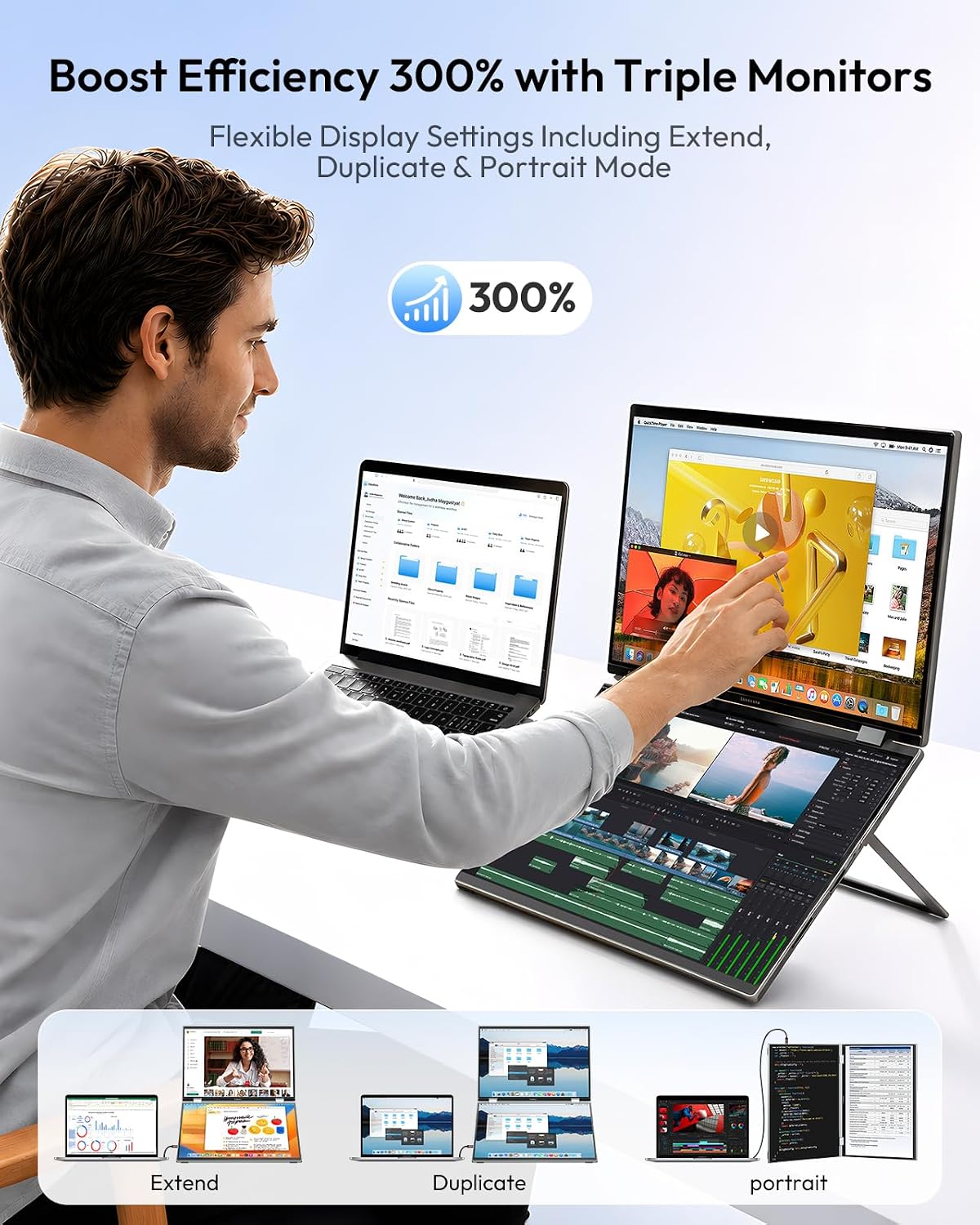
【THREE‑SCREEN MULTITASKING】Add two 16-inch laptop screen extenders to your laptop and keep more of your work visible at once. Use Extend mode for separate apps, Duplicate mode for sharing, or Independent mode to connect the upper and lower screens to different sources. The stacked dual monitor saves desktop space and helps reduce constant window switching across spreadsheets, research, chats, timelines, and presentations.
【DISPLAYLINK AND FLEXIBLE CONNECTIONS】External monitor for laptop connects via full-function USB-C for video, data, and power when the host port provides sufficient output, or use USB-A 3.0 to USB-C for video, data and charge. Two Mini HDMI ports expand compatibility with laptops, desktops, phones with DP Alt Mode, TVs, and game consoles. Windows installs the driver in the background; macOS requires DisplayLink Manager.
【DUAL TOUCHSCREEN】Both screens support 10‑point multi‑touch control via a compatible USB connection, turning this portable monitor setup into a streamlined workspace for navigation, scrolling and presentations. Windows touch mapping is configured through Tablet PC Settings; on macOS, move the pointer to the screen you want to control. Tips: HDMI connections and iPad do not support touch input. VOLUME ADJUSTMENT is available only when the external display gets power supply during screen connection.
【FOLD, FLIP, AND WORK YOUR WAY】The 360° foldable portable gaming monitor with stand adapt to stacked desktop work, 90° portrait reading, screen sharing, and compact storage. A dedicated Flip key rotates the upper image for face-to-face sharing, while separate controls let you adjust the two screens independently. For higher brightness and stable performance, use a 45W or higher external power supply.
【16 INCH 16:10 FHD IPS DISPLAY】 The 16:10 portable monitors provide extra vertical room for documents, code, and web pages. Each portable screen for laptop runs at 60Hz with 250-nit brightness, a 1200:1 typical contrast ratio, and 75% NTSC color gamut. Built-in dual speakers add convenient audio for meetings, videos, and everyday use. Boasting a premium aluminum‑alloy frame and back cover, the built‑in screen is equipped with eye‑care technology to reduce eye strain and relieve fatigue after long‑hour use.