
Related Products

Canjoy Gaming Mouse Pad, 31.5×15.7inch...




Product description


1 3 Modes
2 RGB Backlight
3 Ergonomic Design
4 Rechargeable Battery
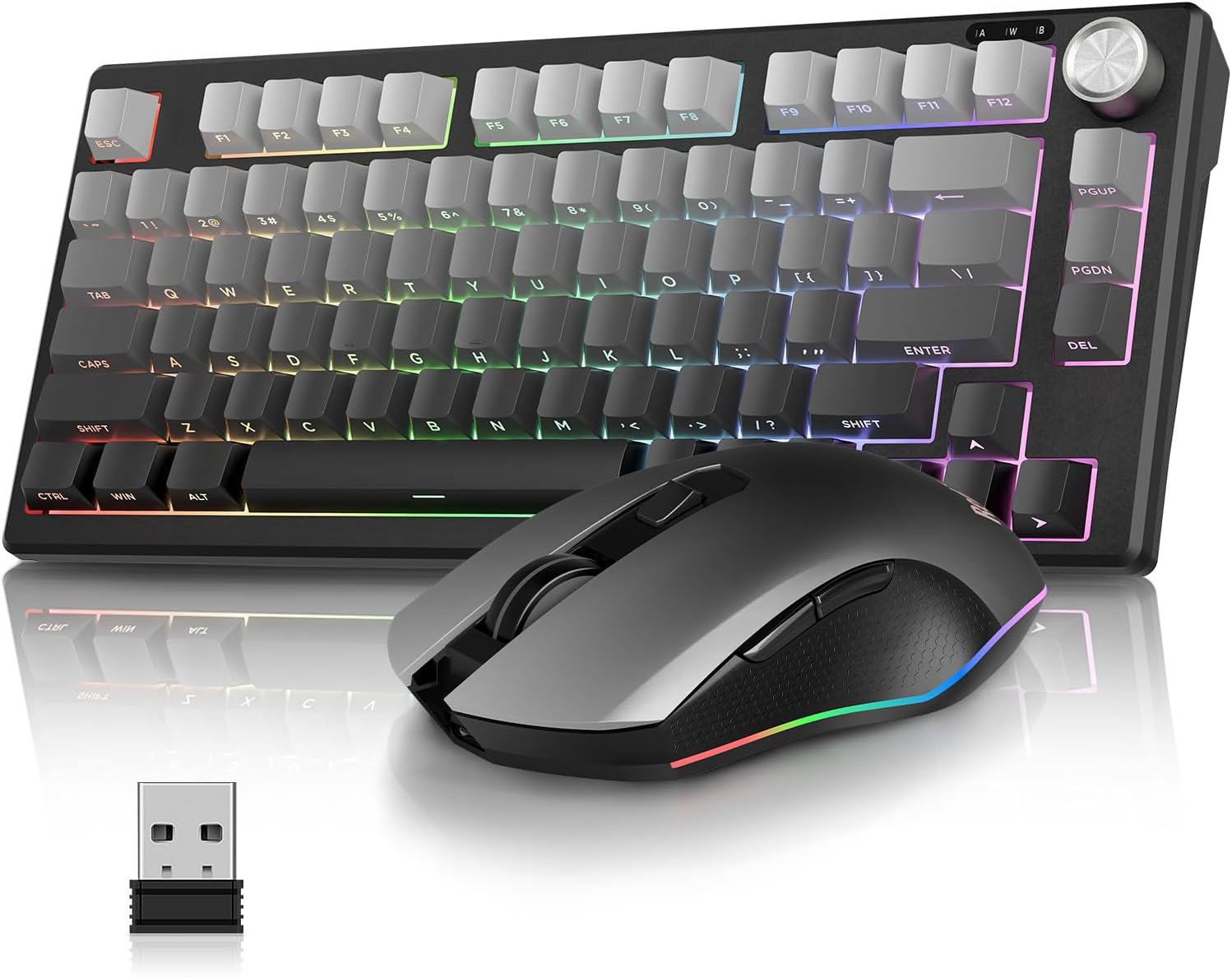
RedThunder K75 Wireless Keyboard and Mouse
Get rid of messy cables and provide a neat and organized desktopCompact and cordless, it fits easily in your bag and can be taken anywhereProfessional Gaming Mouse the fiercest battles are handled with easeSeek the high-quality choice of multifunctional and innovative typing experience
The video showcases the product in use.The video guides you through product setup.The video compares multiple products.The video shows the product being unpacked. RedThunder K75 Wireless Gaming Keyboard and Mouse
How to connect the K75 keyboard and mouse set?
Before using: Turn on the switch and press FN+A/S to select Windows/macOS system.
Wired Mode: FN+5%, the light flash white, use original USB‑C cable with Data Transmission to connect.
Bluetooth Mode: FN+1!/2@/3#, the light flash blue/purple/cyan, select BT1/BT2/BT3. 2.4G Wireless Mode: FN + 4$, light flash green, inseRt the USB into your device. Shared USB receiver (under mouse) for keyboard & mouse.
Mouse Bluetooth and 2.4G Wireless Mode: Long press “right button + scroll wheel + left button”
The video showcases the product in use.The video guides you through product setup.The video compares multiple products.The video shows the product being unpacked. How to use 3 modes
How to use CNC Knob?
Press & hold FN + CNC for 3s to switch modes.
Volume Mode: Rotate to adjust volume. Press to mute/unmute.
Lighting Mode: Rotate to adjust brightness. Press to cycle lighting effects.
The video showcases the product in use.The video guides you through product setup.The video compares multiple products.The video shows the product being unpacked. K75 Keyboard Knob
How to adjust RGB backlight?
FN + Backspace: Turn on/off the backlight.
FN +|: Switch backlight mode.
FN + PU / PD: Increase/Decrease backlight brightness.
FN+ =+/-_: Speed up/Slow down the backlight speed.
The video showcases the product in use.The video guides you through product setup.The video compares multiple products.The video shows the product being unpacked. How to adjust RGB backlight?
How to repair the keyboard/mouse with your device?
Refer to manual & video. Main keys below.
Keyboard Bluetooth Mode: Long press FN+1!/2@/3# to select BT1/BT2/BT3
Keyboard 2.4G Wireless Mode: Long press FN+4$
Mouse Bluetooth and 2.4G Wireless Mode: Long press “right button + scroll wheel + left button”
The video showcases the product in use.The video guides you through product setup.The video compares multiple products.The video shows the product being unpacked. How to reconect the keyboard and mouse?
 Lightweight RGB Mouse
The 85g (±5) Lightweight Mouse has 13 adjustable RGB backlights.
 Adjustable DPI
800-1000 (Default)-1600-2400-4800

How can I find the USB receiver?
The keyboard and mouse share only one USB receiver, whitch is in the bottom of the mouse.
How to use Knob
Press & hold FN + CNC Knob for 3s to switch modes.
Volume Mode: Rotate to adjust volume. Press to mute/unmute.
Lighting Mode: Rotate to adjust brightness. Press to cycle lighting effects.
How to select the system.
FN+A/S to switch between Windows and macOS.
How to select connection mode?
Short press Fn 1!/2@/3#/4$/5% to quickly switch BT1/BT2/BT3/2.4G/wired mode.
Long press Fn 1!/2@/3#/4$/5% to re-pair BT1/BT2/BT3/2.4G/wired mode.
Is it compatible with PlayStation?
Yes.The latest version has been upgraded and adapted.

Other Options
Customer Reviews
4.2 out of 5 stars 196
4.5 out of 5 stars 103
4.2 out of 5 stars 100
4.2 out of 5 stars 528
4.1 out of 5 stars 1,195
4.2 out of 5 stars 366
4.4 out of 5 stars 2,218
Price
$54.99$54.99
$65.54$65.54
$59.99$59.99
$71.99$71.99
$42.99$42.99
$48.99$48.99
$42.99$42.99
CNC Knob
✔
✔
✔
✔
✘
✘
✘
Switches
Membrane
Mechanical Switches
Mechanical Switches
Mechanical Switches
Membrane
Membrane
Membrane
RGB
✔
✔
✔
✔
✔
✔
✔
Keyboard Battery
4000 mAh
4000 mAh
4000 mAh
8000 mAh
1850 mAh
2000 mAh
–
Mouse Battery
800 mAh
–
–
–
500 mAh
500 mAh
–
【3 Connection Modes & Dual System Compatibility】Support BT5.0/2.4G/Wired three connection modes, 10m unobstructed stable wireless transmission; one-key switch between Windows/macOS via Fn+A/S (blue/yellow backlight flash for confirmation). Seamlessly switch among Bluetooth (FN+1!/2@/3#), 2.4G wireless (FN+4$), and wired mode (FN+5%) with FN shortcuts. Use the original charging cable to charge and type simultaneously in wired mode. Note: The keyboard and mouse share a single USB receiver, which is located at the bottom of the keyboard or mouse. Not compatible with PlayStation.
【75% Compact Layout & Side-Engraved Character Design】80-key side-engraved keyboard with 1 multi-function CNC knob saves 25% desktop space vs full-size keyboard; side-engraved characters wear-resistant and non-fading, clear visual effect even in dark gaming environment. Equipped with a premium CNC metal knob—long press FN + Knob for 3s to switch between volume and lighting modes, rotate to adjust volume/backlight brightness, press to mute or cycle RGB lighting effects. The membrane key is quiet and comfortable, providing good tactile feedback.
【Rechargeable Wireless Keyboard and Mouse】4000mAh high-capacity keyboard battery (5-6h charging time) + 800mAh mouse battery (1-2h charging time); keyboard auto-standby in 2min/sleep in 15min, mouse auto-standby in 1min/sleep in 15min, low power consumption design. Red slow flash of keyboard connection light & mouse delay/light off prompt low battery. Please use original Type-C cable to charge via computer USB for 8 hours before using.
【Light Up Keyboard and Mouse】The K75 gaming keyboard can adjust RGB backlighting through multiple shortcuts (brightness/speed/effects optional), and FN + ESC restores factory settings. The gaming mouse with 13 RGB light effects (bottom RGB button switch), DPI button for 3s long press to turn light on/off, cool visual experience.
【High-Precision Optical Mouse & 5-Level Adjustable DPI】M75 optical sensor mouse with 7 functional buttons, 5-level DPI (800-1000(default)-1600-2400-4800) with color-coded light prompt (Red/Blue/Green/Purple/White); sensitive optical tracking ensures smooth, lag-free movement for gaming/office, accurate positioning without frame drop.
$54.99