
Related Products




Product description
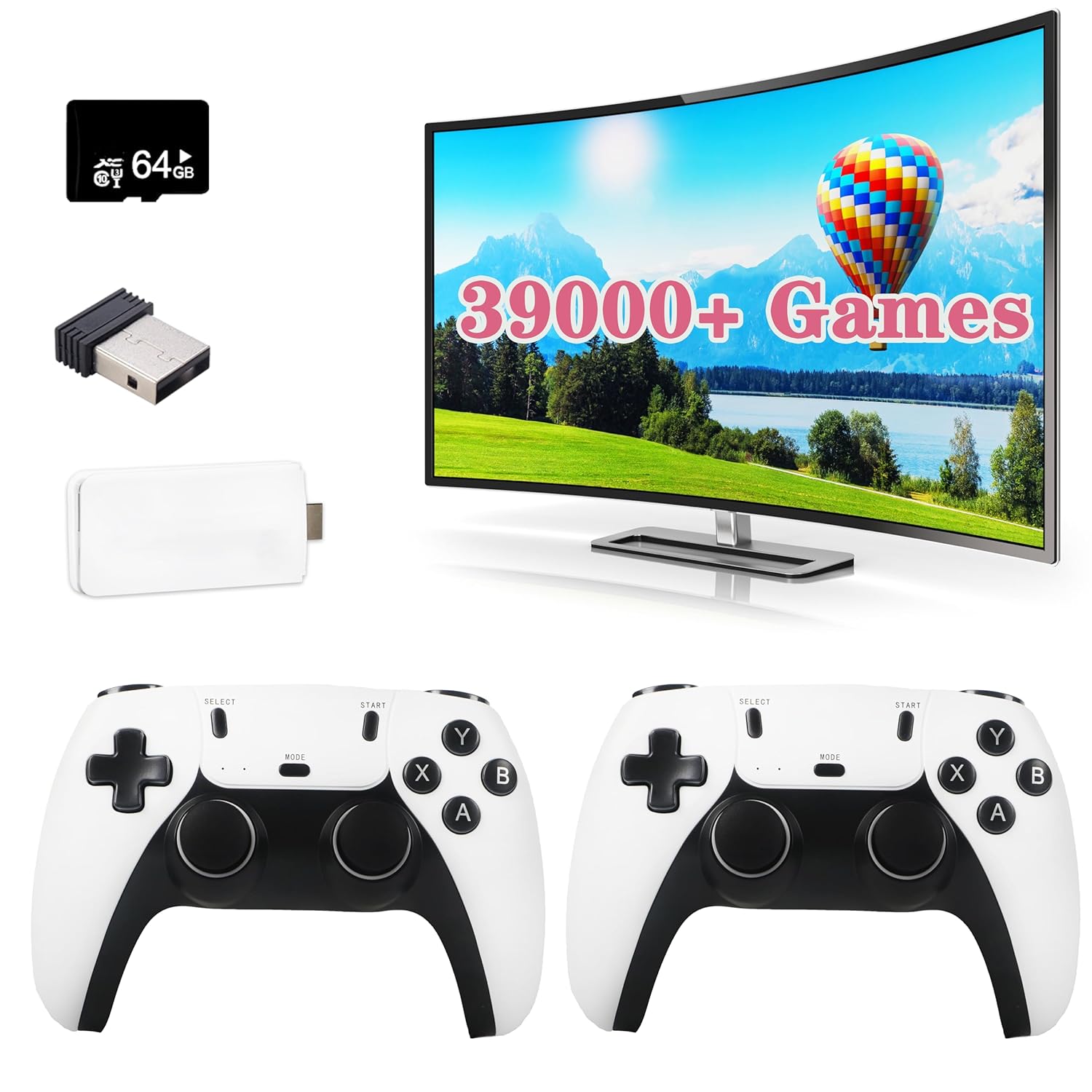
Retro Gaming Console, 28 Classic Emulators,Plug and Play Video Game Console Built in 39999+ Games

Easy to Connect to Your TV
Step 1
Connect to TV: Please use the HDMI extension cable provided to plug the retro video game console into your TV/Computer/projectors HDMI interface to ensure there is no blockage between the retro stick and the gamepads. And switch TV mode to HDMI mode.
Note: If plug the retro stick directly into your TV/Computer/projectors HDMI interface without an HDMI extension cable, the controller signal will be poor and the retro stick will get clogged, resulting in gamepad non-working.
Step 2
Insert the Controller wireless receiver to the retro gaming stick, and make sure there is no blockage between the controller signal receiver and the gamepad.
Note: If the wireless receiver is not plugged in properly, the retro stick will not be able to receive a signal, which will cause the gamepad doesn’t work.
Step 3
Power Supply: Connect with a charging adapter (Not included) and the power will turn on automatically.
Note: Please use a 5V/1A or higher power adapter to provide power to the retro stick. When retro gaming consoles don’t work properly or games lag, a big reason is that the power is not available from the USB port. It is recommended to connect with the adapter of the phone charger, the power supply will be relatively stable. Please do not use the fast charger for power supply.
Step 4
Install 2 AAA batteries (Not included) on each gamepad and turn on the switch, you’re ready to play.
Note: If the gamepad is not equipped with battery power, the gamepad will not work.

Main Menu Function
1. List: All the Games in the folder will be displayed on this page, with up and down selection and left and right page turning (in what simulator the game is in,there will be prompts on the screen).
2. Classification: Identify all simulators contained in the machine.
3. History: After playing,the game record will be in this interface.
4. Collection: Your favorite games can be added to the collection list.
5. Search: filter the game according to the game name uppercase letters(Note:case insensitive).

2PCS Controllers
Specification
Material: plastic and metal / Plug: USB / Joystick type: 2PCS ControllersOutput: HDMI Output / Support Up to 2 PlayersInput Power: USB 5vOperating Temperature: 0~40℃Distance: 0~10 meters Note
Please read the instructions carefully, packaging and the instruction contain important information,please keep the spare.
Packing List 2 X Game Console 1 X Retro Stick 1 X USB Cable 1 X TF Card 1 X User Manual

Press the SELECT key to enter the system settings: you can set language, sound effects.Press SELECT key +START key: When you hold down the two keys in the game at the same time to return to the main menu, choose to quit the game enter the qame menu interfacePress R1 and L1 to select the game modePress R2 to save your favorite game (a five-pointed star appears behind the game name indicating succesful collection, press R2 again to cancel the collection and the five-pointed star will disappear).If some games show “insert coin”, press the “Select” button to continue playing.Make sure the switch of the gamepad is turned on and the power light is always on.
TROUBLESHOOTING
If the retro stick does not work, please follow these steps to check that the device is properly connected:
1. Check whether the switch of the gamepad is in the ON state.
2. Check whether the gamepad is lit red or green (red for player 1, green for player 2);
3. Check whether the Bluetooth wireless receiver is well inserted into the retro stick;
4. Check whether the stick lights up blue;
5. If the connection is correct, the primary gamepad(player 1) is red and the secondary gamepad (player 2)is green.
6. If the traffic lights are flashing at the same time, it means that the battery is low or the wireless receiver has not been successfully connected.
(1) If the battery is low, replace the batteries of the gamepad.
(2) If the Bluetooth wireless receiver connection is not successful, (may not be able to read the retro stick), please pull out the wireless receiver in the shutdown state and reinsert.
【39000+ Childhood Classic Games】More than 39,000+ retro classic games are pre-installed in the game console to relive your childhood memories. Equipped with upgraded chip,the game console is compatible with 28 emulators smoothly without the problem of low frame rates or graphical resolution.
【Dual Controllers for Multiplayer Fun】 The console includes two game controllers, allowing you and a friend or family member to play together. Enjoy competitive or cooperative gaming experiences with ease, as the controllers provide a hassle-free connection to the console. Whether you’re battling it out in classic games or teaming up for cooperative adventures, the dual controller setup ensures a fun and interactive gaming session for everyone.
【Plug and Play game console】Connect the controller to the power supply, plug it into the TV, and turn the TV power to the HD channel to display the game list screen on the TV. The specific steps are as follows:1. Connect your TV’s HD output 2. Insert the built-in TF game content card 3.Connect the power supply with the charging adapter. (2 wireless controllers require 4 AAA batteries, not included in the package)
【HDMI Output】Enjoy retro video games on the big TV screen by connecting to your TV using a mini HDMI cable. This video game console supports high definition HDMI output. Make sure your screen has a HDMI input port. The TV game console can be connected to a TV/TV set-top box/PC/laptop/projector.
【Ideal for Classic Game Lovers】: Looking for the products for a gaming enthusiast? This retro gaming console is an exceptional choice for adults who love classic games. Its extensive game library, wide emulator support, and high-definition display make it a fantastic product for birthdays, holidays, or any special occasion. Compact and user-friendly, it provides hours of nostalgic fun and is sure to delight anyone who appreciates the charm of retro gaming.
Original price was: $49.99.$42.99Current price is: $42.99.