
Related Products



Bluetooth SIG Mesh Wireless Hub...

Hubitat Elevation Home Automation...






Product description
Compare SwitchBot Bot Options
Add to Cart
Add to Cart
Add to Cart
Add to Cart
Add to Cart
Add to Cart
Add to Cart
Customer Reviews
4.1 out of 5 stars 28,576
4.3 out of 5 stars 109
4.5 out of 5 stars 159
4.4 out of 5 stars 15
4.1 out of 5 stars 152
4.2 out of 5 stars 5,348
4.5 out of 5 stars 1,398
Price
$19.99$19.99
$23.99$23.99
$29.99$29.99
$44.99$44.99
$74.99$74.99
$14.44$14.44
$5.00$5.00
Best For
One compatible switch
Recharge; reuse battery
Bluetooth button; no phone
Voice & away-control starter
Three control points + Hub
Bluetooth control of your Bot
Replacement pads & pull tabs
Bots Included
1
1
1
1
3
0
0
Battery Type
Disposable CR2
Rechargeable CR2
Disposable CR2
Disposable CR2
Disposable CR2
CR2450 coin cell
—
Battery Charging
Replace CR2 battery
Remove battery; USB-C charge
Replace CR2 battery
Replace CR2 battery
Replace CR2 battery
Replace CR2450 battery
—
Hub Included
✕
✕
✕
✓ Hub included
✓ Hub included
✕
✕
Remote Included
✕
✕
✓ Bluetooth Remote
✕
✕
✓ Bluetooth Remote
✕
Bluetooth App Control
Within Bluetooth range
Within Bluetooth range
Within Bluetooth range
Within Bluetooth range
Within Bluetooth range
—
—
Schedules per Bot
Up to 5 schedules
Up to 5 schedules
Up to 5 schedules
5 schedules + more via Hub
5 schedules + more via Hub
—
—
Control Away From Home
Requires Hub (sold separately)
Requires Hub (sold separately)
Requires Hub (sold separately)
✓ With included Hub
✓ With included Hub
—
—
Alexa / Google Control
Requires Hub (sold separately)
Requires Hub (sold separately)
Requires Hub (sold separately)
✓ With included Hub
✓ With included Hub
—
—
IR Appliance Control
Requires Hub (sold separately)
Requires Hub (sold separately)
Requires Hub (sold separately)
✓ With included Hub
✓ With included Hub
—
—
 Check the compatibility before purchase
Easy to set up 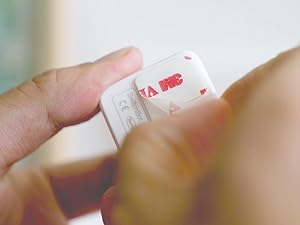 Tear off the 3M sticker
Install in 3 seconds. Note: Built-in CR2 battery. Before first use, remove the plastic battery isolation tab.
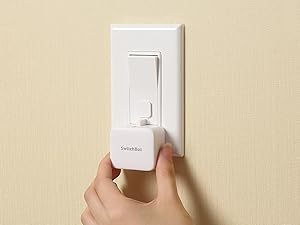 Attach near a switch or button
Just tape it next to a button or switch with no tools required.
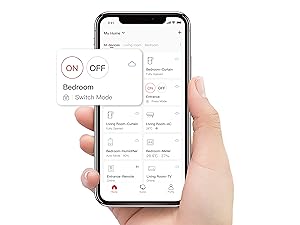 Tag the icon in the App
Turn the switch or button ON/OFF in the app.
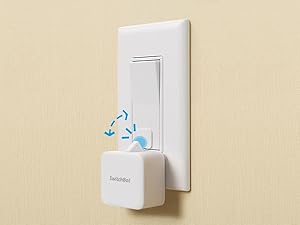 Push or pull
Push with the built-in arm and pull with the add-on. Use a regular-brand 3V CR2 battery.
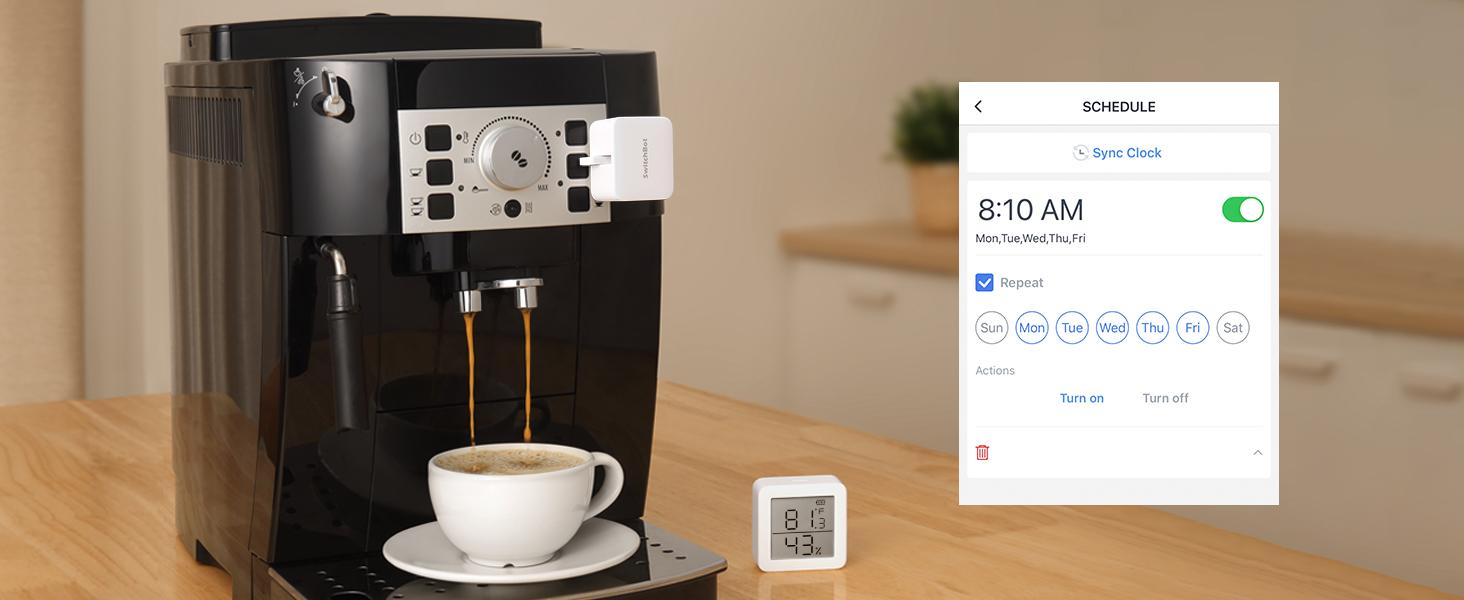 Automate with Schedule
Place it on a coffee machine or light switch and set a schedule to automatically turn it on or off.
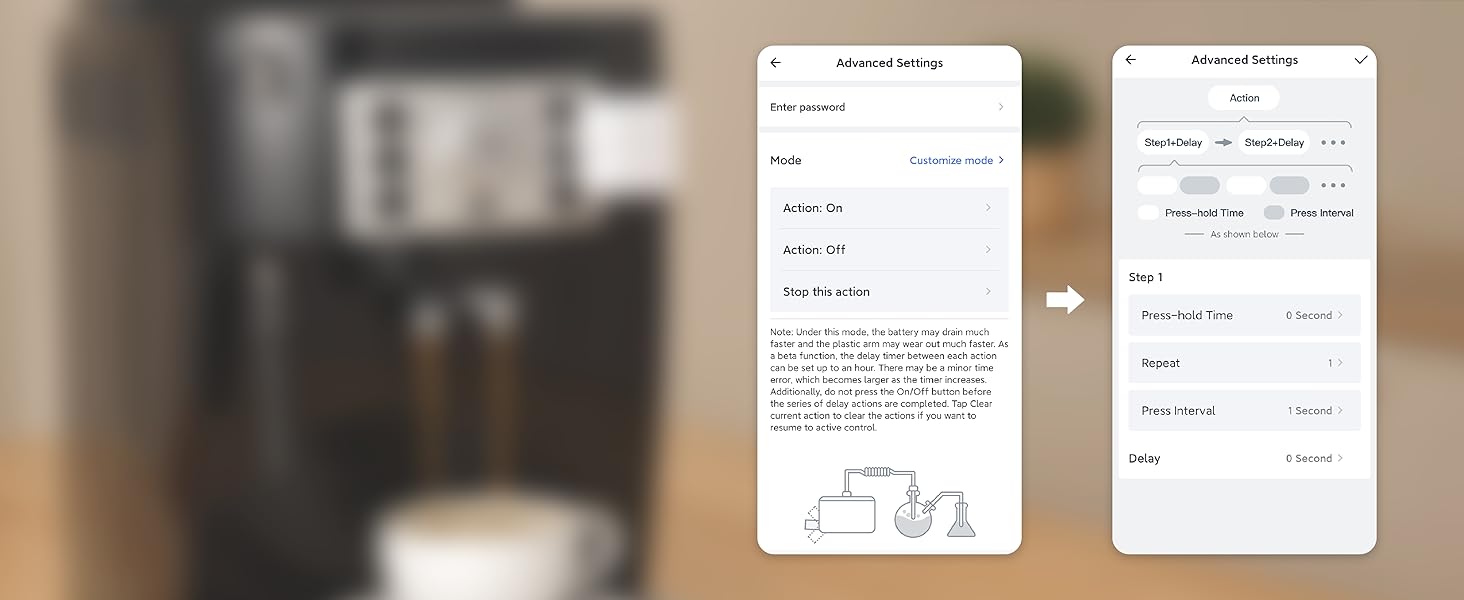 Repeat Actions
Set SwitchBot Bot to press the same button repeatedly for routines and continuous operation.
 Make Appliances Smart
Upgrade button-operated appliances without replacing them.
 Humidifier Automation
Automate a humidifier for a comfortable home routine.
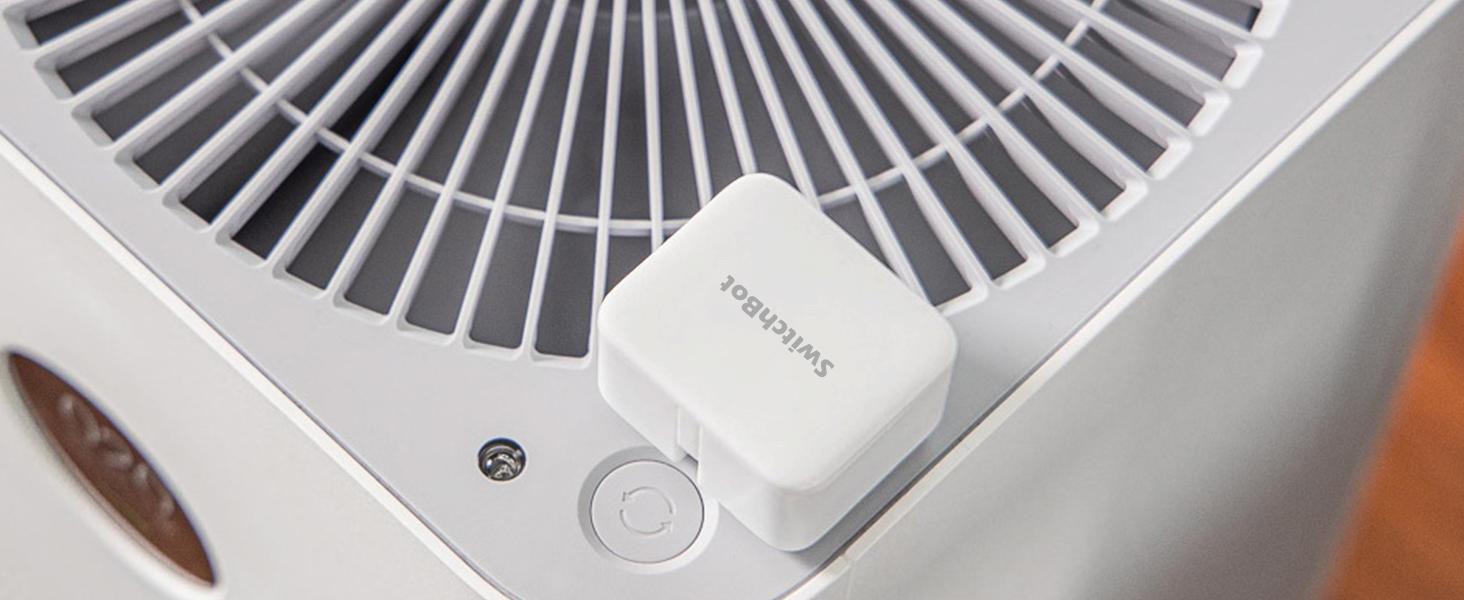 Fan Automation
Schedule your fan to turn on or off automatically.
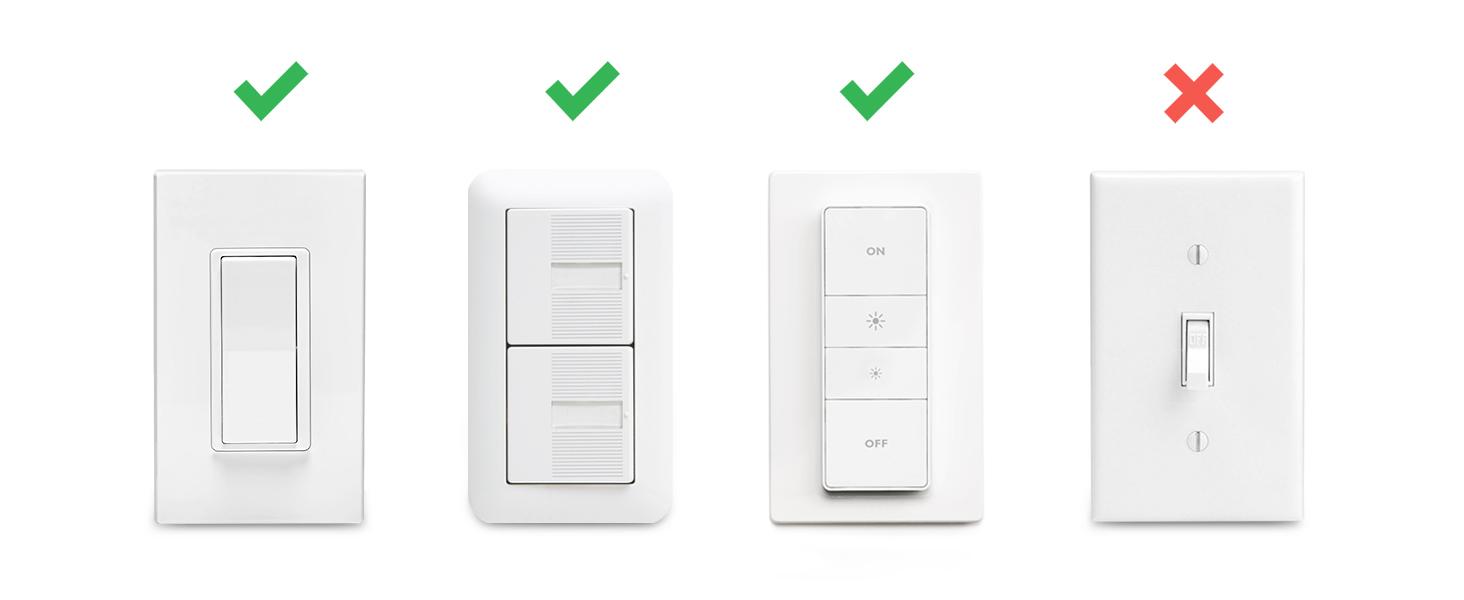 High Compatibility
SwitchBot is compatible with most rocker buttons and one-way switches, but not toggle switches and touch screen buttons. Not support overly hard or aged buttons.
How do I know if SwitchBot works or not? 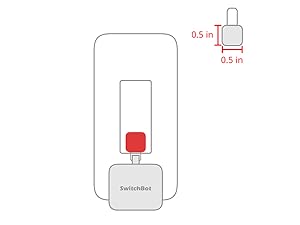 Space for the sticker
Sticker space requires more than 0.4 inches. Wait 24 hours after installation for best adhesion.
When to use add-on
For a rocker switch, apply the add-on to a clean, flat surface with enough room.
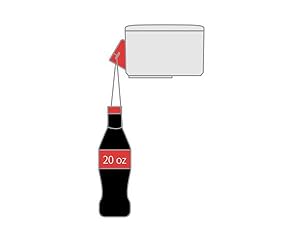 Strong for most
The Bot pushes with enough force for most switches while remaining gentle on devices.
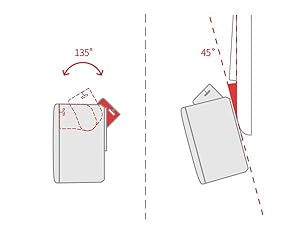 Maximum swing angle
The maximum swing angle is 135°. Install where the arm can reach the switch or button.
More Control Methods 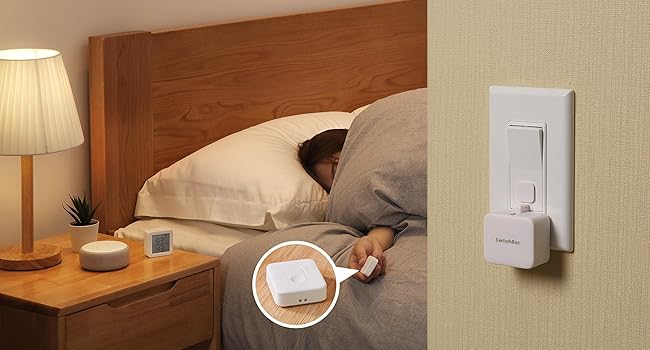 App Control
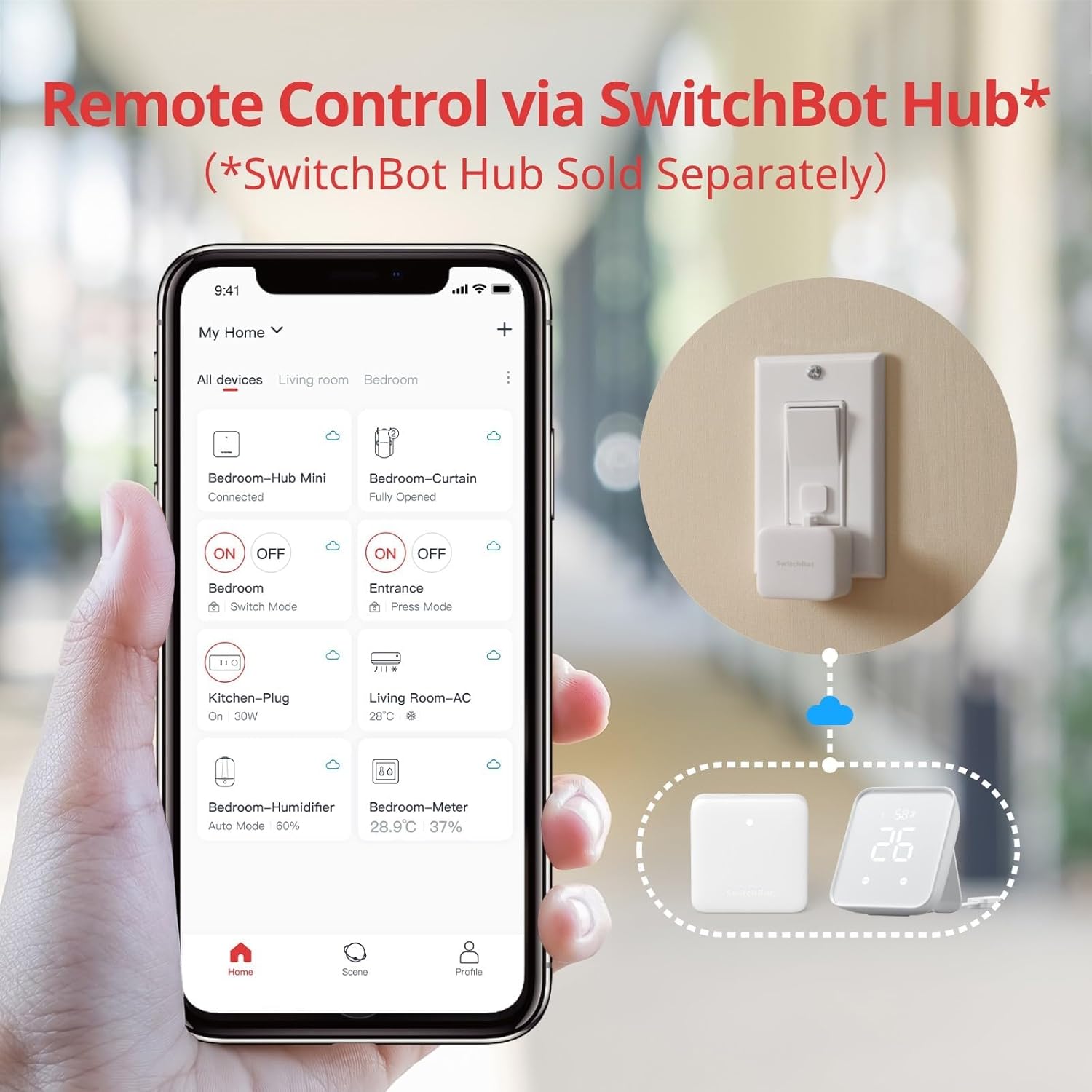
Add SwitchBot Hub Mini or Hub 2 (sold separately) to control Bot remotely from anywhere.
Remote Control
Press SwitchBot Remote (sold separately) to control lights without opening your phone.
Enhanced Control Distance (Pairing within 5m)  Enjoy Voice Control with SwitchBot Hub
Just say the words. With a SwitchBot Hub(sold separately), the Bots can be voice-controlled by Alexa, Google Assistant, Siri, and SmartThings. Enjoy the hands-free experience by saying “Alexa, turn off the light”, “Hey Google, a cup of coffee please”, or “Hey Siri, open the garage door”.
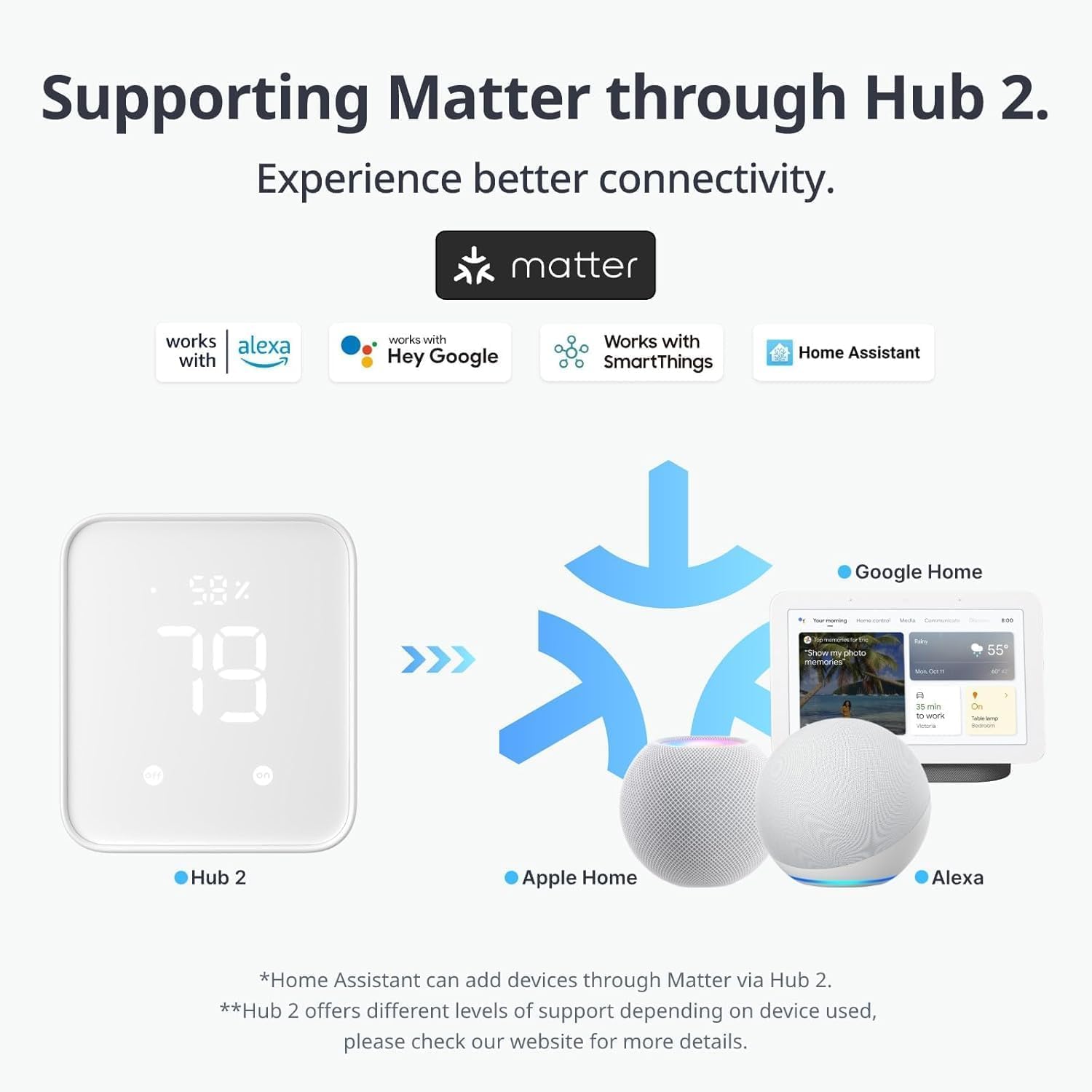
 Now supports HomeKit via Matter
SwitchBot Bot is supported via Matter when using SwitchBot Hub2 (sold separately), which in turn helps make your device supported via HomeKit. Now add SwitchBot Bot to Apple Home for an even better smart home experience.
Make a supported switch “smart” without rewiring — Control compatible rocker switches and one-way buttons from your phone for bedroom lights, fans, or appliances you don’t want to get up to reach. Not for toggle/mini switches, touch panels, or stiff/aged buttons. Check mounting space, arm alignment and button resistance before purchase; maximum pressing force is 8 N.
App control, built-in timers + rechargeable power — Set schedules in the SwitchBot app; once configured, they run without your phone nearby or a Hub. Includes a rechargeable CR2 battery—simply remove it for USB-C charging. Battery life varies with use, operating mode and environment.
Bluetooth control included; Hub adds voice + away control — Use Bluetooth for local control, or add a compatible SwitchBot Hub (sold separately) for remote control, supported voice assistants and IFTTT. Bot does not connect directly to Wi-Fi. Check your Hub’s Wi-Fi and ecosystem requirements; Apple Home requires a supported Matter-enabled Hub and compatible setup. Walls, metal and distance can affect connectivity.
Fast, tool-free install with stronger hold when you prep right — Attach with the included adhesive to a flat, firm, clean and dry surface away from heat. Check arm clearance and allow 24 hours for bonding before regular use. Quick placement does not mean the adhesive has fully bonded. Includes a 1-year limited warranty in the US; contact SwitchBot Support for covered quality issues, subject to warranty terms.
Choose the right mode for the job — Use Press Mode for button presses, or Switch Mode with a pull-tab attachment for compatible rocker switches. Add scenes and ecosystem automation through the SwitchBot app and supported integrations; remote and cloud-based features require a compatible Hub.