
Related Products


HP Series 3 27 inch FHD Monitor,...

XPPen Upgraded Artist13.3 Pro V2...

NIMO 17.3″ IPS FHD-Student-Laptop,...




Product description


1 Muti-touch Large Trackpad
2 Magnetic Attraction
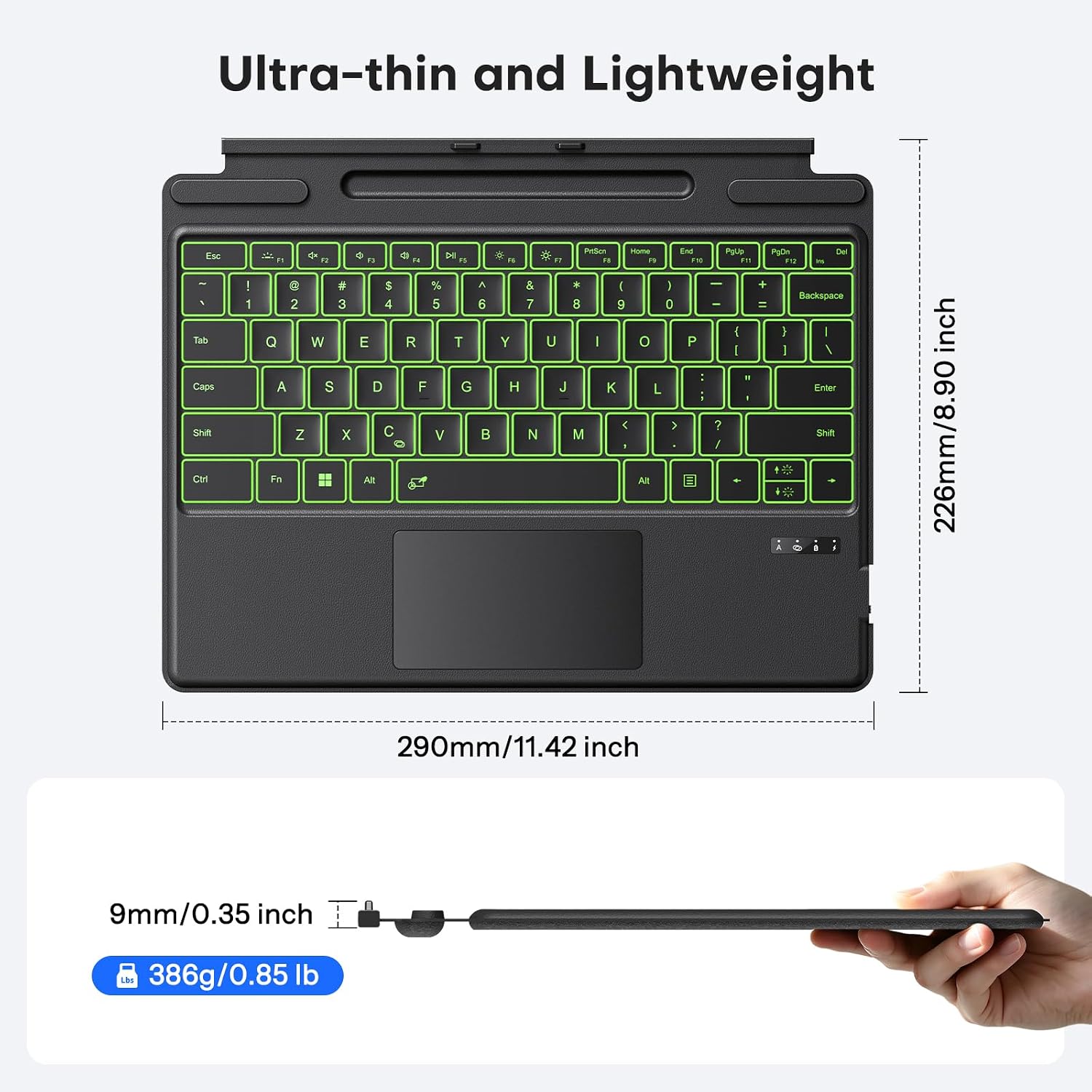
3 Ultra-Slim & Lightweight


1 Easy to Carry 2 Easy Operation
What devices is this Bluetooth keyboard compatible with?
Only compatible with Surface Pro 11/ Surface Pro 10/ Surface Pro 9/ Surface Pro 8 / Surface Pro X, not work with other models
How to connect keyboard ? Does it support magnetic automatic connection?
It only supports Bluetooth connection and requires manual pairing. Magnetic automatic connection is not supported. Press F+C keys to active Bluetooth of Keyboard >Turn Bluetooth on in Settings on your device >Select”Bluetooth Keyboard”for pairing.
How to charge the keyboard?
Charging is via Type-C port, with built-in 750mAh lithium battery achieves a full charge in merely 2 efficient hours, then provides exceptional 50-hour continuous operation (charging cable is included in the package)
Does the pen slot support charging for the Surface Pen?
No. The pen slot is designed for storage only and does not support charging (the pen is not included)
Does the touchpad support sensitivity adjustments?
Yes. Go to Settings > Bluetooth & devices>Touchpad> Cursor speed.
【Compatibility】Check compatibility before purchase! Confirm your model in Settings > System > About. This bluetooth keyboard is ONLY compatible with Microsoft Surface Pro 11/ Surface Pro 10/ Surface Pro 9/ Surface Pro 8/ Surface Pro X(13inch), and does not work with other models.
【Bluetooth Connection】It only supports Bluetooth manual pairing. How to connect: Press FN+C keys to activate the Bluetooth of the keyboard >Turn Bluetooth on in Settings on your device >Select “Bluetooth Keyboard” for pairing (Note: Magnetic automatic connection is not supported).
【Magnetic Detachable & Adjustable】Easily attach or detach the keyboard to switch between laptop and tablet modes. It offers flexible angle adjustment for optimal viewing, and a secure build for comfortable use on your lap, desk, or on the go.
【7 Colors Backlit & Type-C Charging】Choose from 7 colors and 3 brightness levels for comfortable typing. You can pick your preferred light color and comfortable brightness freely, or switch off the backlight entirely. It features fast Type-C charging and over 3 months of standby time. It does NOT charge via magnetic attachment.
【Precision Touchpad & Media Shortcuts】Enjoy effortless navigation with our responsive touchpad, featuring smooth multi-touch gesture support and adjustable cursor sensitivity (Settings > Bluetooth & devices > Touchpad > Cursor speed), while customizable hotkeys let you adjust volume, media playback, and brightness without interrupting your workflow.