
Related Products

WiFi Smart Energy Monitor Switch...

HHSOET Metal 360° Rotating Mountable...


From the brand


SCreate

DuoCreate

TriCreate
What inspires EfficFold?
We believe your workspace should move with you. EfficFold brings together portable displays and folding designs to give your ideas more room.
Which EfficFold series fits my workflow?
Choose SCreate for one external display, DuoCreate for two, or TriCreate for three. Find the screen setup that suits the way you work.
Who are EfficFold displays designed for?
Our displays are designed for people who want more screen space for documents, creative projects, and everyday tasks—at home, in the office, or on the move.
Why does EfficFold focus on folding designs?
A workspace should adapt to your day. Folding designs let you open up your setup when you need it and pack it down when it’s time to move.
How do I choose the right EfficFold model?
Start with your preferred screen count and size, then check the model’s connection, power, and device compatibility requirements before choosing.

【3 x 16″ FHD+ IPS Displays | More Room to Work】 Turn your laptop into a powerful four-screen workstation with three 16-inch IPS displays. Each screen delivers 1920 x 1200 resolution, 16:10 aspect ratio, 100% sRGB color, 300-nit typical brightness and 60Hz refresh rate, giving you more vertical workspace for spreadsheets, coding, research, meetings, editing and financial dashboards.
【Four Screens, Less Switching | Built for Serious Multitasking】 Keep documents, email, dashboards, code, video calls and reference material visible at the same time instead of constantly switching between windows. The three external displays create a spacious mobile workstation for developers, analysts, consultants, creators, remote workers and business travelers who need desktop-level screen space from a laptop.
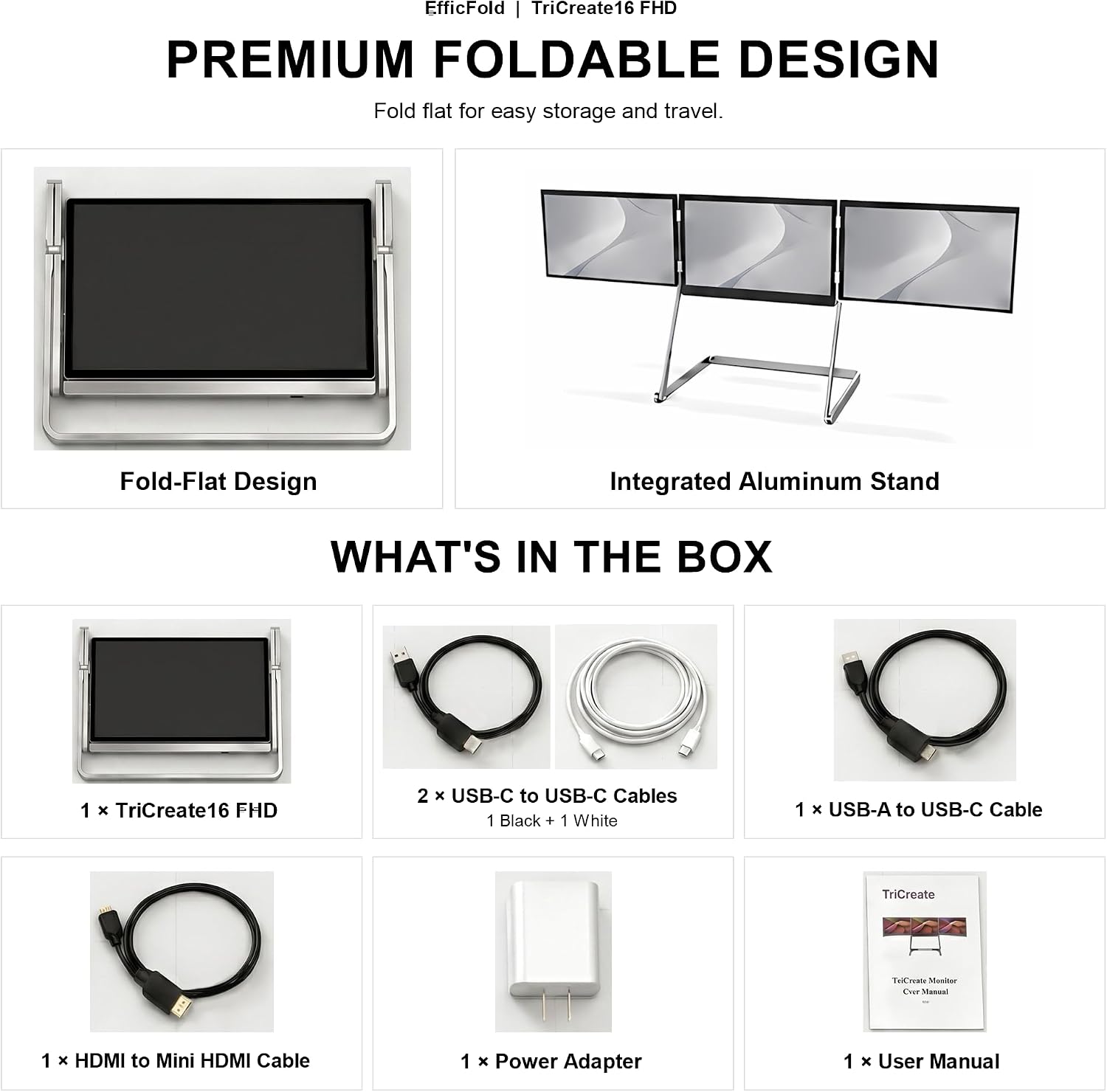
【Simple USB-C Setup + Flexible HDMI Options】 For compatible computers with a full-function USB-C port, one USB-C connection carries video and data for all three external displays. A dedicated USB-C PD power connection is required for stable operation. For laptops without full-function USB-C, use the included USB-A to USB-C + HDMI connection, or connect displays directly through the three Mini HDMI inputs.
【Windows, Mac & Linux | Know Before You Connect】 Designed for Windows, macOS and Linux laptops. Install the DisplayLink driver before first use for USB-C or USB-A display connection. Mac users should also enable Screen & System Audio Recording permission for DisplayLink Manager. Following the included setup guide helps ensure all three external displays are detected and extended correctly.
【360° Foldable Aluminum Design | Complete Setup Included】 Built with an aluminum alloy frame and 0–360° folding side displays, TriCreate 16 adapts from a focused multi-screen workstation to presentation and shared-view configurations, then folds down for storage and travel. Includes USB-C, USB-A to USB-C, USB-C power and HDMI to Mini HDMI cables, power adapter and setup guide.