
Related Products


amCase Carrying Case for Nintendo...


Krone Kalpasmos Convertible Crossbody...

Cosmolancer Board Game | A Strategy...




Product description


Note:The Switch 2 supports TV resolutions of “1080P” and “1440P” with 120Hz output.
1 Play While Charging
2 Multi-Ports Support
3 4K@120Hz HDMI Output

 Plug in Power Supply
Connect USB-C Power Adapter (60W 20V/3A)
 USB-C Port Match
Firmly press down on your switch 2 dock to ensure that it is perfectly matched with the TYPE-C Port
 Select HDMI Source
The selection of the TV HDMI connector is the same as the setting of the TV HDMI source port
 Connect Display
Connect the display to the HDMI signal source and wait 5-8 seconds.
 4K@120Hz Output Set
Please open switch 2 console—Settings—Display—TV Resolution and select 2160P 4K
How do I connect to my TV using switch 2 dock?(Remove switch 2 protective case)
1 Step 1 2 Step 2 3 Step 3 4 Step 4 5 Step 5

My Switch 2 come with a protective shell. Do I need to remove the protective case from Switch 2 when using this dock?
Yes, before use, you need to remove the switch 2 protective cover to ensure that the switch 2 dock can function properly.
Does the switch 2 dock come with a 60w power adapter and HDMI cable?
Yes.Include Switch 2 dock*1,USB-C 20V/3A 60W power adapter*1, HDMI cable*1,User manual*1
The switch 2 dock can be charged, but the content cannot be transferred to the TV for display?
The HDMI port on the TV is not matched with the HDMI signal source settings on the TV, or another device is occupying the HDMI port signal source on the TV. Please unplug and replug the cable, then select the corresponding HDMI signal source to match
After using it for a few days, switch 2 dock cannot connect to the TV. What should I do?
Please unplug the USB-C charger from the dock, then reinsert the 60W AC power adapter and fully insert the Switch 2 USB-C connector into the base. Connect the HDMI cable and select the corresponding HDMI port TV signal source.
Does the Switch 2 dock support 4K 120Hz TV video output?
Sure, Please open Switch 2 console—Settings—Display—TV Resolution and select 2160P 4K.But the switch 2 supports TV resolutions of “1080P” and “1440P” with 120Hz output.
【Portable and Compact】-This switch 2 dock match is only 198g(6.9oz), 8.2 in * 2.6 in * 1.8 in size, which is much more portable and lightweight than official switch 2 dock. Its work capability is the same as official standard, (Note: You need to remove the protective case of the switch 2 before use)
【Replacement for Official Switch 2 Dock】 Compared to the official switch 2 dock,our switch 2 dock is designed with a certain angle of inclination, giving you a very comfortable visual experience. It is less likely to scratch or damage your switch 2 screen during use. Free yourself from the heavy original switch 2 dock. With our portable swich 2 dock at home, you can easily move it from one TV to another. Fully compatible with Switch 2, it is more portable and lighter than the official switch 2 dock.
【One-touch Display Switching】-Switch 2 docking station for tv is specially designed to support switch 2 TV mode and handheld mode. Switch 2 TV dock is a plug and play, one-touch display switching TV mode or desktop mode . The switch 2 dock for tv supports 4K@120Hz(Note:The Switch 2 supports TV resolutions of “1080P” and “1440P” with 120Hz output), ensuring high definition images for gaming graphics.
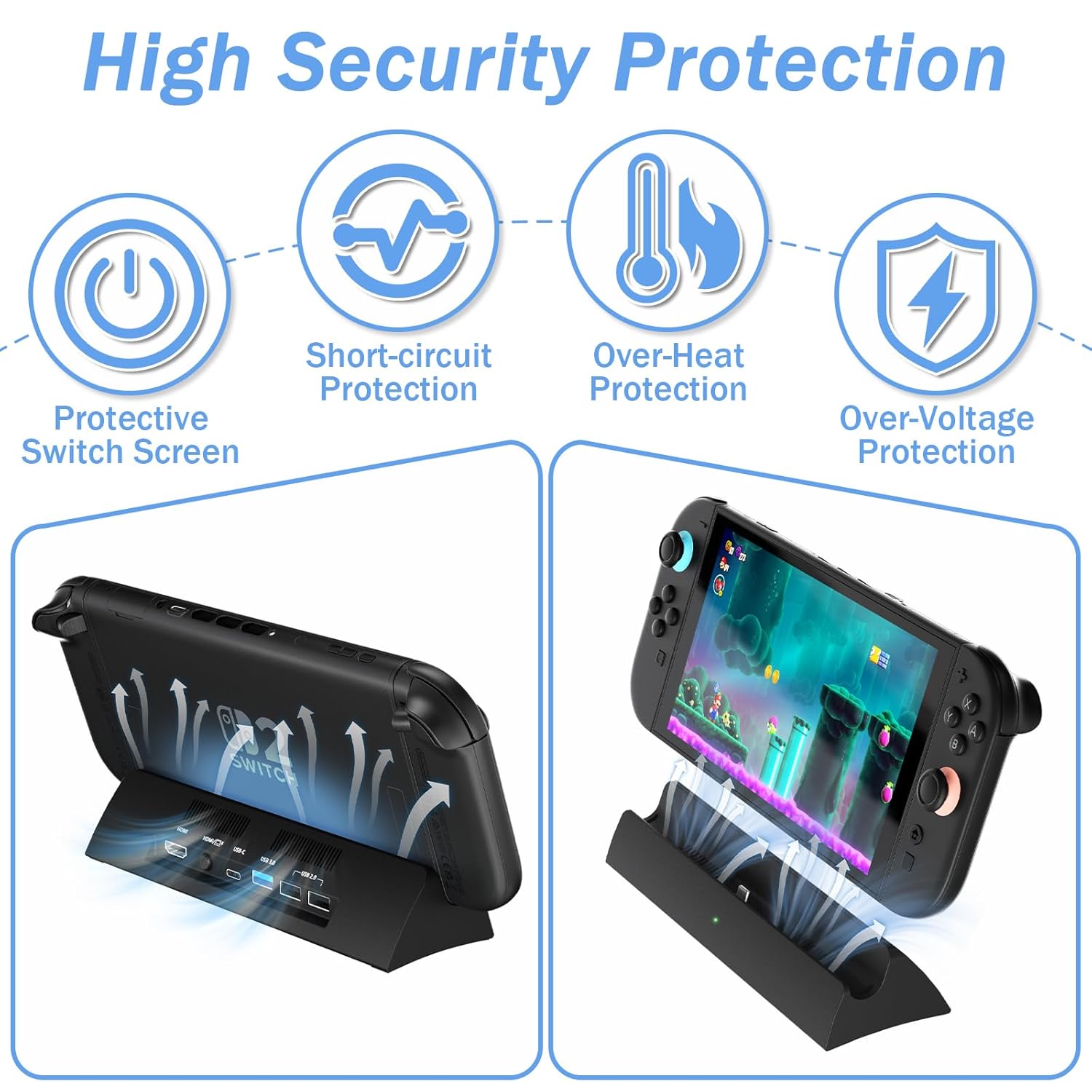
【Play While Charging】 -The switch 2 dock has a built-in smart chip with overcharge protection, overheat protection, short circuit protection and recovery protection. Connect the switch 2 dock adapter to the TV/projector use HDMI cable, plug in the 20V/3A 60W power adapter (NOT Included AC Power Adapter) switch 2 docking station ,And you can charge the switch 2 while the TV is playing.
【Multi-Device Support】-The switch 2 docking station for tv is designed with 1*HDMI 4K@120Hz video output port, 1*USB C power port, 1*USB 3.0 port, 2*USB 2.0 ports,1*Switching button to switch between TV mode or desktop mode. 3 additional USB ports (1 USB 3.0. 2 USB 2.0) allow you to connect other devices
$51.99