
Related Products

NexiGo N930E Pro, 4K Webcam with...

HP Series 3 27 inch FHD Monitor,...

OBSBOT Tiny 2 Lite 4K Webcam for...

HP 15.6″ Laptop with Microsoft...




Product description

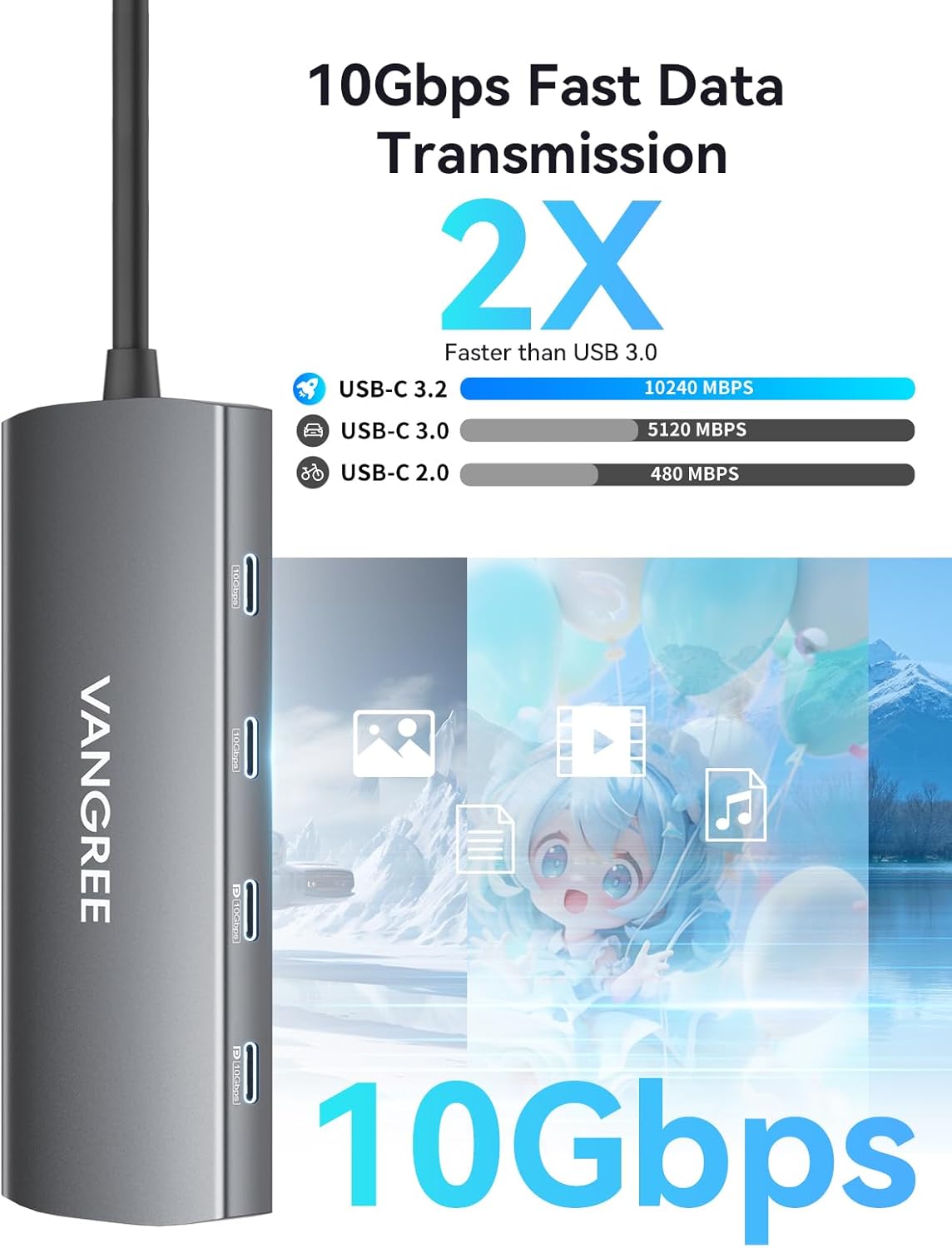
Get 2×USB-C displayports (4K@60Hz &10Gbps data transfer), 2×USB-C 3.2 data transfer ports(10Gbps), 2×USB-A 3.2 data transfer ports(10Gbps), 1×1Gbps ethernet port, 1×100W power delivery port, 1× SD/TF slots. Note: A 100W PD charger is required when using a portable monitor with USB-C DisplayPort.

The hub’s video output capability ensures smooth and lag-free video playback, which is crucial for both professional presentations and entertainment purposes. Note: This USB-C hub does not support bidirectional charging or charge USB-C output devices like monitors or displays.


1 Extend Dual USB-C Monitor
2 10Gbps Data Transfer
3 Max 100W PD Charging
4 1GBPS Ethernet
5 SD/TF Card Slot


1 Dual Display Modes
2 Interface Standards
3 Rapid Heat Dissipation
4 Safe and Reliable


1 USB-C Video Output Device
2 Kind Suggestions
3 Wide Compatibility
4 Compatible Device


1 Work Together
2 Work From Home
3 In the Office
4 Play Games
Q1 Will this USB-C hub work for video output on any laptop or phone? A1 Not all USB-C ports support video output. To achieve 4K@60Hz video output, your host device must have a full-featured USB-C port that supports DisplayPort (DP) Alt Mode, USB4, or Thunderbolt 3/4. If your device’s USB-C port is data-only (common on some Android phones and entry-level laptops), video output will not work. Please check your device specifications for “DP Alt Mode” or “Thunderbolt” support before use. Q2 Why can’t I extend two different displays when using a MacBook? A2 Due to macOS limitations, this hub does not support Multi-Stream Transport (MST). If you connect multiple external monitors to a MacBook, they will mirror the same image (Single-Stream Transport, or SST) rather than displaying extended, independent screens. For true multi-monitor extension on a Mac, we recommend looking into DisplayLink-compatible docks. Q3 This product has two USB-C DisplayPort interfaces. How do I set up dual extended monitors? A3 This USB-C dock features two USB-C DisplayPort interfaces, both supporting up to 4K@60Hz (backward compatible with 1080p@120Hz/240Hz) for dual-monitor setups: • Windows: Supports MST (Multi-Stream Transport), allowing two independent extended displays. • macOS: Supports SST (Single-Stream Transport) only. Due to macOS limitations, both external monitors will mirror the same content. Q4 Why am I not getting full 10 Gbps speeds on the data ports? A4 To achieve the full 10 Gbps data rate, every component in the chain must support 10 Gbps: (1) Host port – Your laptop’s USB-C port must support 10 Gbps (USB 3.1 Gen 2 / USB 3.2 Gen 2 or higher). (2) Cable & device – Both the cable and the connected device (e.g., external SSD) must be rated for 10 Gbps. (3) Power – Connect a power adapter to the hub’s PD port. Adequate power ensures the hub can sustain full 10 Gbps speeds. Q5 Why am I only getting 4K@30Hz instead of 60Hz? A5 (1) Host support – Your laptop’s USB-C port must support 4K@60Hz via DP Alt Mode. (2) Monitor & cable – Both your monitor and the video cable (HDMI or DisplayPort, depending on your model) must support 4K@60Hz. (3) Refresh rate setting – Some systems default to 30Hz. You may need to manually change the refresh rate to 60Hz in your system’s display settings. If any component in your setup is limited to 4K@30Hz, the output will be capped at 30Hz. Q6 Why isn’t my laptop charging through the PD port? A6 Connect the power adapter to the hub before connecting your laptop. Make sure your laptop’s USB-C port supports USB Power Delivery (PD) charging. Use a 65W or higher power adapter for optimal performance. If charging doesn’t start immediately, disconnect and reconnect the hub.
10-IN-1 USB-C HUB: Expands one Type-C port into 2×USB-A 3.2, 2×USB-C 3.2 (10Gbps), 2×USB-C DisplayPort (4K@60Hz), RJ45 Gigabit Ethernet, SD/TF reader, and 100W PD pass-through charging. Note: Connect a 100W PD charger when using USB-C DisplayPort with portable monitors
10GBPS HIGH-SPEED DATA: 2×USB-C and 2×USB-A 3.2 ports deliver 10Gbps bandwidth for rapid file sync, backup, and external storage access
DUAL 4K@60HZ DISPLAY: Two USB-C DisplayPorts support up to 4K@60Hz (backward compatible with 1080p@120Hz/240Hz). Requires USB4/Thunderbolt 4 host. Windows supports MST for two independent external screens. macOS supports SST only—external monitors mirror each other
GIGABIT ETHERNET & USB-C AUDIO: RJ45 port provides stable 1Gbps wired connectivity (backward compatible with 100/10Mbps). 4×USB-C ports support USB Audio Class for MIDI controllers, audio interfaces, and USB-C DAC headphones. Plug and play on Windows, Mac, and iOS
SD/TF CARD READER: Built-in SD and Micro SD slots with 50–104MB/s read and 30–80MB/s write speeds for rapid large-file transfers
NOTE: Most laptop USB-C ports max out at 15W output. If total power draw from connected peripherals (e.g., SSDs) exceeds 15W, disconnections may occur. Each hub USB-C port outputs 5V/3A