
Related Products



Aqara Thread/Zigbee Smart Climate...

vine Smart Thermostat for House,...


Product description

WIFI Switch
Wifi smart switch that can make pigeon cages, linear actuators, window pushers, lifting equipment remotely controlled.

How to make a linear actuator remotely controllable?
Supply power to the 2ch wifi smart switch with DC 5V or DC 7-32V. Since this controller does not output electricity but only outputs signals, electricity still needs to be input at the output end to enable the linear actuator to work.Pair it with the Smart Life APP.Set Channel 1 and Channel 2 as interlocked in the APP, so that Channel 1 and Channel 2 respectively control the forward rotation and the reverse rotation. If you need to set the running time for the forward rotation and the reverse rotation, set the jogging time to be between 1 and 3600 seconds, and the interval time is 1 second.
Wiring Instructions
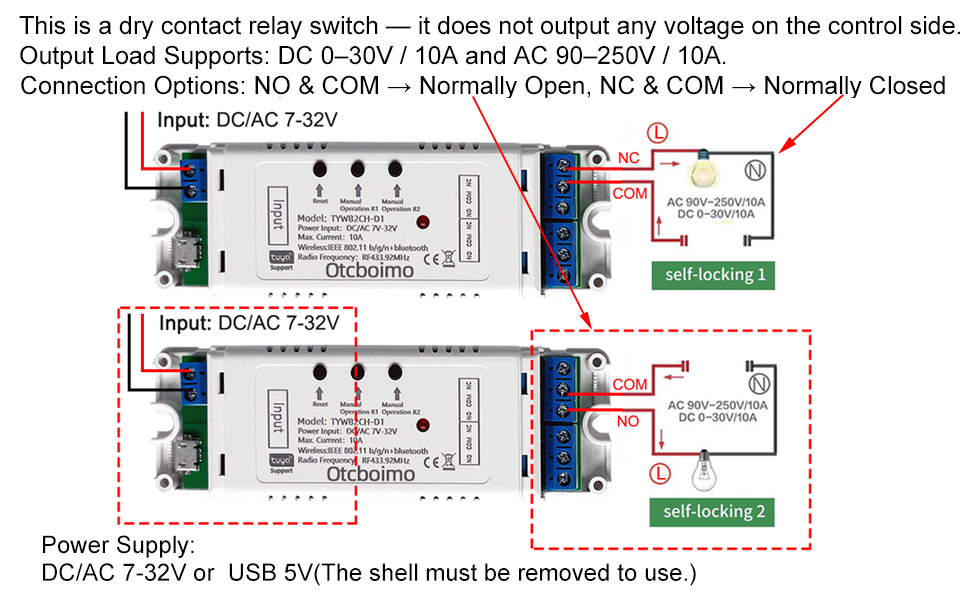
Power Supply:Use DC/AC 7–32V or USB 5V (choose one)Function:This is a dry contact relay switch — it does not output any voltage on the control side.You can connect the output (control circuit) to either: DC 0–30V, up to 10A, or AC 90–250V, up to 10A.The relay can be wired as: NO & COM for normally open operation, or NC & COM for normally closed operation.
Functions:
Remote On/Off: Turn on/off electrical devices from anywhere.
App Support: Free iOS and Android mobile app Smart Life.
Timing: Set schedules to turn on/off at specified times.
Shared Control: Control your smart home together with your family.
Scenarios: Set up automation to turn on devices.
Quick to Access 3 Working Modes
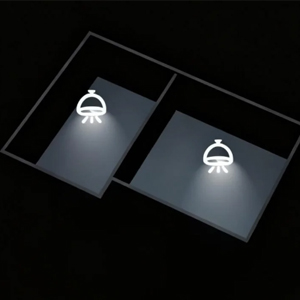
Self-locking mode
Self-lock mode: Works like a regular switch — press once to turn ON and stay on, press again to turn OFF.
The device works in self-locking mode by default.
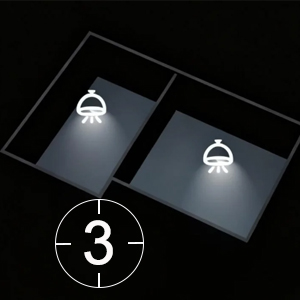
Inching(jog) mode
Inching mode: Turns ON when activated, then automatically turns OFF after the set time (1–3600 seconds)
How to set the jog/inching time?
Open the device control page in the Smart Life app.Go to Timer → Inching.Select the desired time (from 1 to 3600 seconds). Time unit: seconds (1s).Tap Save to confirm.
Interlock mode
Interlocking mode : Switch on any channel , other channels will be switched off automatically.
How to set the Interlocking mode?
Open the device control page in the Smart Life app.Go to Setting →interlock settingClick “Add”, then select Switch 1 and Switch 2, and finally click Save.

How to pair it with smart phone?
Search for “Smart Life” in the APP Store or Google Play, then download and install it.Register an account.Turn on the Bluetooth of your mobile phone and select the 2.4G WiFi frequency band.Power on the device. The device will automatically enter the network configuration mode (the indicator light flashes blinks(blink twice a second). If not, please press and hold the reset button for 5-7 seconds).
Method 1: Bluetooth mode:
Click “+” to add a device. The device will be automatically detected. Then click “Add”, enter the WiFi password, click “Next”, and and wait for the connection.
Method 2: WiFi Mode
Click “+”, select “Electrical” – “breaker (BLE+WiFi)”, click the upper right corner, select “WiFi mode”, then click “Next”, “Next”,”Next”,select “Blink Quickly”, click “x”, enter the password, and wait for the connection.
QA
Q: Why did my device fail to pair?
A:
The device may not be in pairing mode.Your Wi-Fi name or password may contain special characters (such as @, #, &, *).MAC address filtering might be enabled on your router.
Test Tip:Use two phones — one to create a Wi-Fi hotspot and the other to pair the device.If pairing succeeds, the issue is likely with your router settings.
Q: Does the device support 5GHz Wi-Fi?
A:No, it only supports 2.4GHz Wi-Fi. If your router uses dual-band (2.4G + 5G) combined, please go to your router settings, separate the two networks, and set different passwords for each.
Add to Cart
Add to Cart
Add to Cart
Add to Cart
Add to Cart
Customer Reviews
3.8 out of 5 stars 9
3.1 out of 5 stars 6
5.0 out of 5 stars 6
5.0 out of 5 stars 8
4.6 out of 5 stars 4
Price
$25.99$25.99 $21.83$21.83 $28.49$28.49 $18.99$18.99 $13.91$13.91
Type
WIFI+RF433 Remote WIFI WIFI+RF433 Remote ZIGBEE Manual button
APP Remote Control:You can automate electric linear actuator, garage door opener, door access and lamp, roller blind, Shutter, Control DC motor and AC motor forward and reverse.
Wi-Fi & Bluetooth-operated smart relay switch with 2channel, up to 10A.With 3 working modes: self-locking, inching and locking mode. Two Working Voltage: USB 5V & AC/DC 7V-32V. The device is equipped with potential-free outputs (dry contacts), providing high flexibility in voltage support and various applications.
Voice control smart home light switch: This WiFi switch can be used with Alexa/Google Assistant, and you can use voice control to turn on/off home appliances.
Timing and Sharing: you can set timer schedules to automatically turn on/off your device according to your daily habits.You can share the conrtol to you family, make your home smarter, whole family can control home appliances through Tuya app It works from anywhere you have internet connection.
Easy to use: 2.4G WiFi and Bluetooth protocol. When adding a device, the device is automatically identified, which is very simple and convenient. The WiFi relay only supports 2.4G WiFi and not the mesh WiFi system and 5G WiFi network. When pairing, make sure it is close to the router.
$17.99